User Manual 10Appendix C
5100606_CFD5000 T - CM2.2_User Manual_T_EN_2023_E
57
10 Appendix C
10.1 The Consist ID
The Consist ID is an auxiliary configuration item, separate from the normal system
configuration, affecting the SDTv2 communication.
Updating the Consist ID
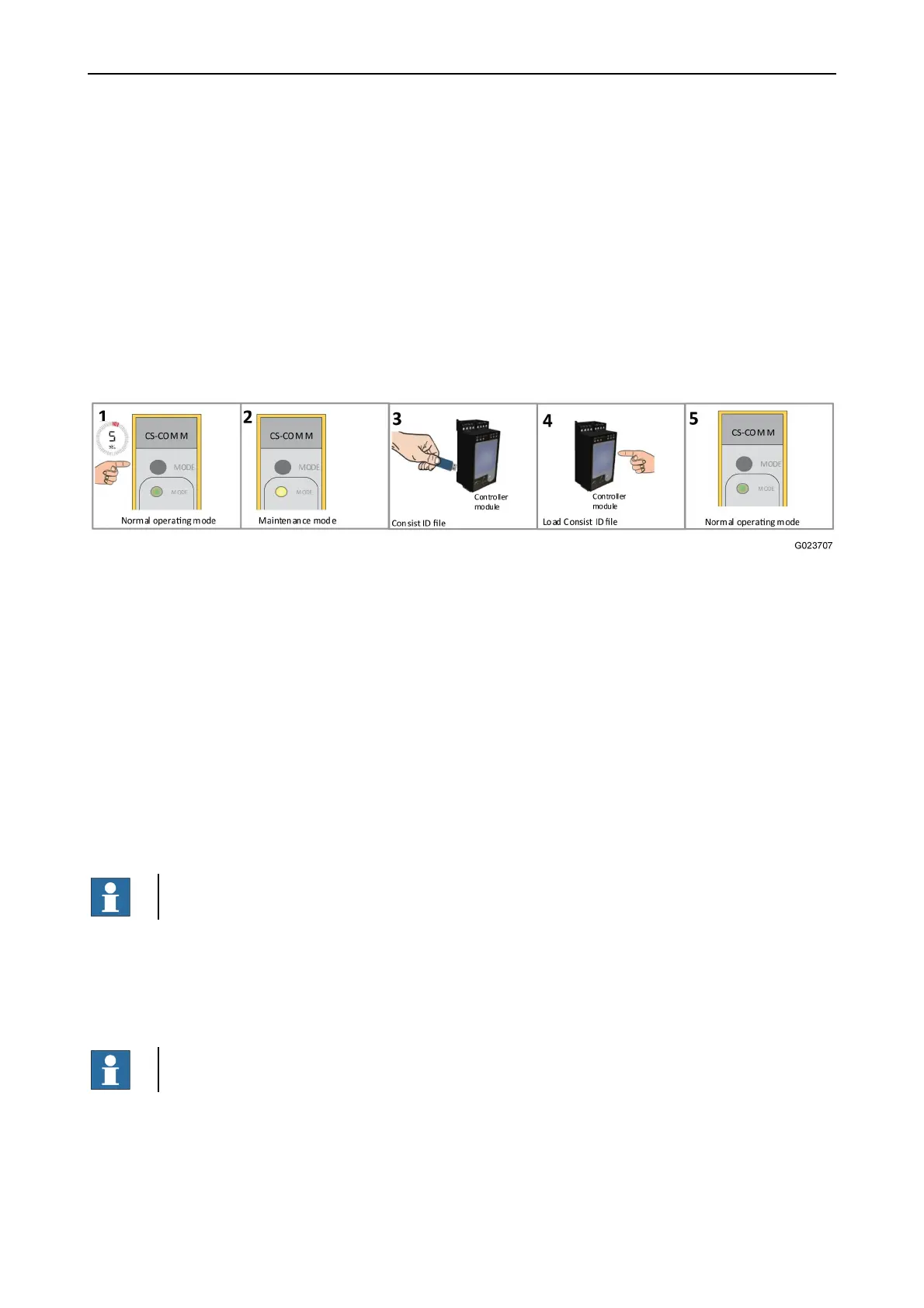
The Consist ID can be updated via the controller module via a file on a USB
memory stick, when the CS COM M module is set into maintenance mode.
1. Press the Mode key for 5 seconds.
2. This puts the CS-Com M into maintenance mode, yellow indication.
3. Insert the Consist ID file to the controller module.
4. Log in (level 3 access required).
5. Load the Consist ID file via the Service menu, Configuration, Load CFG
(ZefiroFDSConsistID.txt).
6. The Consist ID loaded and sent to CS-Com M. When the Consist ID is received, the
CS-Com M returns to normal operating mode, green indication. In case no Consist ID is
received, CS-Com M will stay in Maintenance mode, yellow indication.
When successful, the SDTv2 channel will be active using the new Consist ID.
NOTE!
In normal operating mode the Consist ID in the CS-Com M cannot be affected.
The Consist ID file
The string of ASCII characters being the actual Consist ID of max 16 bytes shall be
terminated with CR or LF characters and stored in a .txt file with the name
ZefiroFDSConsistID.txt.
NOTE!
The Consist ID file must be named exactly according to above, including the casing.
Time limited maintenance mode
A CS-Com M module left unattended in maintenance mode will return to normal
operating mode.



 To Next Page