User Manual 5User Instructions for Control Panel M 2.2
5100606_CFD5000 T - CM2.2_User Manual_T_EN_2023_E
15
The Up/Down keys are used to navigate menus and to enter digits.
Function key
F2 activates the present function which is displayed at the bottom right corner of the
display.
USB Connection (below the F2 key)
USB connection for USB memory stick to load or save configuration files.
Ethernet Connection (below the F2 key)
Ethernet connection for advanced system maintenance or protocol interface.
5.1.2 Guide to the Menu System
5.1.2.1 Navigating the Menus
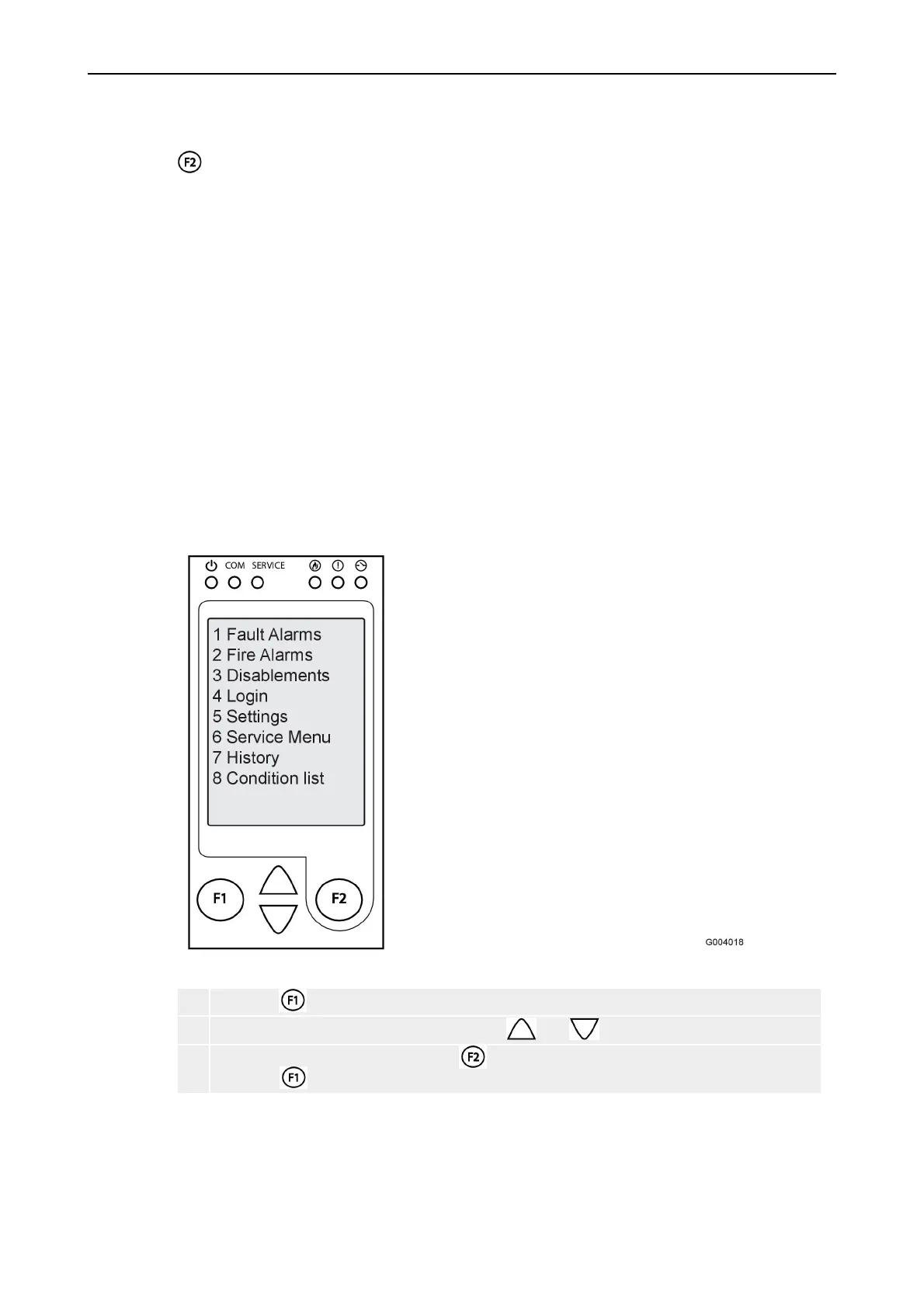
The fire detection system is menu-operated. All system functions are available
from the different menus.
Figure 7. Menu-operated system
1 Press the key to enter the menu system
2 Navigate in the menu alternatives with the and keys.
3 Choose a menu alternative with the key and go to the previous menu alternative
using the key.
In the lower part of the display the different options available for each individual
menu are shown.



 To Next Page