5User Instructions for Control Panel M 2.2 User Manual
24
5100606_CFD5000 T - CM2.2_User Manual_T_EN_2023_E
5.5 Fault Alarm
5.5.1 Information Displayed when “Fault” is Flashing
WARNING!
In case of a fault alarm use the information viewed on the display to verify and reset
the fault.
Use the list of fault codes in the manual for more information about cause and
remedy.
If the problem remains take the appropriate actions to restore the functionality of the
fire detection system.
WARNING!
If an internal hardware or software fault has occurred it has to be restored as prompt
as possible in order to secure the functionality of the complete fire detection system.
The detection of a dangerous fault shall result in either:
•
a specified action to achieve or maintain a safe state; or
•
the repair of the faulty system within the mean repair time (MRT). During this
time the continuing safety shall be ensured by additional measures and
constraints. The safety integrity provided by these measures and constraints
shall be at least equal to the safety integrity provided by the FDS in the
absence of any faults.
The following sections describe the information that displays when a fault occurs,
and how to mute and reset a fault.
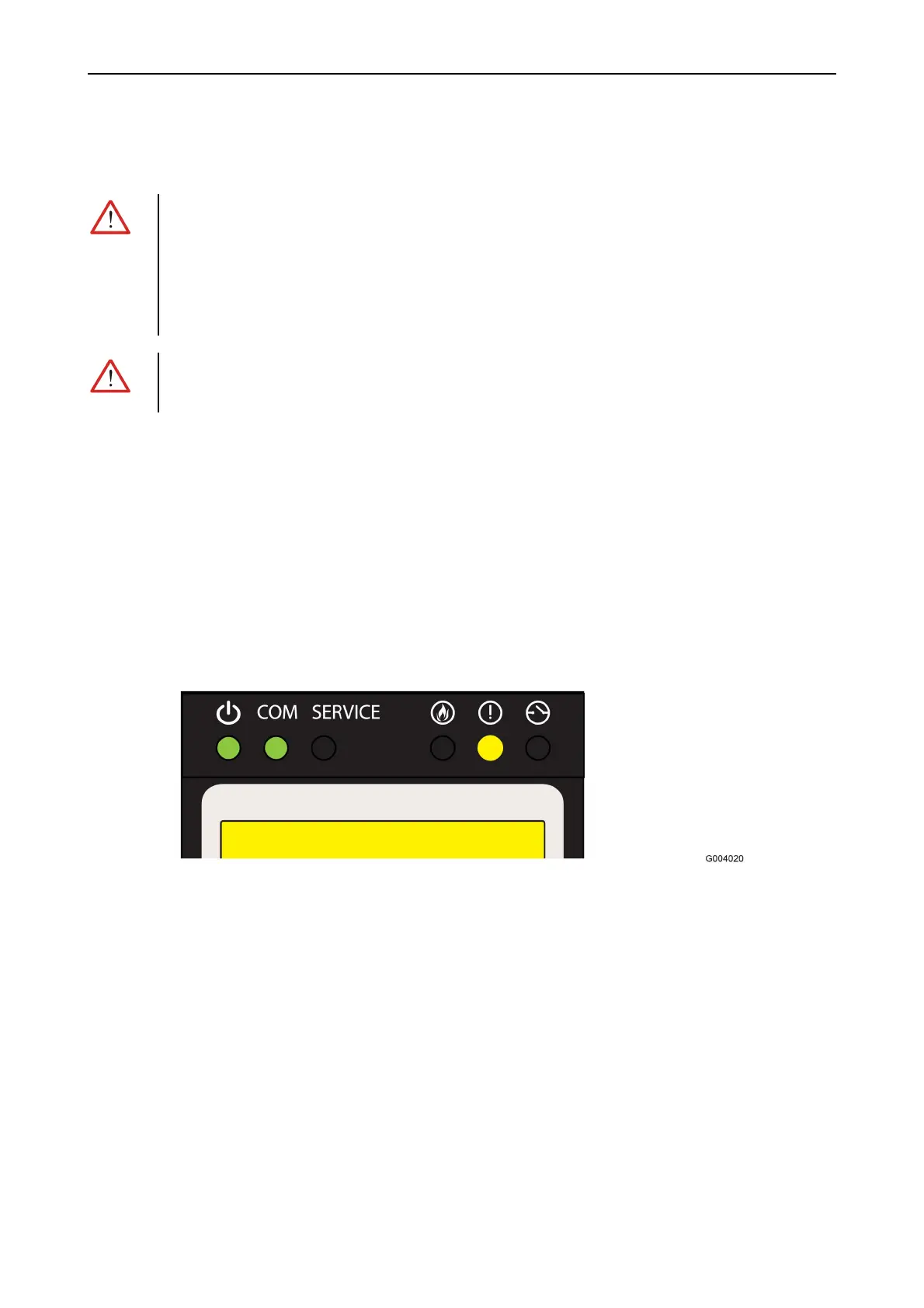
Figure 9. A fault is detected in the system.
The following information is displayed in the control panel:
•
Number of detected fault(s)
•
Type of fault
•
Identification of the faulty unit
•
Supplementary text for the faulty unit (defined in the system configuration)



 To Next Page