Menu 6
Parameter
structure
Keypad and
display
Parameter x.00
Parameter
description format
Advanced parameter
descriptions
Serial comms
protocol
Electronic
nameplate
Performance
90 Digitax ST Advanced User Guide
www.controltechniques.com Issue Number: 1
This parameter is provided to allow the user to select several predefined digital input routing macros to control the sequencer. When a value between
0 and 3 is selected the drive processor continuously updates the destination parameters for digital I/O T25, T26 and T27, and the enable sequencer
latching bit (Pr 6.40). When a value of 4 is selected the destination parameters for these digital I/O and Pr 6.40 can be modified by the user. (Note any
changes made to the destination parameters only become active after a drive reset.)
*Pr 6.29 reflects the state of the SAFE TORQUE OFF (SECURE DISABLE) input and so it is not necessary to control this with a digital input, but the
set up here is provided for compatibility with older products. Routing a digital input can be used for fast disabling, see Pr 6.29 for more details.
When this bit is set the drive remains active even when the run command has been removed and the motor has reached standstill. The drive goes to
the 'StoP' state instead of the 'rdy' state.
When the drive is enabled with this bit at zero, the post ramp reference (Pr 2.01) starts at zero and ramps to the required reference. When the drive is
enabled with this parameter at one, the post ramp reference is set to the motor speed.
This parameter permanently enables the Stop key on the drive such that the drive will always stop when the Stop key is pressed. If keypad mode is
selected this has no effect because the Stop key is automatically enabled.
The sequencer logic has been designed so that pressing the Stop key, whether the Stop key is enabled or not, does not make the drive change from
a stopped to a running condition. As the Stop key is also used to reset trips this means that if the Stop key is pressed when the drive is tripped, the trip
will be reset, but the drive does not start. (This does not apply to the UV trip which cannot be reset by the user, but is automatically reset when the DC
bus voltage is high enough.) Preventing the drive from starting when the stop key is pressed is implemented as follows.
Sequencer latching not enabled (Pr 6.40=0)
If the Stop key is pressed when the Stop key is enabled (Pr 6.12=1) or when the drive is tripped the sequencer run is removed, and so the drive stops
or remains stopped respectively. The sequencer run can only then be reapplied after at least one of the following conditions occurs.
1. Run forward, Run reverse and Run sequencing bits all zero
2. OR the drive is disabled via Pr 6.15 or Pr 6.29
3. OR Run forward and Run reverse are both active and have been for 60ms.
4. The drive is in the UV state.
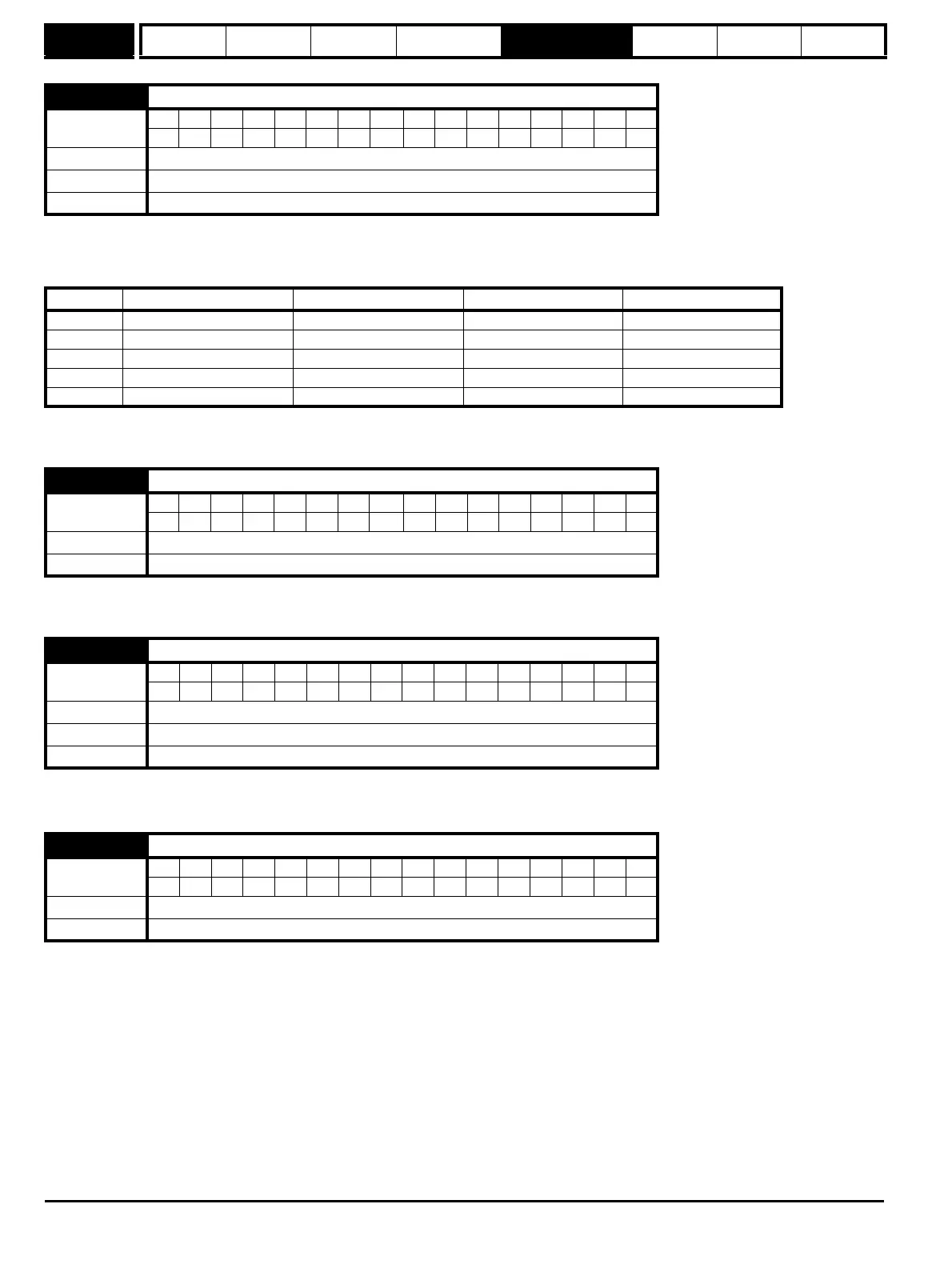
6.04 Start/stop logic select
Coding
Bit SP FI DE TE VM DP ND RA NC NV PT US RW BU PS
111
Range 0 to 4
Default 4
Update rate Background read
Pr 6.04 T25 (Pr 8.22) T26 (Pr 8.23) T27 (Pr 8.24) Pr 6.40 (Pr 8.25)
0Pr 6.29* Pr 6.30 Run Forward Pr 6.32 Run Reverse 0 (non latching)
1Pr 6.39 Not stop Pr 6.30 Run Forward Pr 6.32 Run Reverse 1 (latching)
2Pr 6.29* Pr 6.34 Run Pr 6.33 Fwd /Rev 0 (non latching)
3Pr 6.39 Not stop Pr 6.34 Run Pr 6.33 Fwd/Rev 1 (latching)
4 User prog User prog User prog User prog
6.08 Hold zero speed
Coding
Bit SP FI DE TE VM DP ND RA NC NV PT US RW BU PS
111
Default 1
Update rate 4ms read
6.09 Catch a spinning motor
Coding
Bit SP FI DE TE VM DP ND RA NC NV PT US RW BU PS
111
Range 1
Default 1
Update rate Background read
6.12 Enable stop key
Coding
Bit SP FI DE TE VM DP ND RA NC NV PT US RW BU PS
111
Default 0
Update rate Background read


 To Next Page