Installation Instructions for:
Single Channel Output Unit MCOM-S
Cooper Lighting and Security Ltd.
Menvier – JSB Division
Wheatley Hall Road, Doncaster, South Yorkshire, DN2 4NB, United Kingdom
Sales General Export
Tel: +44 (0)1302 – 303303 Tel: +44 (0)1302 – 321541 Tel: +44 1302 - 303250
Fax:+44 (0)1302 – 367155 Fax:+44 (0)1302 – 303220 Fax:+44 1302 - 303251
Email: sales@cooper-ls.com technical@cooper-ls.com export@cooper-ls.com
Installation
1. Fit the box in position using the mounting details below.
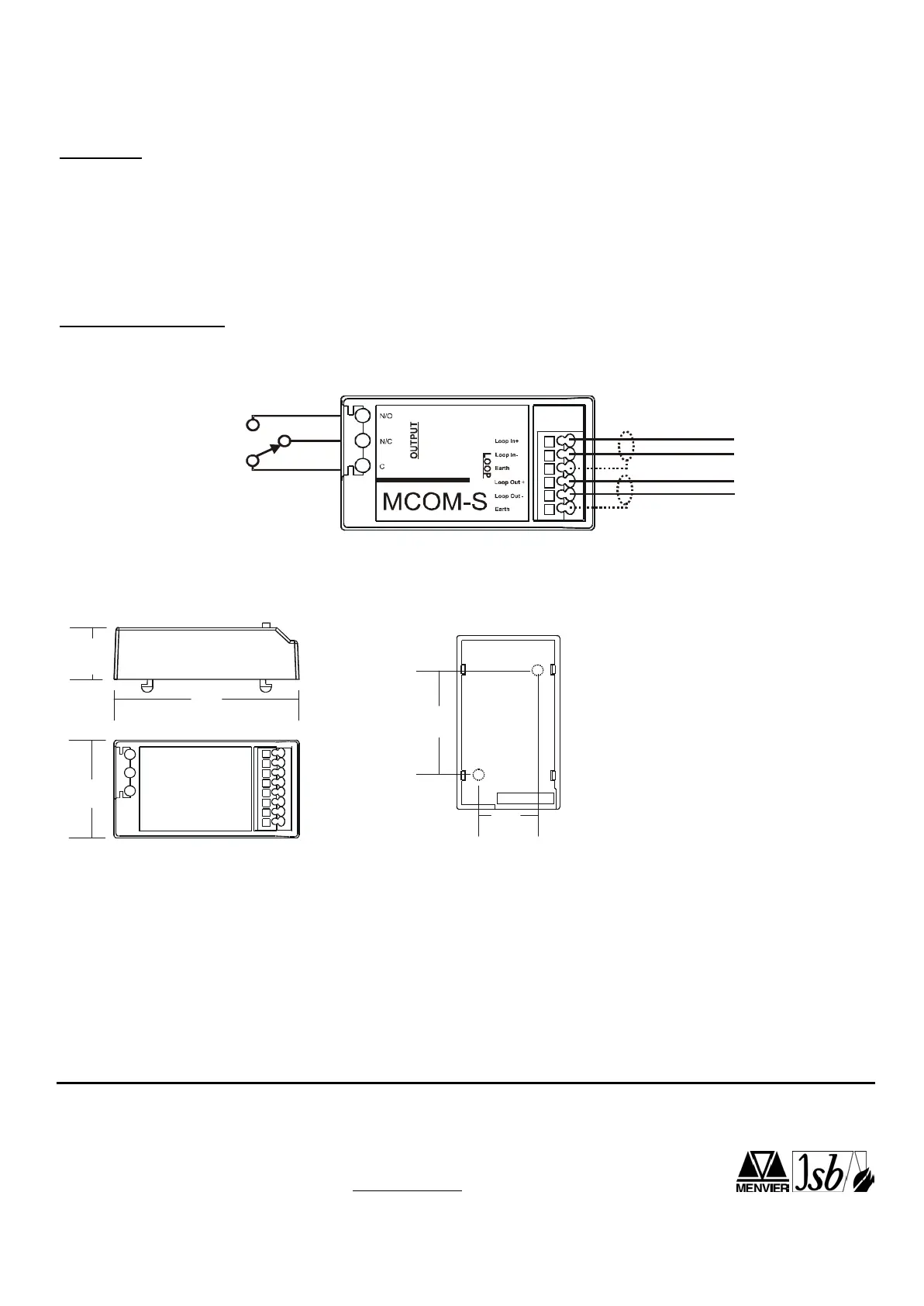
2. Connect the unit according to the diagram below.
3. Recommended Loop Cable Type: FIRETUF, FP200, MICC
Notes:
No addressing of the interface is required. See control panel operation for details.
This needs to be programmed as a sounder device type on site installed PC software .
Standard Connections
Loop I n
Loop Out
Analogue Addressable Loop
35 mm
18.5 mm
63 mm
Dimensions
Mounting Details
(Drilling positions, template over leaf)
37.5mm
20 mm
Notes:
1. Only connect cable screen to its adjacent earth terminal.
2. Output relay are volt-free contacts and are not monitored.
103



 To Next Page