ABS 2.0 Operator’s Manual
Publication Number: 621058590OPR - 20 - © 2019, Cornelius Inc.
Step Action Figure
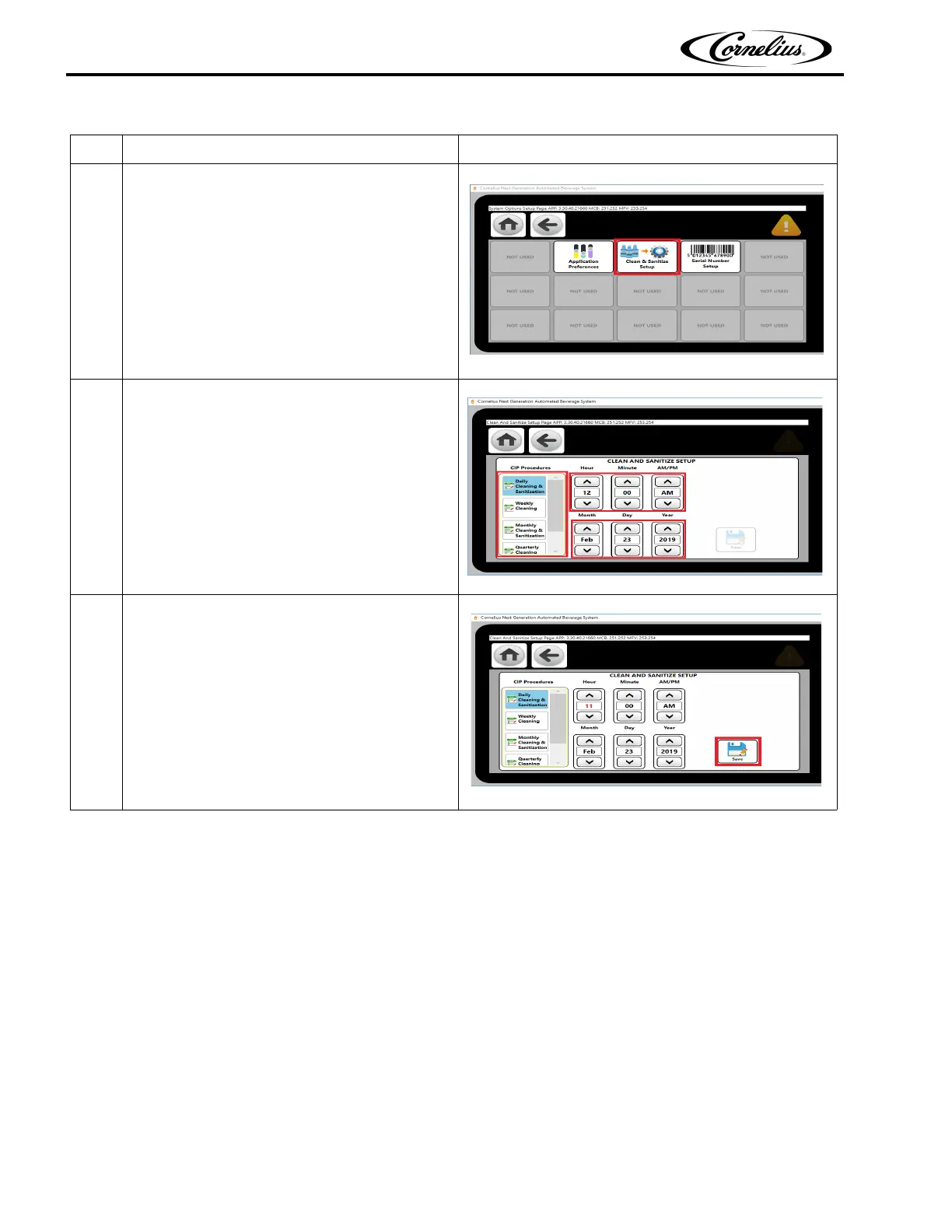
5.
From system Option select Cleaning &
Sanitazi
Setup button as shown in Figure 23.
Figure 23.
6.
Select the cleaning options using scroll up/down
bu
tton and set the next cleaning date & time for
alarm as shown in Figure 24.
Figure 24.
7.
After setting please save the setting by press
t
he save button as shown in Figure 25.
Figure 25.
Table 9. (Continued)





 To Next Page