4 Operation
Operator manual: Postmix tower
Ribbon
22
Cornelius Deutschland GmbH
Document no. TD0000000
Version: 19/10/2017, Index 3
4.2 Dispensing beverages in “TIME BASED” mode
In “TIME BASED” mode, the product is dispensed for a specified time according to the cup size
selected.
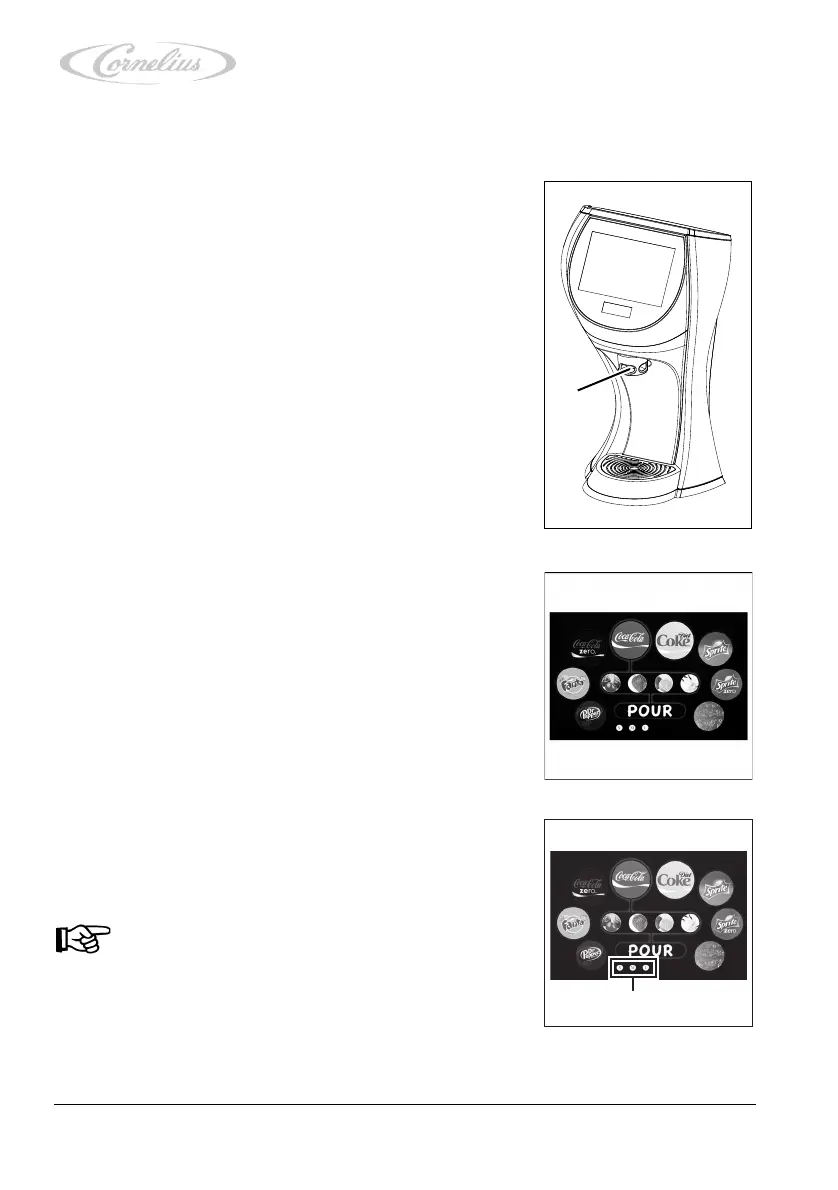
1. Place a cup of the required cup size under the dispens-
ing nozzle (Figure 10/1).
2. Select a beverage by pressing the required symbol on
the touchscreen.
As an added option, you can also assign a brand to your
beverage by pressing the required flavour shot symbol
on the touchscreen.
3. Select the right fill quantity for the selected cup size and
press the required cup symbol (Figure 12/2) on the
touchscreen.
Notice!
If you would like to change the selected beverage,
press the “Return” arrow (Figure 12/1) to return to
the previous menu item.













 To Next Page