4 Operation
Operator manual: Postmix tower
Ribbon
30
Cornelius Deutschland GmbH
Document no. TD0000000
Version: 19/10/2017, Index 3
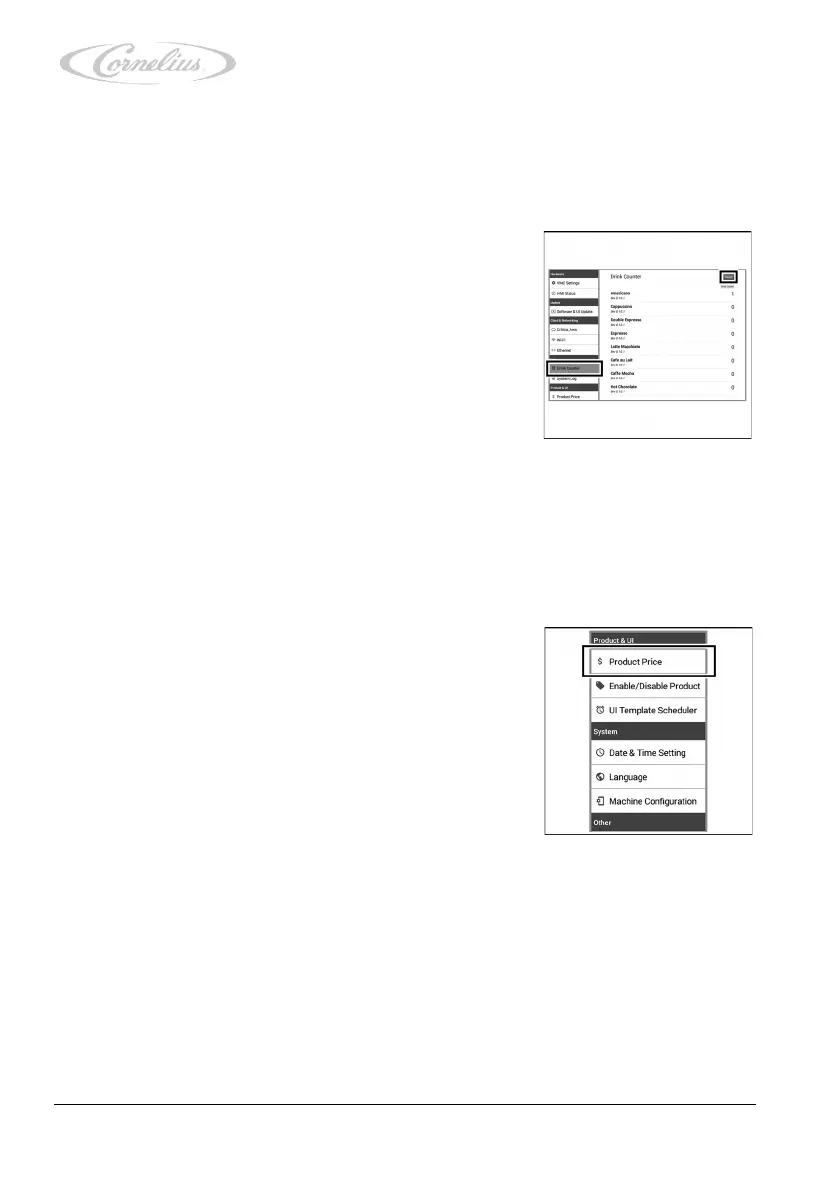
4.3.5 Checking and making adjustments in the “Drink Counter”
menu
The “Drink Counter” menu allows you to check the dispensing amount for each individual prod-
uct.
1. Call up the service menu, see chapter 4.3.1, page 23.
2. Press “Drink Counter”.
The menu opens, allowing you to view the counter read-
ings.
3. To reset the drink counter, press “Reset”.
4.3.6 Checking and making adjustments in the “Product Price”
menu
The “Product Price” menu allows you to assign a price to each specific product.
1. Call up the service menu, see chapter 4.3.1, page 23.
2. Press “Product Price”.
The menu opens, allowing you to view the product
prices.













 To Next Page