4 Operation
Operator manual: Postmix tower
Ribbon
34
Cornelius Deutschland GmbH
Document no. TD0000000
Version: 19/10/2017, Index 3
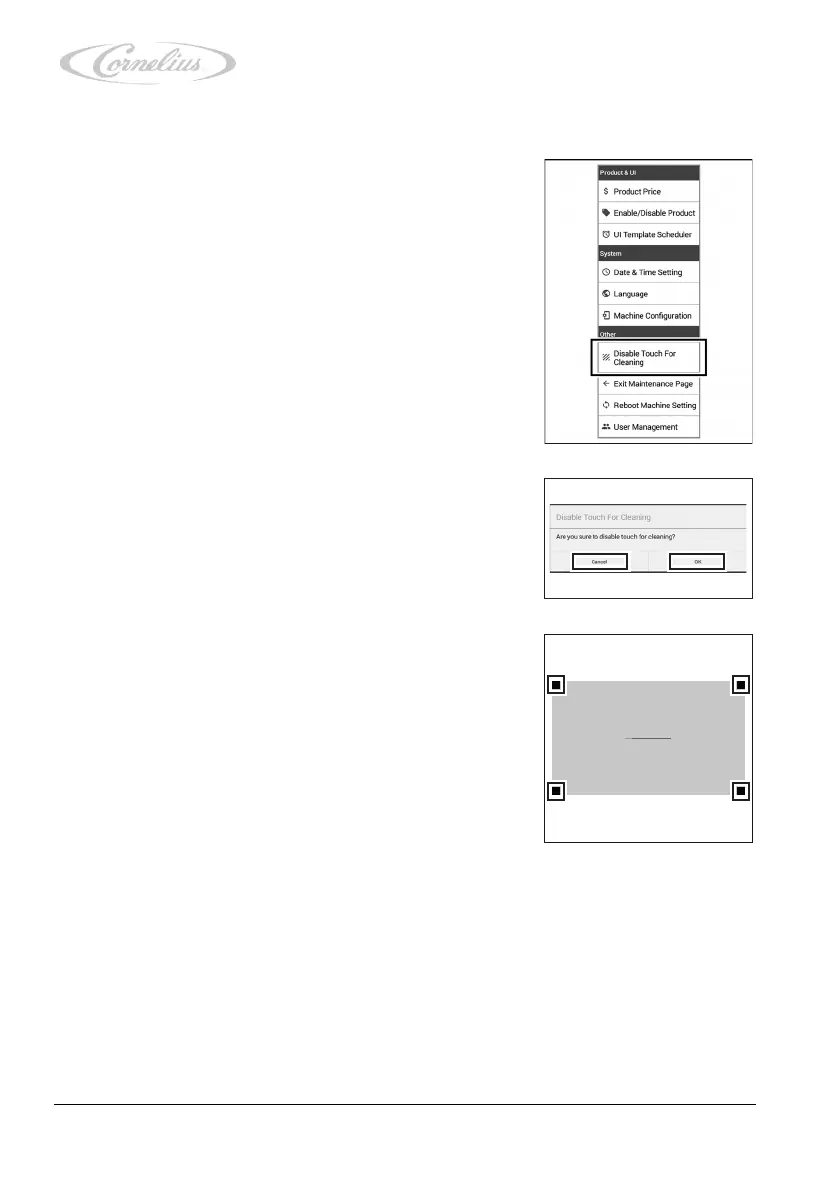
4.3.10 Locking/unlocking the touchscreen
1. Call up the service menu, see chapter 4.3.1, page 23.
2. Press “Disable Touch for Cleaning” (deactivate touch-
screen for cleaning).
3. Confirm by pressing “OK”.
The touchscreen is now deactivated for 60 seconds.
A counter shows the progress.
If you do not wish to lock the touchscreen, press “Can-
cel”.
4. To unlock the touchscreen, alternately press the corners
of the touchscreen (1, 2, 3 and 4).
The touchscreen is now unlocked.
1
3
52
Please click 1->2->3->4 to interrupt.
2
4













 To Next Page