4 Operation
Operator manual: Postmix tower
Ribbon
26
Cornelius Deutschland GmbH
Document no. TD0000000
Version: 19/10/2017, Index 3
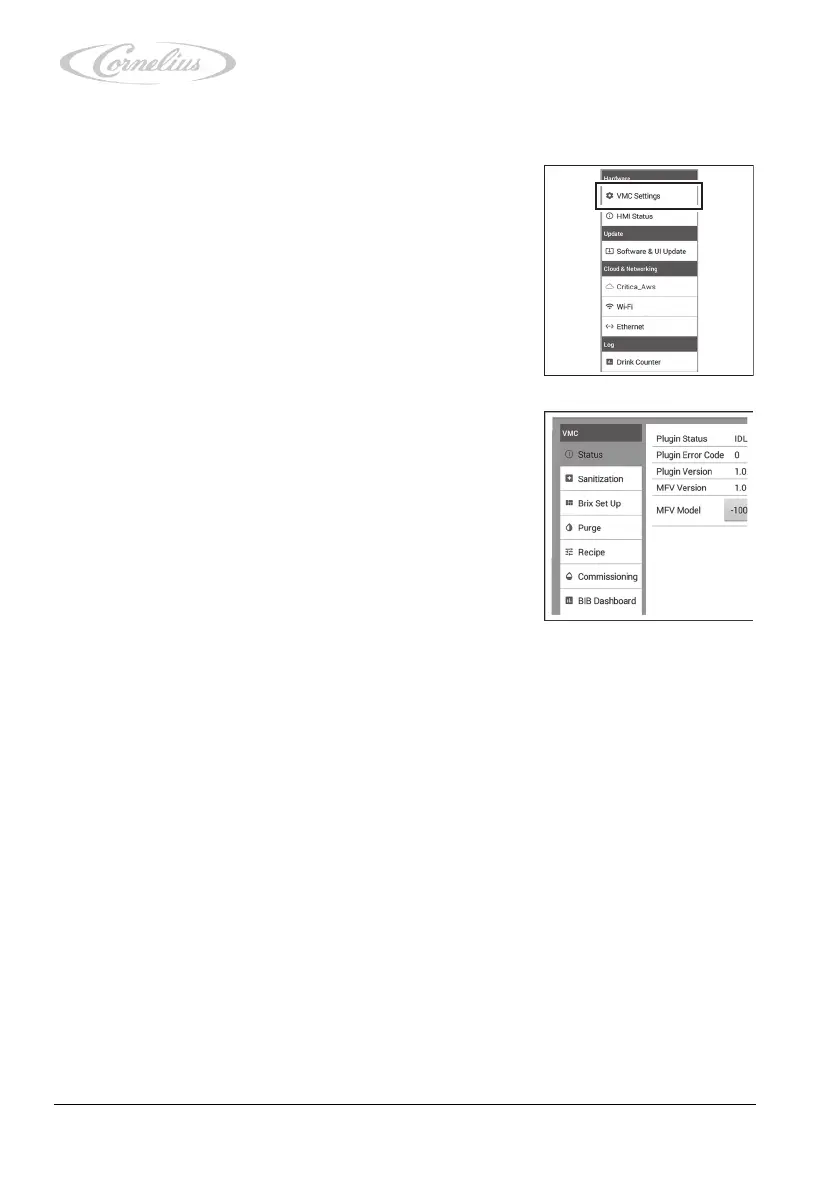
4.3.2 Calling up the “VMC Settings” menu
1. Call up the service menu, see chapter 4.3.1, page 23.
2. Press “VMC Settings” (virtual machine control settings).
The menu opens, allowing access to the following menu
items:
– “Status”, see chapter 4.3.2.1, page 27
– “Sanitization”, see the document “Tower installation
and service manual”, document no. TD0000100.
– “Brix Set Up”, see the document “Tower installation
and service manual”, document no. TD0000100.
–“Purge”, see chapter 4.3.2.2, page 27.
– “Recipe”, see the document “Tower installation and
service manual”, document no. TD0000100.
– “Commissioning”, see the document “Tower installa-
tion and service manual”, document no.
TD0000100.
– “BIB Dashboard”, see the document “Tower installation and service manual”, docu-
ment no. TD0000100.













 To Next Page