Repairs
Cornelius Deutschland GmbH
Document no. TD2005100
Version 15/03/2019, Index 0
Installation and service manual Dispensing valve
SFV1
18
6.4 Replacing the flow controller
6.5 Replacing the block mount
Prerequisites References
The dispensing valve has been removed. see chapter 4.2
Spare parts ID/reference Qty/amount Comment
Flow controller
(1.5 - 3 (45 - 90) oz/sec (ml/sec))
620408507 1
Seal 4073 4
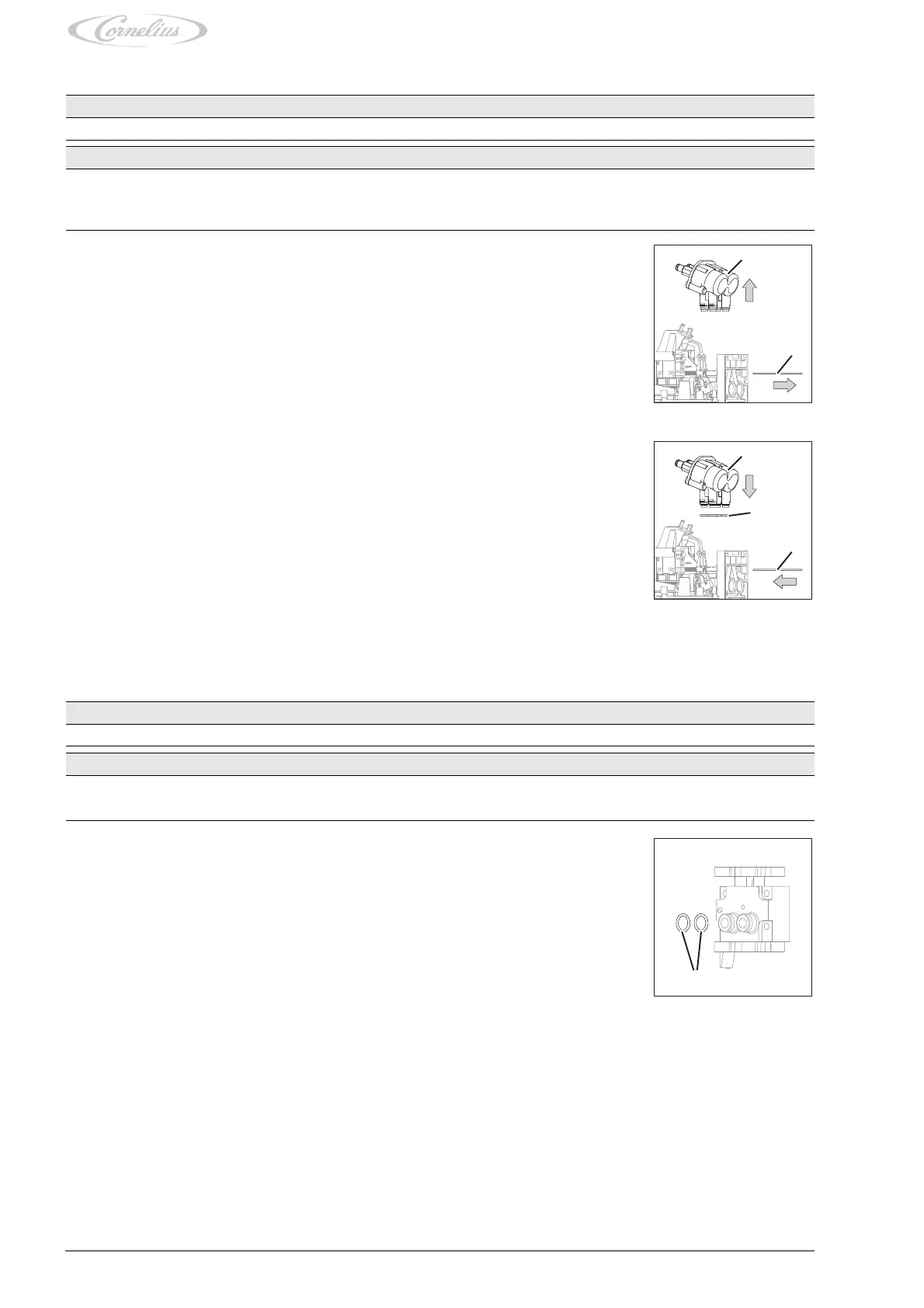
1. Pull out the dispensing valve lock (Fig. 25/2).
2. Pull the flow controller (Fig. 25/1) upwards from the dispensing valve,
Fig. 25
3. Check that the seals (Fig. 26/2) of the flow controller are all present.
4. Check the seals (Fig. 26/2) of the flow controller for damage.
Replace damaged seals.
5. Position the new flow controller (Fig. 26/1) on the dispensing valve.
6. Attach the flow controller (Fig. 26/1) to the dispensing valve by pressing the flow controller (Fig.
26/1) onto the dispensing valve.
7. Secure the flow controller (Fig. 26/1) with the dispensing valve lock (Fig. 26/3).
Finishing tasks
1. Mount the dispensing valve, see chapter 4.1.
Fig. 26
Prerequisites References
The base unit has been shut down. See base unit documentation
Spare parts ID/reference Qty/amount Comment
Block mount 000001919 1
Seal 312414000 2
1. Remove the block mount, see chapter 4.2.
2. Check that the seals (Fig. 27/1) of the block mount are all present.
3. Check the seals (Fig. 27/1) of the block mount for damage.
Replace damaged seals.
4. Install the block mount, see chapter 4.1.
Fig. 27





 To Next Page