Viper Low overrun Service Manual
Publication Number: 621360241LOEWSE - 56 - © 2016, Cornelius Inc.
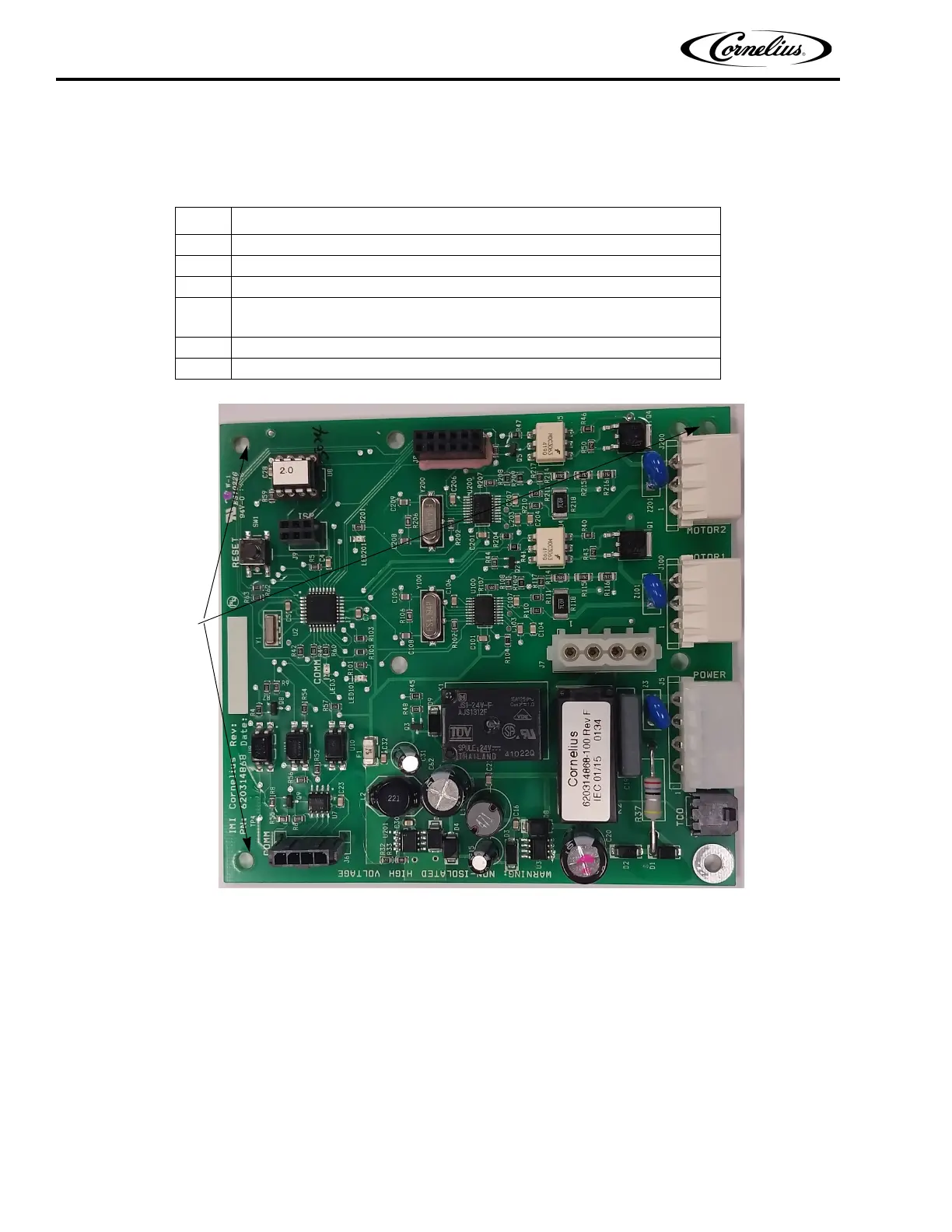
The motor board is located in the E-Box, to the right of the control board. It is mounted to the panel on three (3) plastic
mounting studs and a threaded standoff, shown in Figure 51. To replace the motor board, perform the procedure in
Table 61.
Figure 51. View of Motor Board in E-Box
Table 61.
Step Action
1 Disconnect power from the unit.
2 Connect a static strap to your wrist and any convenient chassis ground on the unit.
3 Unplug the eight (8) connectors from the control board.
4
Squeeze each of the mounting studs at the corners of the board while care-
fully lifting the board.
5 Replace the board with a new board.
6 Reverse the procedure to install the new board.



 To Next Page