46
Page
WORKSHOP
MANUAL
We reserve the right to modify the product and the design.
MAINTENANCE
TRANSMISSION OIL (LEVEL CHECK)
The smooth operation and durability of the transmission essentially
depend on the oil being kept at the optimum level and being
changed periodically, as indicated in the Service Chart (see page 39).
Checking the oil level
1. Put the vehicle in a horizontal position.
2. Run the engine for a few minutes and turn it off.
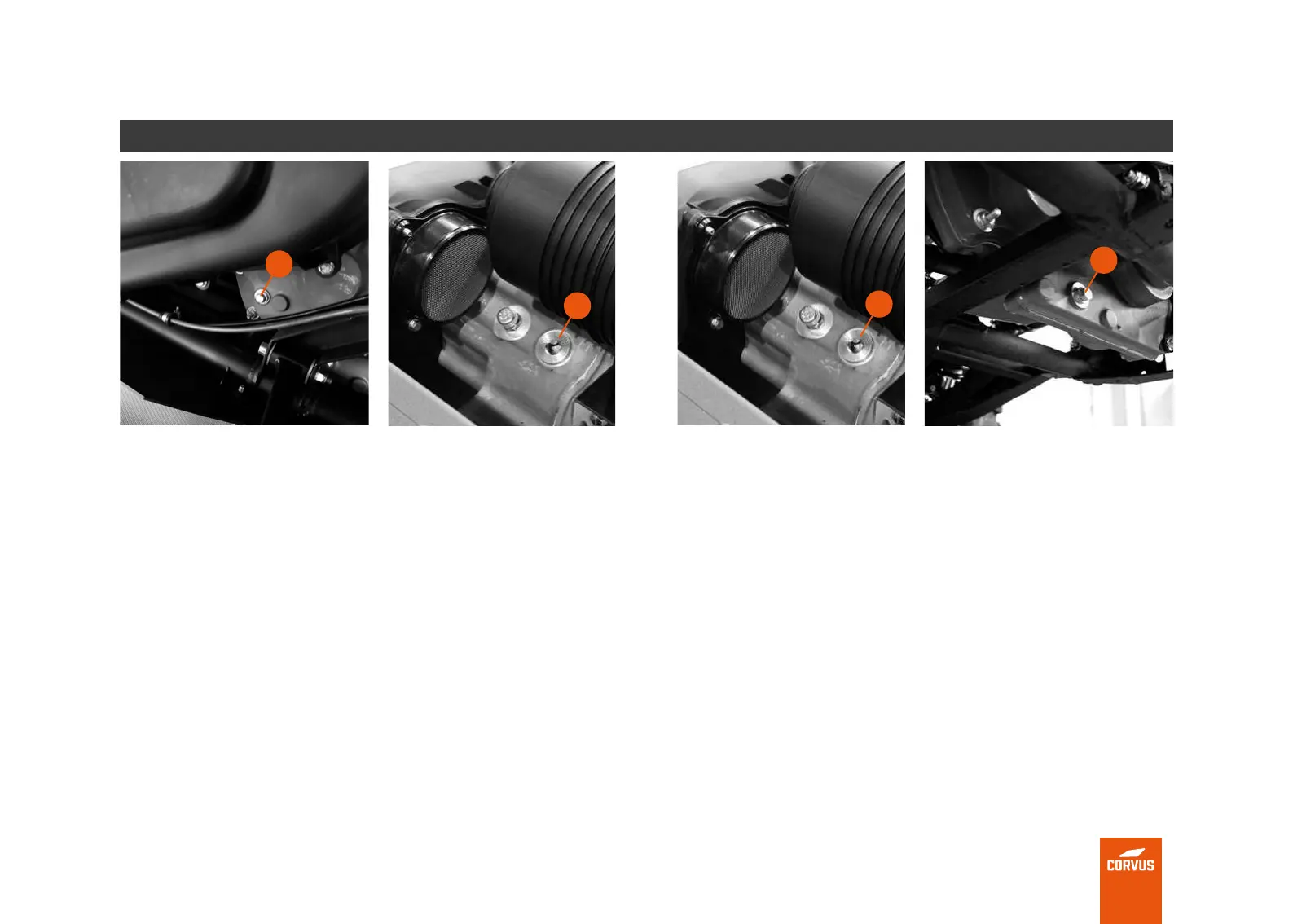
3. Remove the level screw (1).
4. If a slight amount of oil oozes from the hole, the level will be
correct. If, on the contrary, no liquid oozes from the hole, you
should continue to add more oil.
5. If you need to add more oil, you must do so through the ller
cap (2).
TRANSMISSION OIL (CHANGE)
Changing the transmission oil.
1. Put the vehicle in horizontal position and lift the load box.
2. Remove the rear protector (see page 41).
3. Place a container under the transmission to collect the used oil and
avoid any spillage.
4. Remove the ller plug (1), to facilitate a better drainage of the
transmission oil.
5. Remove the transmission oil drain screw (2).
6. Once all the oil has drained from the transmission, replace the
washer and make sure the drain screw is tightened (2) to 24 Nm.
7. Fill the transmission with new oil.
8. Attach the ller cap (1).
1
2
1
2



 To Next Page