page-24 EVOLUTION COVER
5.
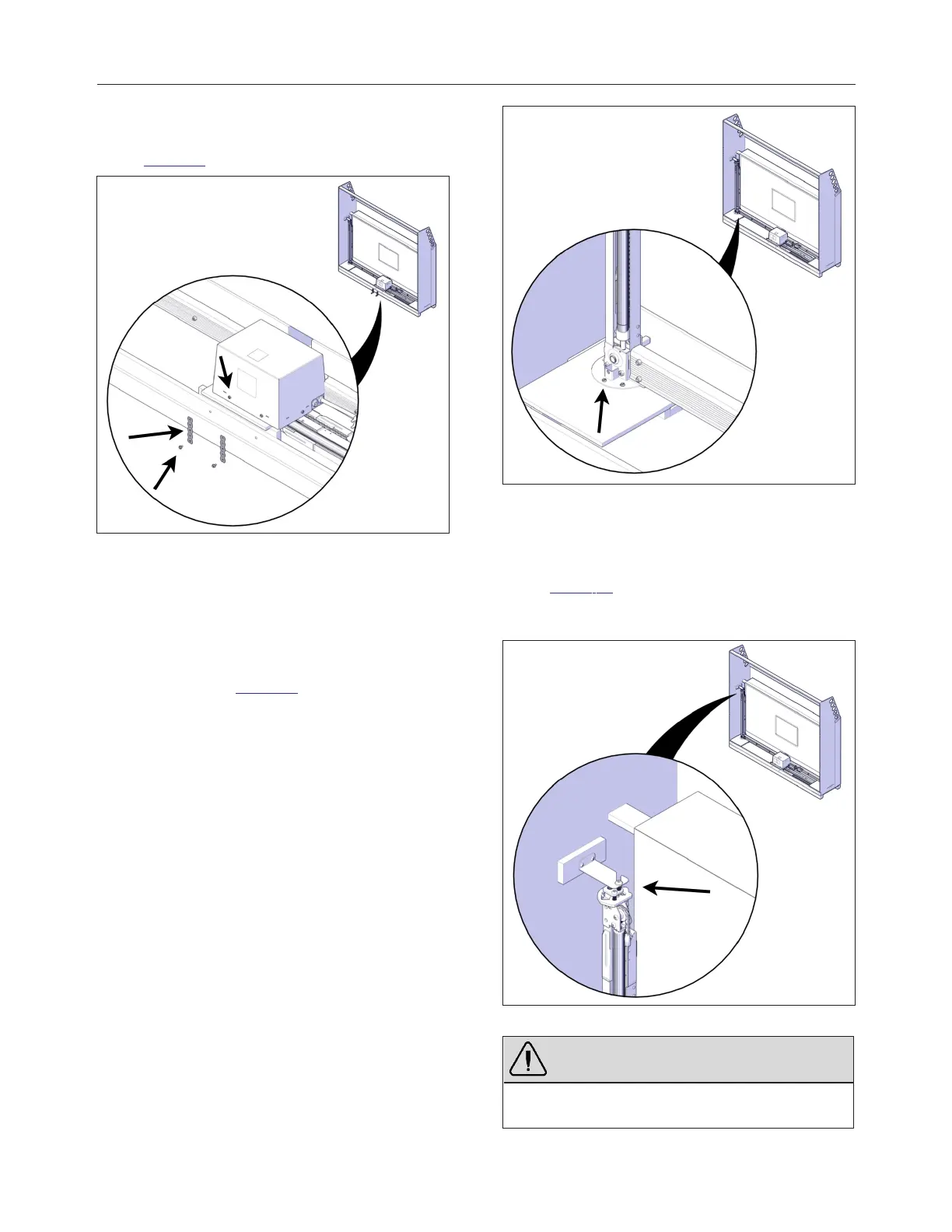
Use a slotted screwdriver to remove the
metal strapping holding the operator in place
Figure 24.
FIGURE 24: REMOVE THE OPERATOR
6.
Reinstall the two screws on the operator
cover.
7.
Use the 3/8″ (10 mm) socket wrench to
unscrew the hexagonal 1/4″ x 2″ lag bolts on
the bottom of both jacks. There are two lag
bolts per jack Figure 25.
FIGURE 25: REMOVE BOTTOM SCREWS ON JACKS
8.
For each jack, use the 7/32″ (5.5 mm) Allen
key to loosen —but not fully remove—the 3/8″
x 1″ bolt holding the jack to the top bracket
Figure 26. There is one bolt per jack. Do not
discard this bolt and bushing; they are
required to assemble the cover.
FIGURE 26: LOOSEN TOP SCREW ON JACKS
WARNING
Do not remove the alignment bracket on the top of
the jack (red part).
240799 OWNER'S MANUAL REVISION 4



 To Next Page