6 • 485 Alarm Panel 026-1701 Rev 0 01-05-98
Setting the Clock
To set the 485 Alarm Panel’s on-board clock:
1. Be sure that the display shows NO
ALARMS. If the display shows ALARMS,
the unacknowledged alarms will have to be
cleared before the clock can be set (see “Ac-
knowledging and Resetting Alarms,” page 7).
2. Press and hold down the Time/Date button on
the front panel. Do not release the Time/Date
button until the clock is properly set.
3. Press and release the Reset button on the front
panel.
4. Use the arrow buttons to select the month.
5. Quickly press and release the Reset button.
The indicator on the second line moves to the
DATE position.
6. Repeat steps 4 and 5 to set the day, hour,
minute, and AM/PM indicator.
7. When finished, quickly press and release the
RESET button.
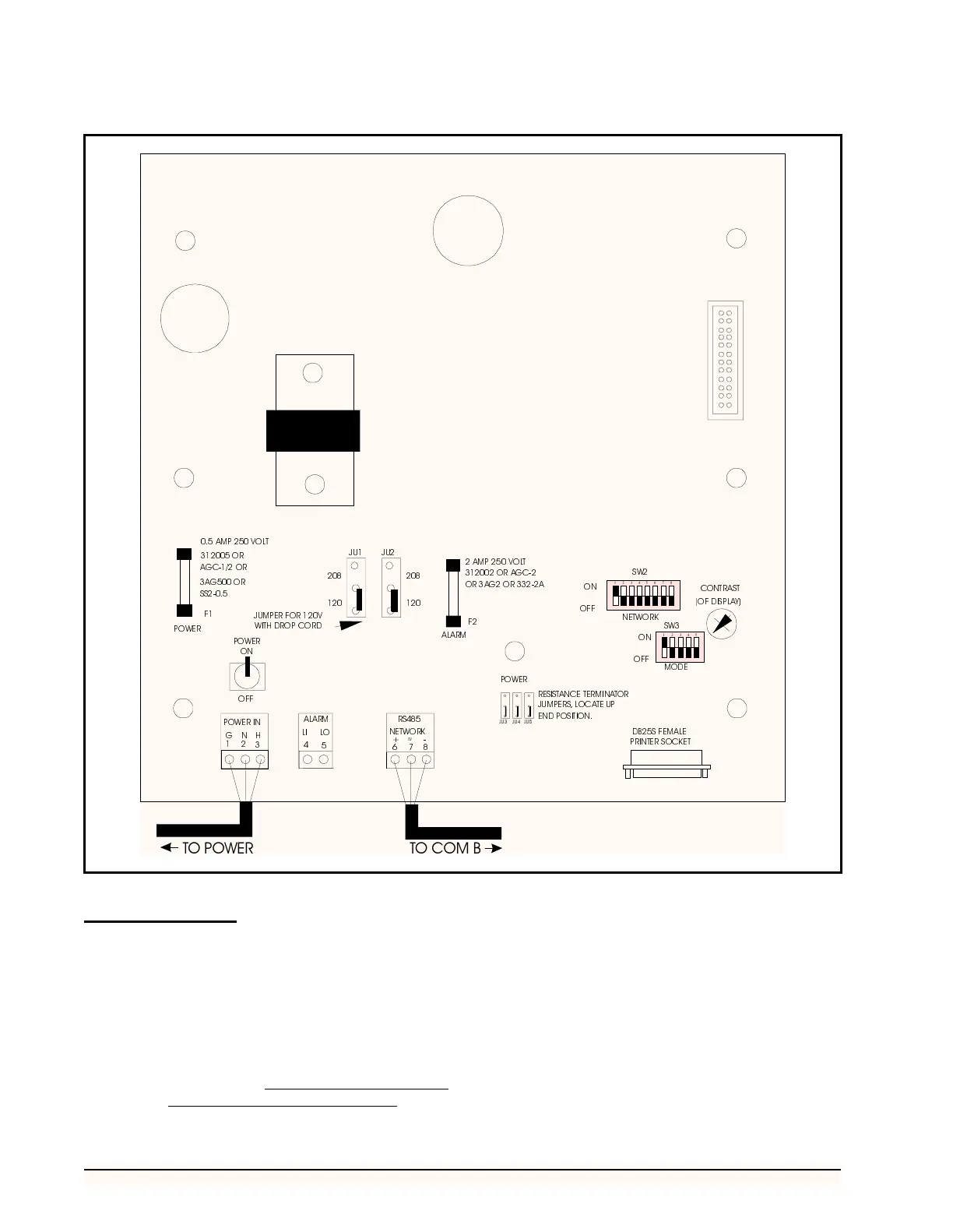
Figure 4 - 485 Alarm Panel Board
)
)
32:(5
-8
-8
-8
32:(5
$0392/7
25
$*&25
$*25
66
$/$50
$03 92/7
25$*&
25$*25$
-803(5)259
:,7+'523&25'
-8 -8
56
1(7:25.
32:(5,1
*
1+
$/$50
/, /2
32:(5
21
2))
5(6,67$1&(
7(50,1$725
-803(56/2&$7(83
(1'326,7,21
21
2))
21
2))
6:
6:
1(7:25.
02'(
9
7232:(5 72&20%



 To Next Page