Peripherals Manual Checkit Refrigeration System Monitor (P/N 508-2000) • 17
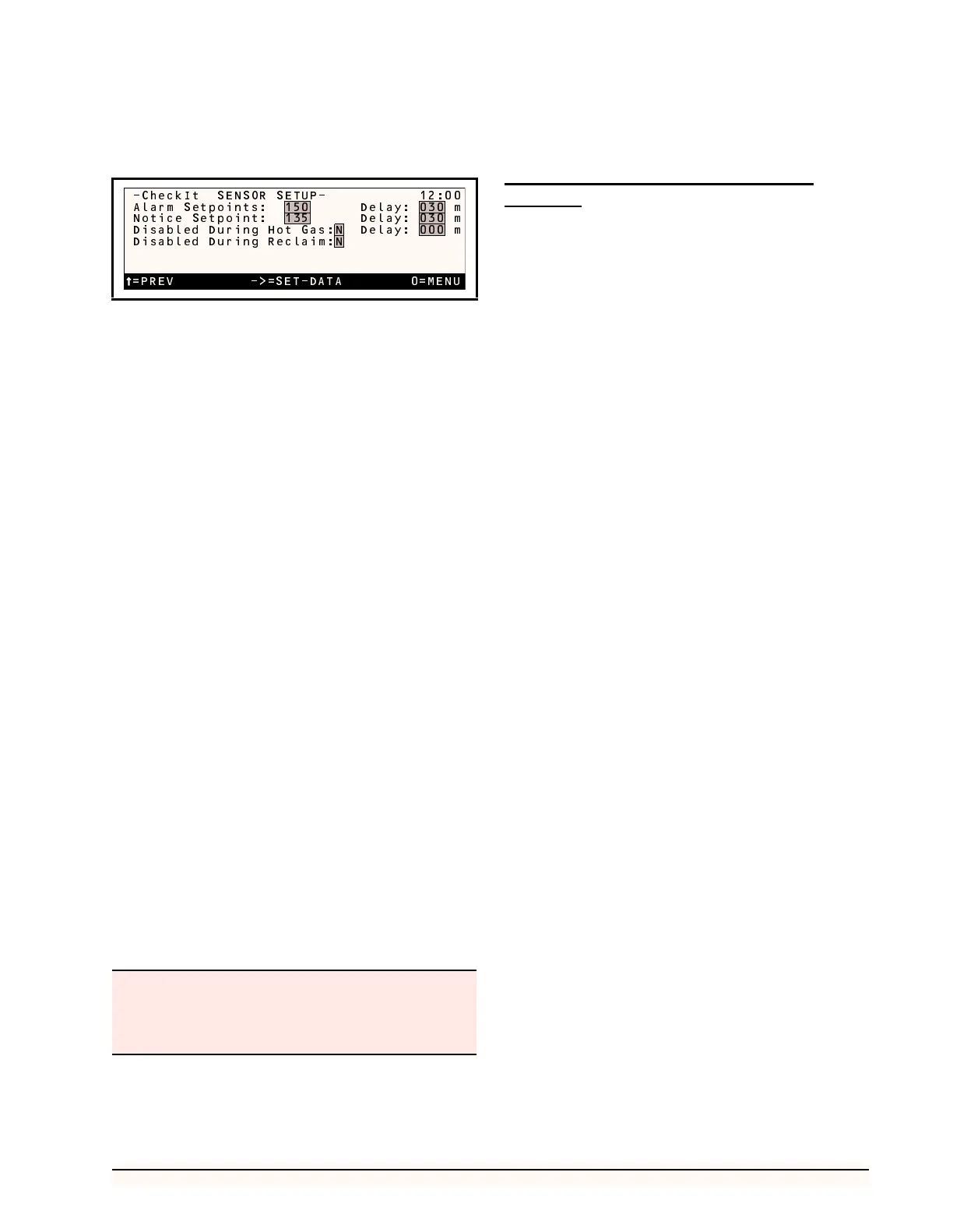
The Checkit Sensor Setup screen for the RMCC is
shown below, along with the recommended settings.
Alarm Setpoint/Notice Setpoint
The Checkit sensor continuously monitors the refriger-
ation system for a temperature increase indicating low liq-
uid levels within the system. The RMCC may be
configured to generate an alarm and/or a notice when the
measured Checkit temperature rises to a defined value.
The value at which an alarm will be generated is de-
fined in the Alarm Setpoint field. The value at which a no-
tice will be generated is defined in the Notice Setpoint
field. Any value from 0 to 240 degrees may be entered in
these fields.
Alarm Delay/Notice Delay
Delays are defined for alarms and notices in the Delay
fields. The Checkit temperature must be above the Alarm
Setpoint or above the Notice Setpoint for the entire defined
delay period before an alarm or notice will be generated.
Any value from 0 to 240 minutes may be entered in these
fields.
Disabled During Hot Gas
The Checkit sensor monitors the system for all temper-
ature increases, regardless of cause. Therefore, Checkit
may detect normal flash gas occurrences as a result of hot
gas defrosts. To disable Checkit monitoring during hot gas
defrost, enter a Y in this field.
If desired, Checkit monitoring may be disabled for a
few minutes after a hot gas defrost cycle is complete. To
activate this feature, enter a delay from 0 to 240 minutes in
the Delay field to the right of the Disabled During Hot Gas
field.
Disable During Reclaim
Because heat reclaim may temporarily introduce flash
gas into the system, the RMCC allows disabling of the
Checkit sensor during Heat Reclaim. To disable Checkit
monitoring during reclaim, enter a Y in the Disabled Dur-
ing Reclaim field.
Other Environmental Management
Systems
Although the Checkit sensor provides optimum perfor-
mance when used in conjunction with the RMCC unit,
Checkit is adaptable to other environmental management
systems. Contact CPC concerning specific setup informa-
tion for non-RMCC units.
Users in northern climates—where heat reclaim is in
constant use during winter months—should carefully
consider the use of the "Disable During Heat Re-
claim" function of the RMCC.
SELECT
NUMBER
0=MENU
=PREV ->=SET-DATA 0=MENU
-CheckIt SENSOR SETUP- 12:00
Alarm Setpoints: 150 Delay: 030 m
Notice Setpoint: 135 Delay: 030 m
Disabled During Hot Gas:N Delay: 000 m
Disabled During Reclaim:N



 To Next Page