Peripherals Manual Modem (P/N 370-9600) • 13
Modem (P/N 370-9600)
Overview
Modems are used for remote communication. Sites that
will be called via UltraSite from a remote location must
have a modem installed on the network.
Hardware Setup
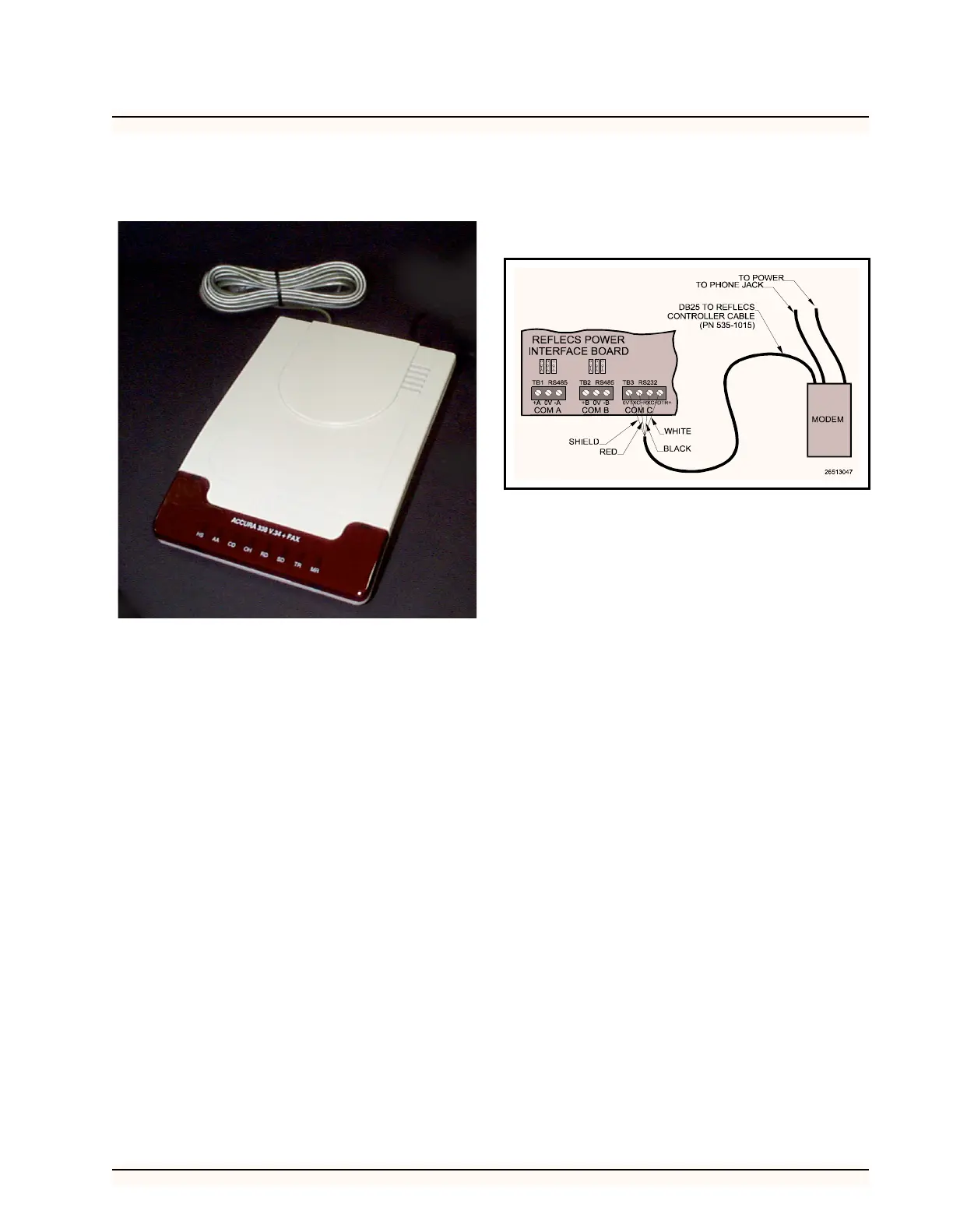
A modem may be used to connect the REFLECS to an
outside phone line via the three-wire COM C network ca-
ble. Figure 10 shows how to properly connect the modem.
If a CPC bus amplifier is used in the network, the 535-
1015 cable is not used (see RS232 Bus Amplifier (P/N 812-
1800) on page 9).
Software Setup
All newer versions of REFLECS software (RMCC,
BEC, and BCU) are preset to use this modem without any
additional setup. To make sure the Hayes Accura 28.8K/
33.6Kbaud modem will work correctly with the RE-
FLECS, log on to the REFLECS and select 7) Configura-
tion followed by 4) Remote Communication. The text in
the Initialization String field should match the string be-
low:
AT&FE0S0=1&C1&D2&K0&Q6S95=60&W
If the Initialization String field does not match the
above string, change it
Figure 10 - COM C Network Connection



 To Next Page