32
Step 3 Install the wirebox:
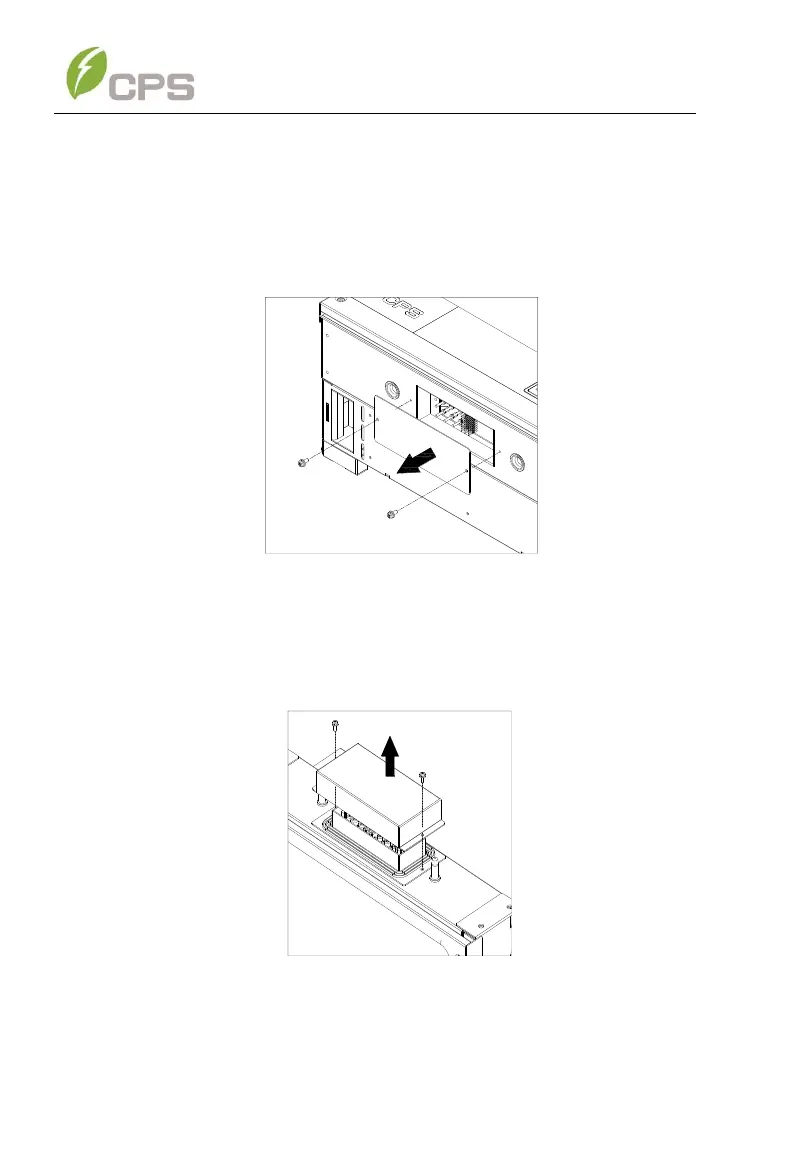
(a) Remove the cover plate at the bottom of the main enclosure.
Tool required: No. 2 Phillips head screwdriver
Remark: the covers shown below do not have waterproof function.
Figure 3-11 Main Enclosure Cover Plate
(b) Remove screws securing the bulkhead cover at the top of the
wirebox – COVER IS NOT WATER TIGHT.
Figure 3-12 Wiring Bulkhead Cover
(c) Save the bulkhead cover and screws, and attach the cover to
the left side of the wirebox after the wirebox is attached to the



 To Next Page