EasyManua.ls Logo

CPS SCA Series - User Manual

Default Icon
164 pages
Print Icon
To Next Page IconTo Next Page
Loading...
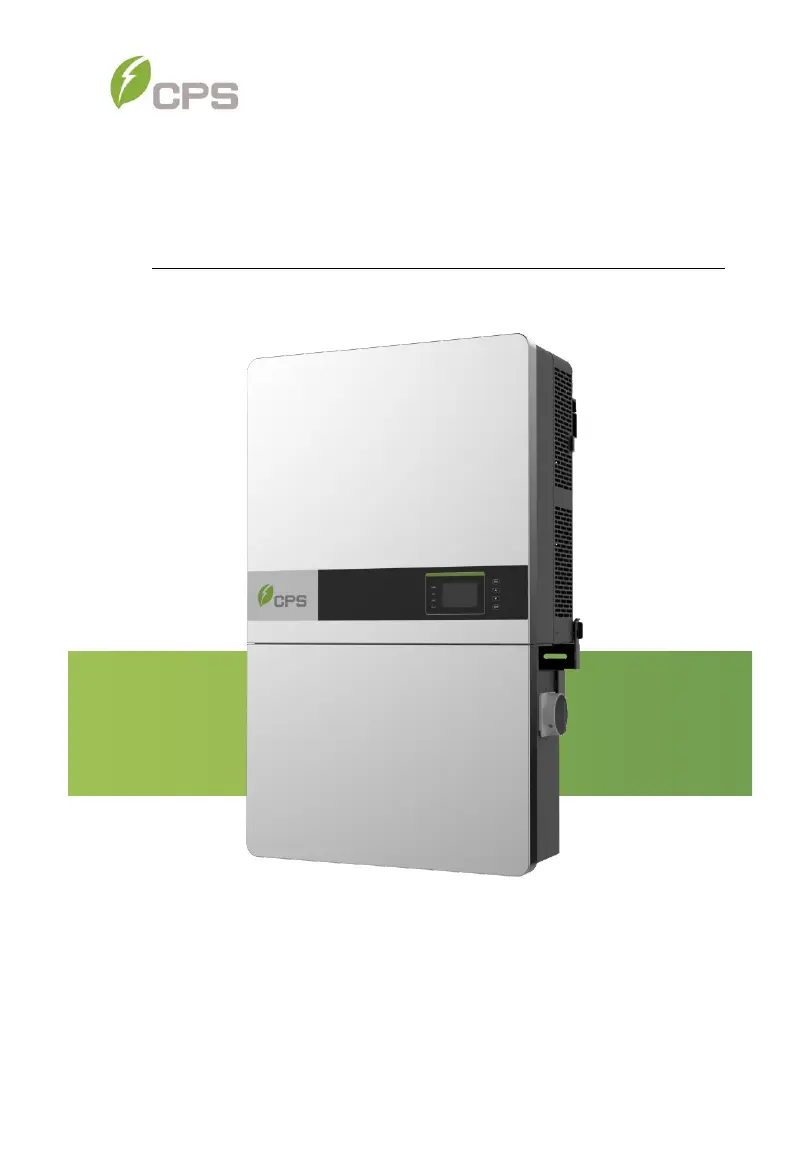
CPS SCA Series Grid-tied PV Inverter
CPS SCA25KTL-DO/US-208
CPS SCA50KTL-DO/US-480
And SCA60KTL-DO/US-480
Installation and Operation Manual - Rev3.4
CHINT POWER SYSTEMS AMERICA CO.
Revision 3.4 - May 2020

Table of Contents

Questions and Answers

  • S
    Shawn MasonAug 29, 2025
    What to do if my CPS SCA Inverter shows PV Over current?
    • T
      Taylor LawrenceAug 29, 2025
      If your CPS Inverter displays a PV Over current error, first, check the PV input current. Then, try restarting the inverter by turning both the AC and DC switches off, waiting one minute, and then turning them back on. If the fault persists, consider replacing the inverter.
  • G
    Gloria ReidAug 30, 2025
    What to do if my CPS SCA Inverter displays Protect0090 (Bus over voltage)?
    • D
      Derek DuarteAug 30, 2025
      If your CPS Inverter displays a Protect0090 (Bus over voltage) error, try restarting the inverter by turning both the AC and DC switches off, waiting one minute, and then turning them back on to allow all energy to discharge. If the fault continues, the inverter may need to be replaced.
  • F
    floresdavidAug 30, 2025
    What to do if my CPS SCA Inverter displays Protect0030 (Inverter Over Current)?
    • D
      Donna LoveAug 31, 2025
      If your CPS Inverter displays a Protect0030 (Inverter Over Current) error, try restarting the inverter by turning both the AC and DC switches off, waiting one minute, and then turning them back on to allow all energy to discharge. If the fault persists, consider replacing the inverter.
  • G
    goodmanrickyAug 25, 2025
    What to do if my CPS SCA shows GridV.OutLim error?
    • M
      Matthew StephensAug 25, 2025
      If your CPS Inverter displays a GridV.OutLim error, first ensure that the grid connection is properly established. If the problem persists, try restarting the inverter.
  • M
    Ms. Kelly TuckerSep 1, 2025
    What to do if my CPS SCA Inverter displays Protect0150 (Mini MCU Fault)?
    • S
      Samuel MullenSep 1, 2025
      If your CPS Inverter displays a Protect0150 (Mini MCU Fault), try restarting the inverter by turning both the AC and DC switches off, waiting one minute, and then turning them back on to allow all energy to discharge. If the fault persists, consider replacing the inverter.
  • J
    Jennifer VasquezSep 2, 2025
    What to do if my CPS Inverter displays Fault0080 (Bus Hardware over current fault)?
    • M
      Meghan FarmerSep 2, 2025
      If your CPS Inverter displays a Fault0080 (Bus Hardware over current fault), try restarting the inverter by turning both the AC and DC switches off, waiting one minute, and then turning them back on to allow all energy to discharge. If the fault continues, the inverter may need to be replaced.
  • B
    Brian BakerSep 2, 2025
    What to do if my CPS SCA Inverter displays Protect0100 (The sensor fault of leakage current)?
    • A
      Andrew PriceSep 2, 2025
      If your CPS Inverter displays a Protect0100 (The sensor fault of leakage current), try restarting the inverter by turning both the AC and DC switches off, waiting one minute, and then turning them back on to allow all energy to discharge. If the issue isn't resolved, consider replacing the Filter board or the entire inverter.
  • B
    Betty LunaSep 3, 2025
    What to do if my CPS SCA displays Fault0100 (Grid relay fault)?
    • J
      John BrooksSep 3, 2025
      If your CPS Inverter displays a Fault0100 (Grid relay fault), try restarting the inverter by turning both the AC and DC switches off, waiting one minute, and then turning them back on to allow all energy to discharge. If the fault persists, consider replacing the inverter.
  • T
    tristan32Sep 4, 2025
    What to do if my CPS SCA displays Protect0020 (Grid relay error)?
    • J
      james22Sep 4, 2025
      If your CPS Inverter displays a Protect0020 (Grid relay error), try restarting the inverter by turning both the AC and DC switches off, waiting one minute, and then turning them back on to allow all energy to discharge. If the fault continues, the inverter may need to be replaced.
  • W
    William RamirezSep 4, 2025
    What does it mean if my CPS Inverter displays TempOver (Over-temperature protection)?
    • E
      Eric GibsonSep 4, 2025
      If your CPS Inverter displays TempOver (Over-temperature protection), take the following steps: - Confirm that the external ambient temperature is within the specified operating range. - Check if the air inlet or fan is blocked. - Verify that the installation location is appropriate. - Observe for 30 minutes to see if the alarm clears automatically.

Summary

Important Safety Instructions

Warnings and Symbols in this Document

Explains safety icons like DANGER, WARNING, CAUTION, NOTICE, and INSTRUCTION.

Warnings and Markings on the Product

Details caution and warning labels and their meanings for product safety.

Overview of CPS Inverters

Protection and Functions

Details the inverter's protection mechanisms and operational functions.

Module-Level Rapid Shutdown

Explains the RSD wirebox functionality for module-level rapid shutdown.

Installation Procedures

Recommendations Before Installation

Offers crucial advice on design, NEMA4X rating, conduit entries, and temperature ranges.

Mechanical Installation Procedures

Covers the physical aspects of mounting the inverter, including dimensions and methods.

Electrical Installation Procedures

Guides on connecting AC and DC power, grounding, and wiring.

Commissioning Process

Conductor Connections Check

Ensures correct connection and labeling of conductors, and proper polarity.

Commissioning Steps

Outlines the sequence for powering up the inverter, setting language, and grid standards.

Fault Shutdown and Troubleshooting

LED Fault Troubleshooting

Provides solutions for troubleshooting issues indicated by LED status lights.

LCD Fault Troubleshooting

Explains how to identify and resolve faults displayed on the inverter's LCD screen.

Maintenance and De-installation

Technical Data

Datasheet

Provides specifications for DC input, AC output, system, environment, and display.

Limited Warranty

CPS SCA Series Specifications

General IconGeneral
Nominal AC Output Voltage208 V / 240 V
Operating Temperature Range-25°C to 60°C
CommunicationRS485, Wi-Fi
Output Voltage208 V / 240 V
Frequency60 Hz
Protection FeaturesOvervoltage, Undervoltage, Overcurrent, Short Circuit, Over Temperature
Storage Temperature-40°C to 70°C

Related product manuals