Software Crestron SIMPL™ Windows
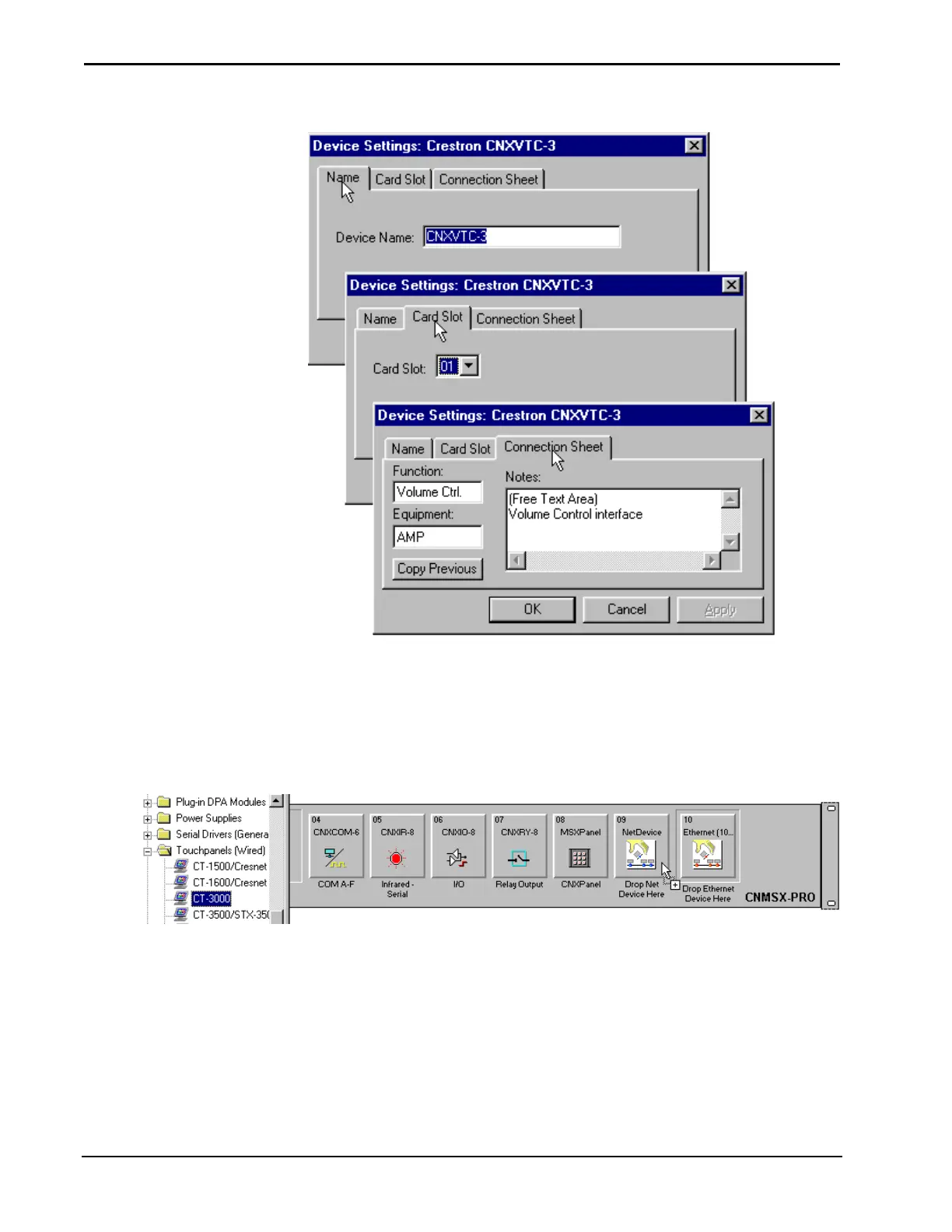
Device Settings – CNXVTC-3
NetDevices
These devices are configured in the Configuration Manager. Select the system
control device and drag it into the control system. For this example a CT-3000
touchpanel is dropped into the NetDevices slot.
Drop Network Devices into the NetDevice Slot
Configuration Manager will display network devices as icons under the control
system. Users may have to use the scroll bars to view all the icons. Three CT-3000
touchpanels have been added for this installation.
30 • Crestron SIMPL Windows Installation & Operations Guide – DOC. 5728C



 To Next Page