Crestron SIMPL™ Windows Software
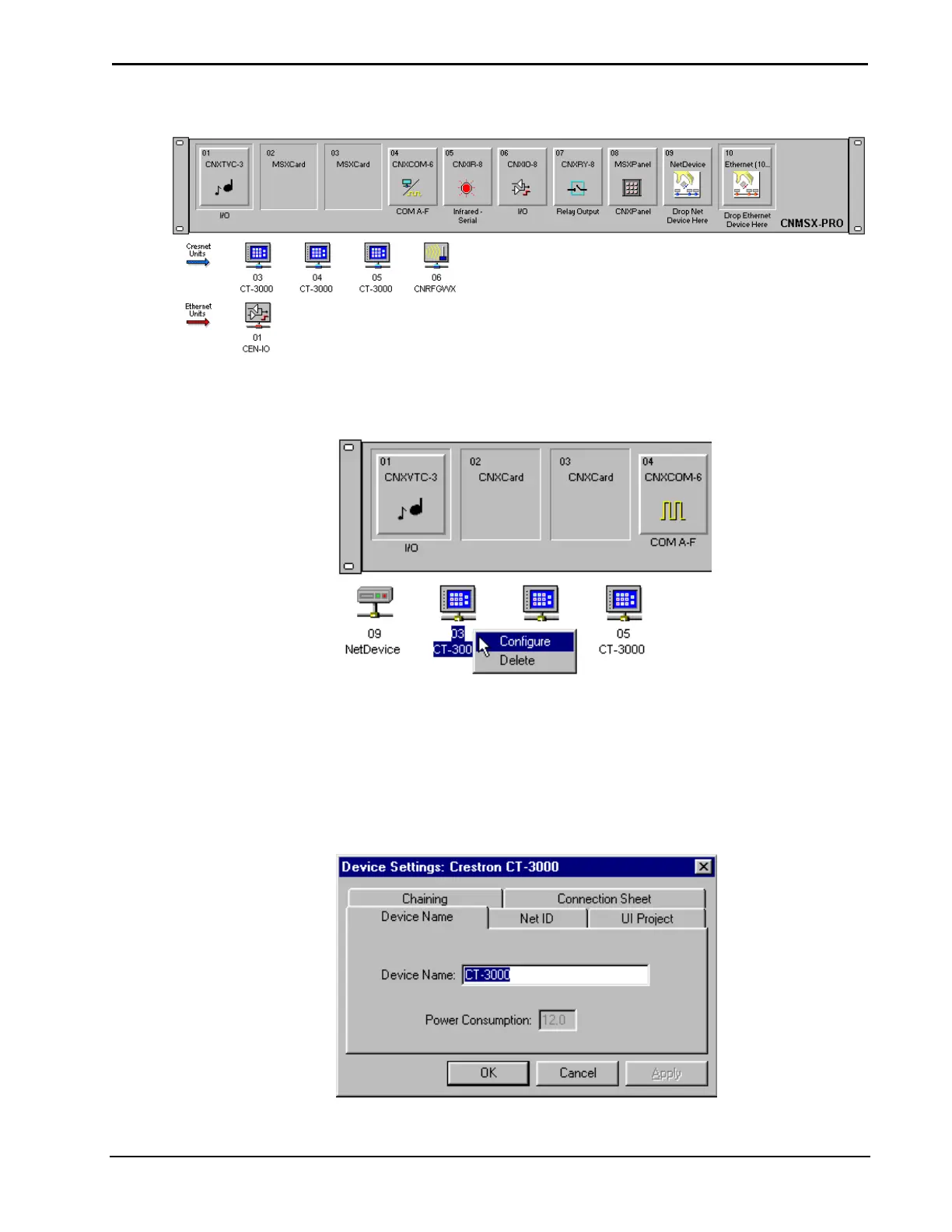
Display of all NetDevices
The NetDevices can be configured or deleted by selecting the icon and clicking the
right mouse button.
Configure NetDevices
After selecting Configure, the “Device Settings” dialog box for the NetDevice will
be displayed. Several parameters of the NetDevice can be configured.
Name
The name can be changed under the Name tab (this is recommended if there is more
than one NetDevice of the same type). The Device Name tab also shows device
power consumption in watts.
Device Settings: Device Name Tab
Installation & Operations Guide – DOC. 5728C Crestron SIMPL Windows • 31



 To Next Page