Software Crestron SIMPL™ Windows
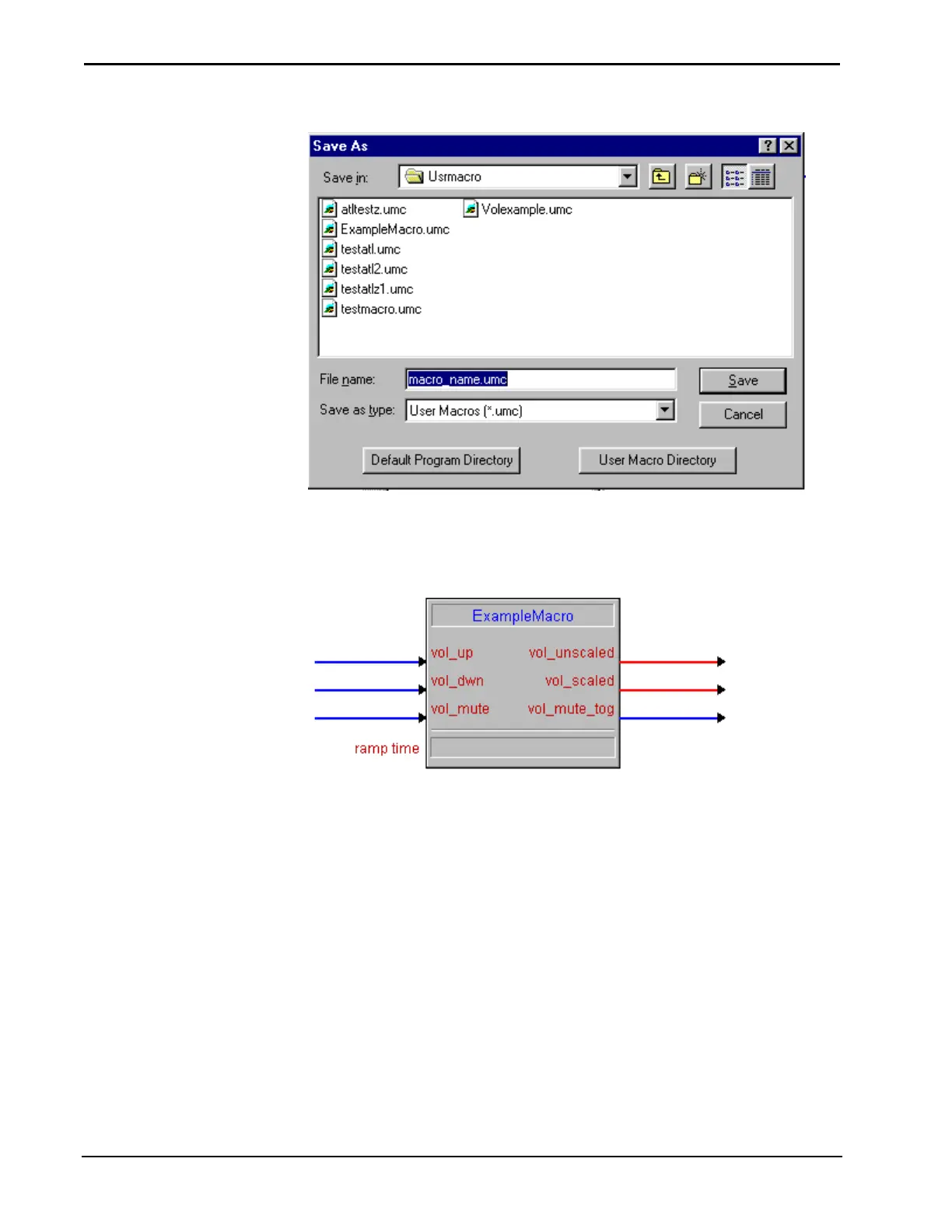
Saving a User Macro
Once saved, User Macros are available for use in other programs. They reside in the
User Macro folder in the Symbol Library. To use a macro, select and drag it into the
Logic Folder that same way any other symbol is selected.
The Macro as a Symbol
Edit a Crestron Macro and Save as a User Macro
Many Crestron Macros are available to programmers. These macros can be edited to
function in a specific manner. When a Crestron macro is imported and edited, it can
only be saved as a User Macro.
The macro file name is displayed
in the status bar when the macro is
highlighted in the Symbol Library.
1. Select File | Import Crestron Module…
2. Select the Crestron macro that is to be edited. Crestron macros have a .cmc
file extension. Open the macro file.
3. Edit the macro to perform the specific tasks necessary. Edit signals and
add/remove symbols
4. Save the macro as a User Macro by selecting File | Save. SIMPL Windows
will display the Save As window. The Usrmacro folder is the default
location. This is the User Macro file folder. Files have a .umc extension.
68 • Crestron SIMPL Windows Installation & Operations Guide –DOC. 5728C



 To Next Page