13
1.3 Charging
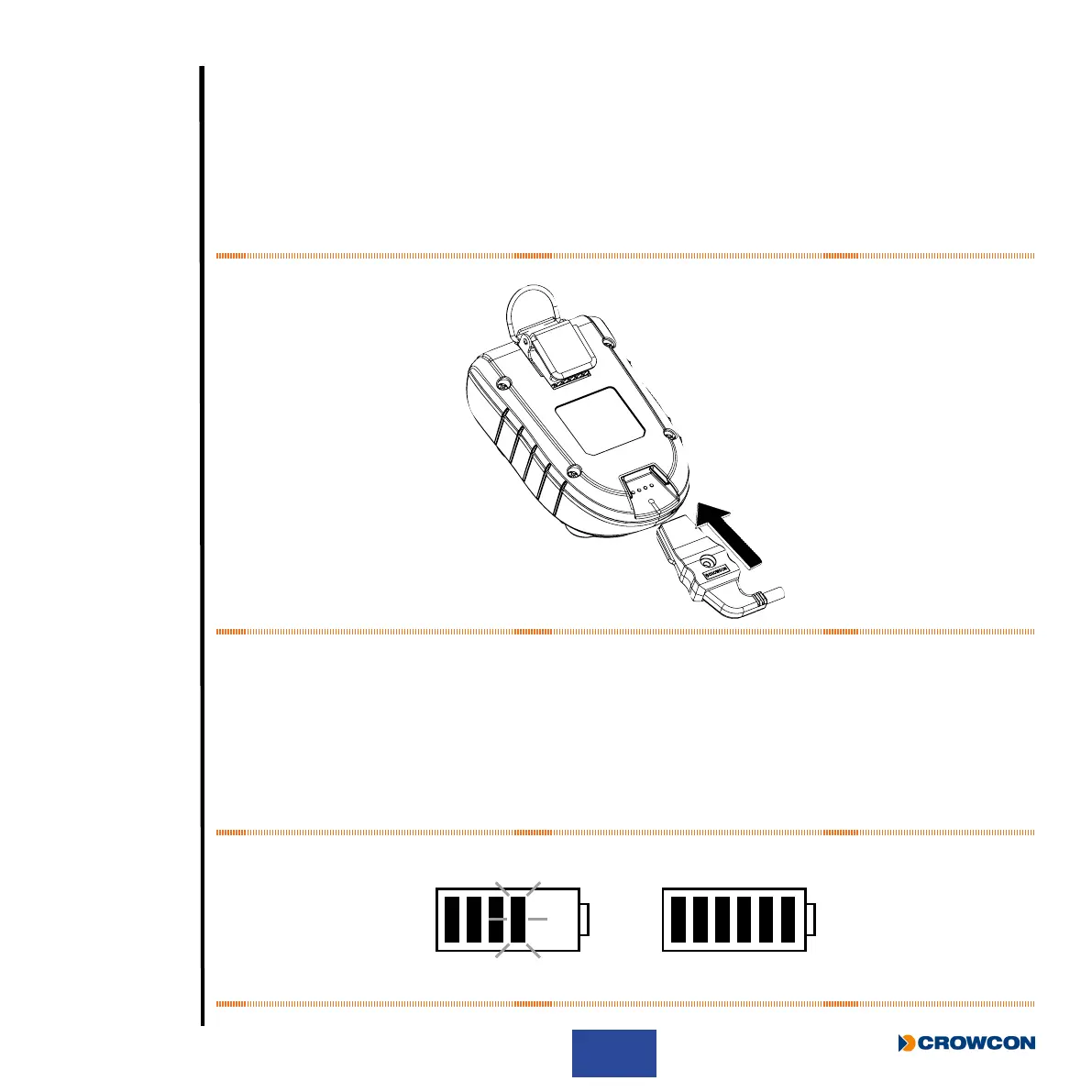
Charging should only take place in non-hazardous (safe) areas. To charge, simply plug the cable À into
the charging socket Á on the Gas-Pro and turn on the mains supply (see Figure 2 below). If a charging
cradle or vehicle cradle is being used, ensure the Gas-Pro ts rmly on to the power connector.
i
The charger must be able to supply 6.5V@ 450mA with an output voltage that does not
exceed 9.1V (Um).
Figure 2: Charger connection
When off, to show the Gas-Pro is charging, both LEDs within the alarm bars will ash red and will change
to green once fully charged. This state will continue until the trickle charge is complete. Charging will then
terminate showing no indication. The screen will also show the battery icon lling in the middle of the
screen when the Gas-Pro is off, and in the bottom left-hand corner when it is on. The battery icon contains
a maximum of six segments to indicate the battery’s state of charge. For example, with three segments
shown and a fourth ashing, the battery is 50% charged
À, and when all six are shown, the battery is fully
charged Á (see Figure 3 below).
Figure 3: Charging indications
À
Á
À Á



 To Next Page