30
2.6.5.2 Carrying out a Pre-entry check
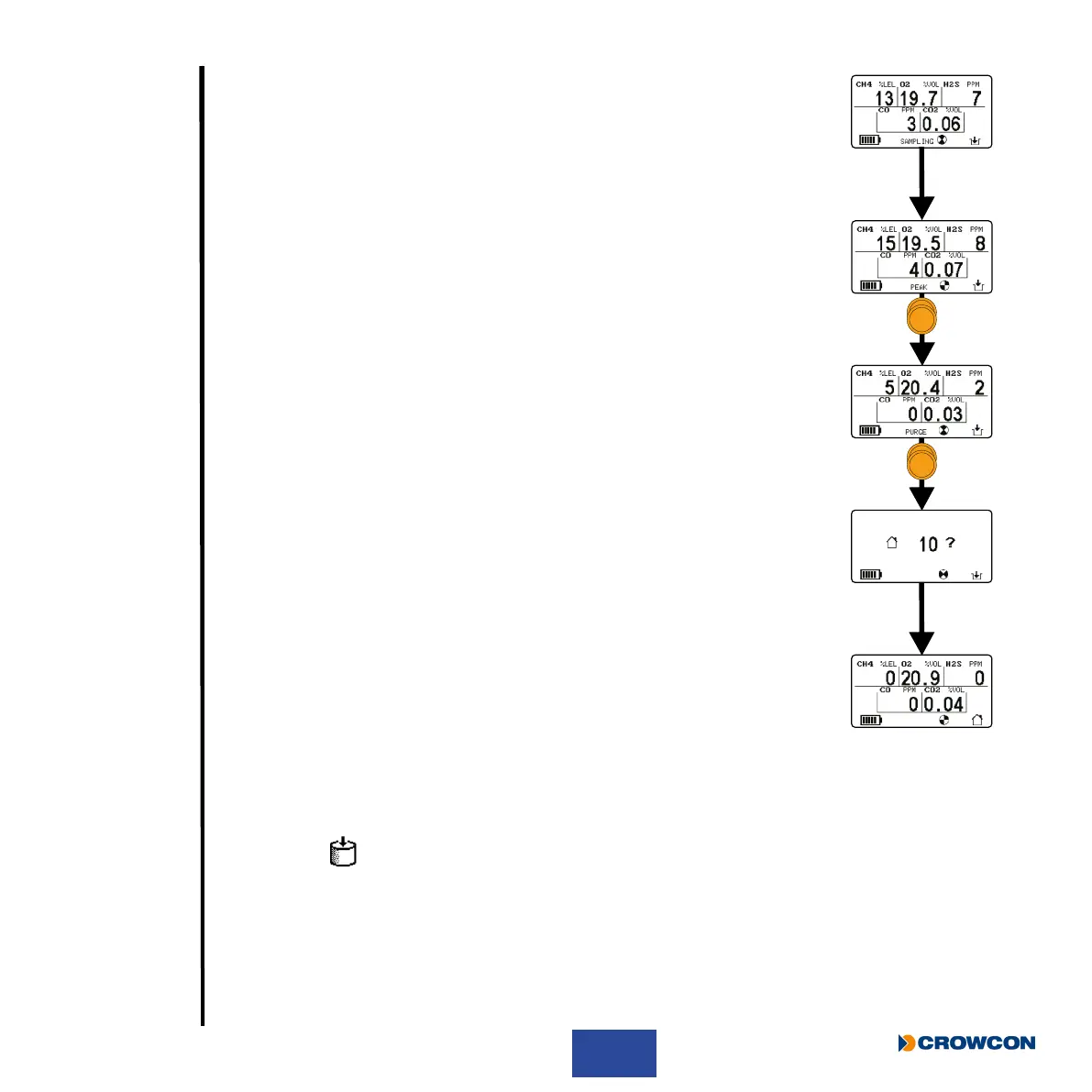
The Gas-Pro will remain in the sampling stage for a maximum of 5
minutes. Whilst the sampling screen is displayed, it will show the real
time gas levels.
The alarms will continue to function during this stage and a single click
of the operator button will accept these.
The PEC can be moved to the peak stage at any time before the 5
minute timeout by double clicking the operator button.
Peak readings registered during the Pre-entry check will be logged as
events.
i
Any peak reading sampled during this stage will not be added
to the detector’s cumulative monitoring data and thus will not
affect the TWA calculations.
The Gas-Pro will remain in the peak stage for a maximum of 5 minutes.
When accessing the Peak Review screen the peak displayed will be
the gas peak (trough for O
2
) seen in the selected time period; this will
include gas levels seen during any PECs in the time period.
The PEC can be moved to the purge stage at any time before the 5
minute timeout by double clicking the operator button.
The Gas-Pro will remain in the purge stage for a maximum of 5 minutes.
i
Before the purge stage ends, move to clean air.
To end the purge stage at any time before the 5 minute timeout double
click the operator button. A 10 second countdown screen will be
displayed. To conrm the end of the purge stage single click the operator
button within the 10 seconds or the purge will continue.
The Tank-Pro edition of Gas-Pro will not display %VOL readings while in PEC mode. See the Tank
Check Mode
section (see Section 2.9 on page 34) for more information.



 To Next Page