48
9. Troubleshooting
9.1 Pump test failure
In the event of a pump test failure, check the following:
• Ensure a pumped ow plate was used for the test
• Remove the ow plate and check the gasket for damage (scratches, tears, etc.)
• Run the test again and ensure the test is carried out in the required time
If the pump still fails the test it may require servicing.
9.2 Fault screens
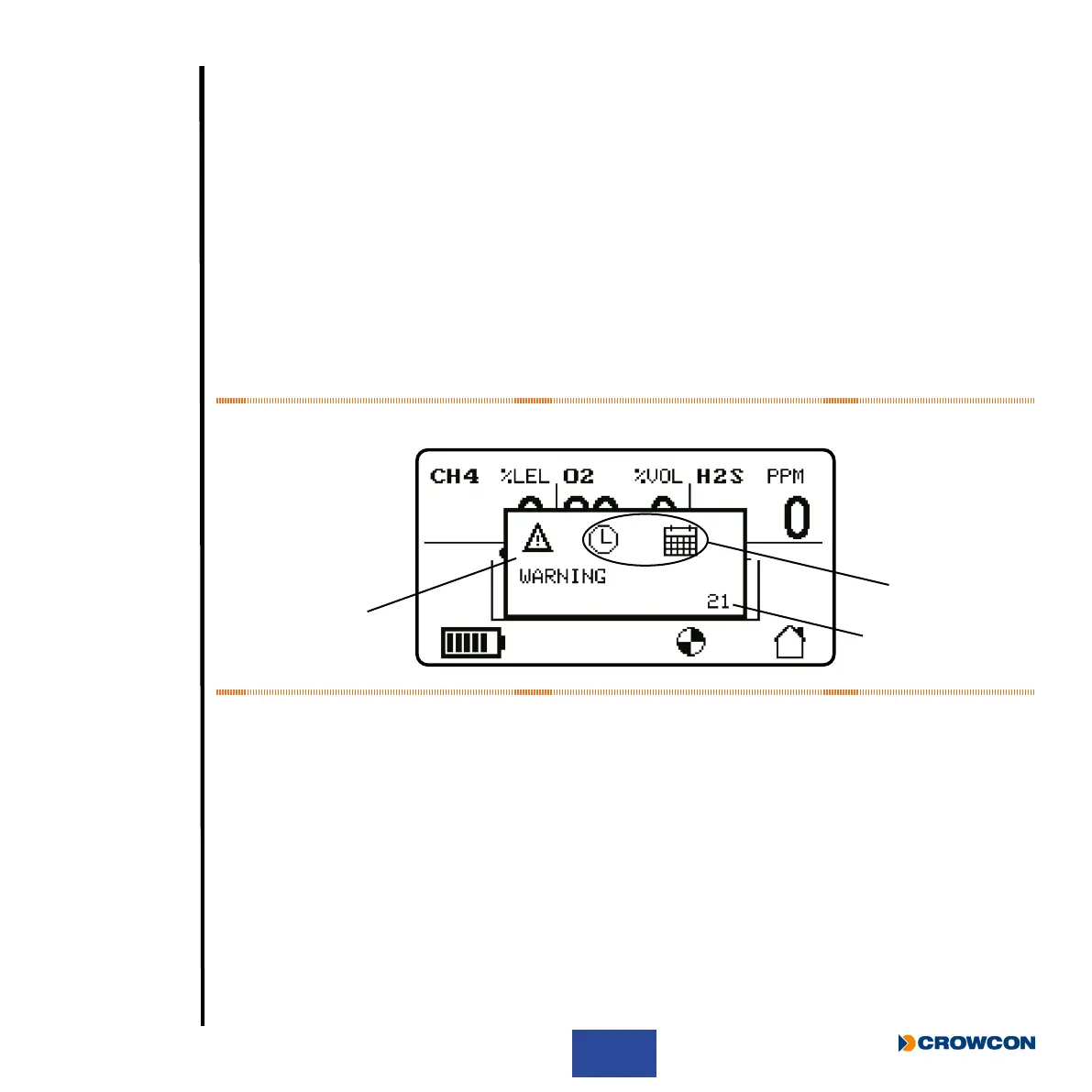
A fault screen (see Figure 21 for an example) overwrites the normal screen.
Figure 21: Example fault screen
The warning triangle
À indicates faults that can be rectied by the user. The symbol is accompanied
by the text “WARNING” below. The warning triangle is replaced by a spanner and screwdriver
for faults which require service and the text “SERVICE” below. For the low battery warning the
“WARNING” text is replaced by “ALERT”.
The clock and calendar
Á indicates that this is a time and date fault. The icons vary for each fault
some of which are illustrated below. These icons can be replaced by the gas name in the case of a
fault associated with a gas channel.
Each fault has a fault code
 (21 in this example).
À
Á
Â



 To Next Page