29
2.6.5 Pre-entry check (PEC)
This function is intended for sampling air of unknown quality before gaining access to it (e.g. going
under ground through a manhole cover) thereby avoiding unnecessary exposure.
i
The Gas-Pro (and any sampling probe) should be in a clean air when the PEC starts and
nishes so the TWA accumulation should be insignicant.
i
If Gas-Pro is operated in pumped mode in combination with an exhaust pipe, a set of
bellows should be used inline (e.g. ow plate , 2cm maximum tube, bellows, 3000cm
maximum tube).
PEC is a three stage process: sampling, peak and purge. There is a 5 minute timeout on each PEC
stage, with a timeout moving the instrument through the stages – a timeout from the purge screen
takes the instrument back to the home screen. This gives a total PEC timeout time of 15 minutes. This
timing is deliberate: the STWA time period is 15 minutes so this ensures that if the gas level at the
operator exceeds the level for an STWA alarm then the alarm will occur on completion of the PEC.
2.6.5.1 Starting a Pre-entry check
i
If the Gas-Pro is in alarm, the Pre-entry check will not appear on the menu.
Before you start the Pre-entry check, ensure you are ready to start the test (i.e. any ow plate,
sampling probe or hand aspirator are tted to the Gas-Pro as required).
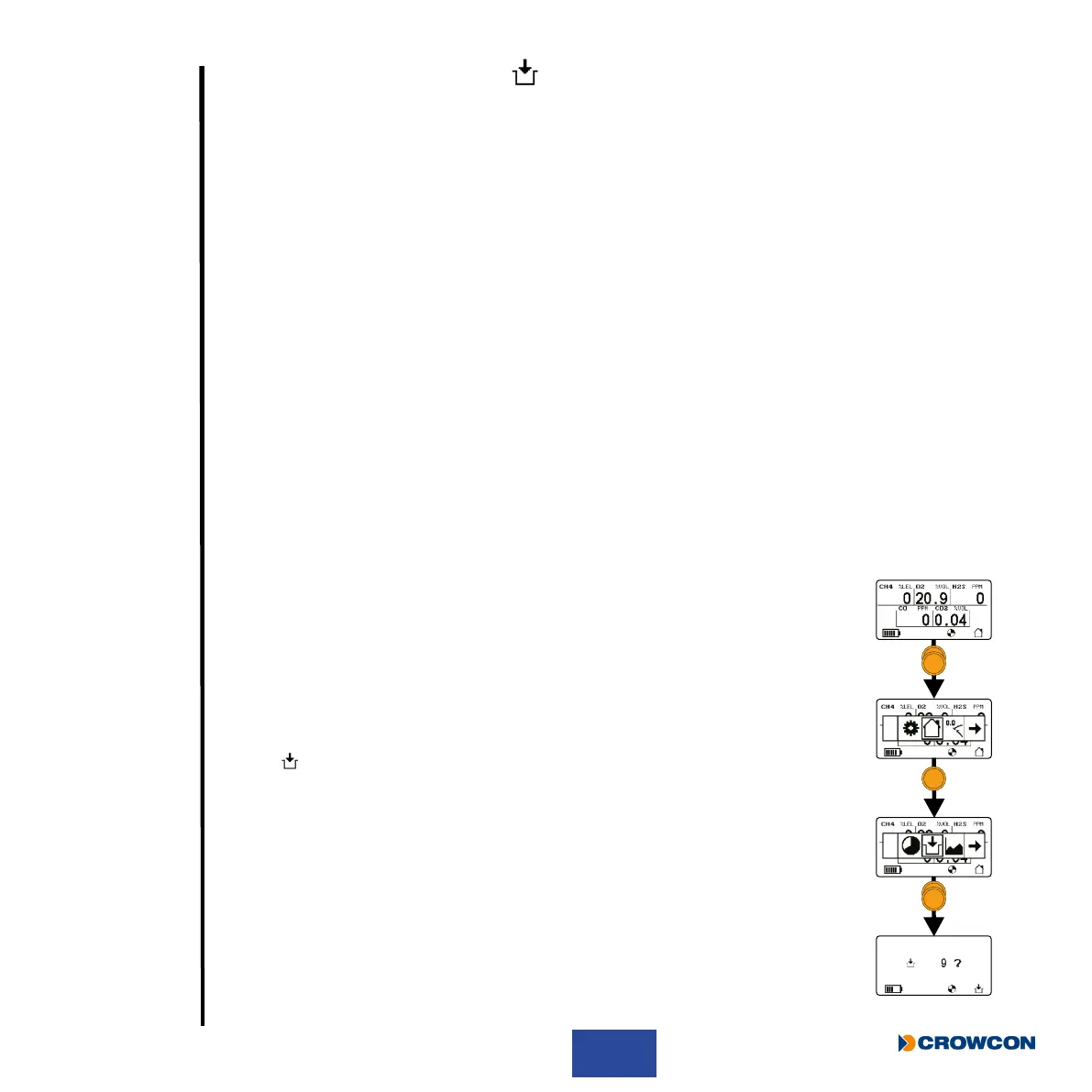
From the home screen, double click the operator button to enter the menu
selection screen.
Once there, single click to scroll to the right until Pre-entry check menu
symbol
is highlighted with a box.
Double click to enter the PEC sampling stage.
A countdown screen will be displayed. Single click the operator button to
start sampling. If the countdown nishes, the Gas-Pro will return to the
home screen.



 To Next Page