34
2.9 Tank Check Mode
Tank Check Mode is unique to devices with a Dual-Range Flammable IR sensor tted, or ‘Tank-Pro’
branded devices.
!
The device should under no circumstances be used as personal protection equipment
whilst in Tank Check Mode.
i
These devices will always display Tank Check Mode after start up has completed rather
than the Home Screen.
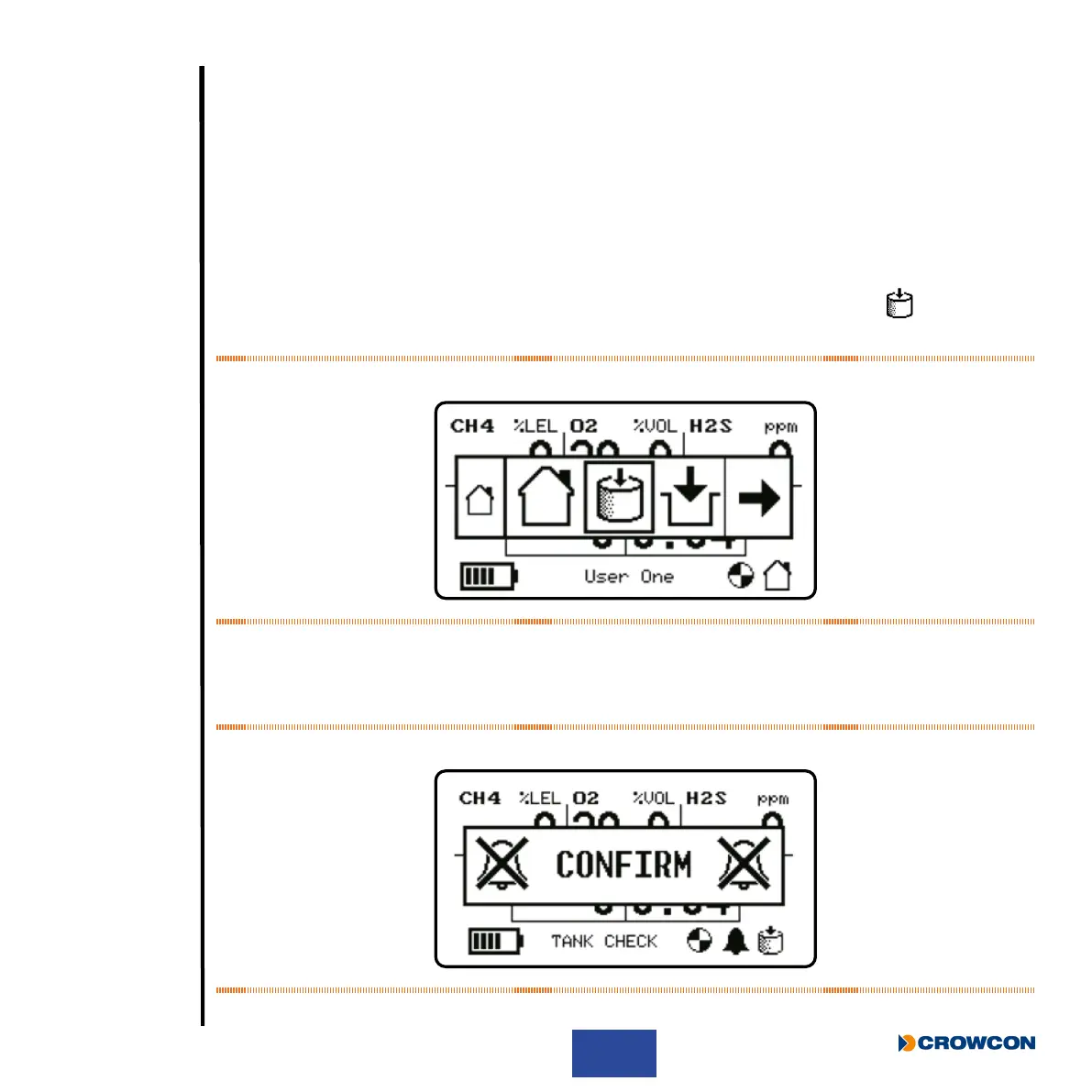
Alternatively, Tank Check Mode may be entered by selecting the Tank Check icon
from the
device menu.
Figure 16: Tank Check Mode selection
Upon entry to Tank Check Mode, the device will display a conrmation message to inform that
alarms are disabled. A single button press will dismiss this screen. The conrmation screen is
accompanied by an intermittent warning tone.
Figure 17: Alarms disabled conrmation



 To Next Page