20
2.3 Pump test
In the default conguration, a pumped Gas-Pro with a ow plate attached (see Fitting a ow plate on
page 12) will run a pump test during the start up process. A pump test will also be run whenever a
ow plate is attached during normal operation.
i
If the Gas-Pro is congured for Bump functionality, the Bump/Pump prompt will be
displayed if a ow plate is attached and a gas bump test is due or the Gas-Pro is placed in
a Q-Test module during normal use (see Bump/Pump functionality on page 33).
i
Prior to tting, the ow plate’s gasket should be checked for any damage.
The pump test ensures accurate sealing as well as monitoring pump performance.
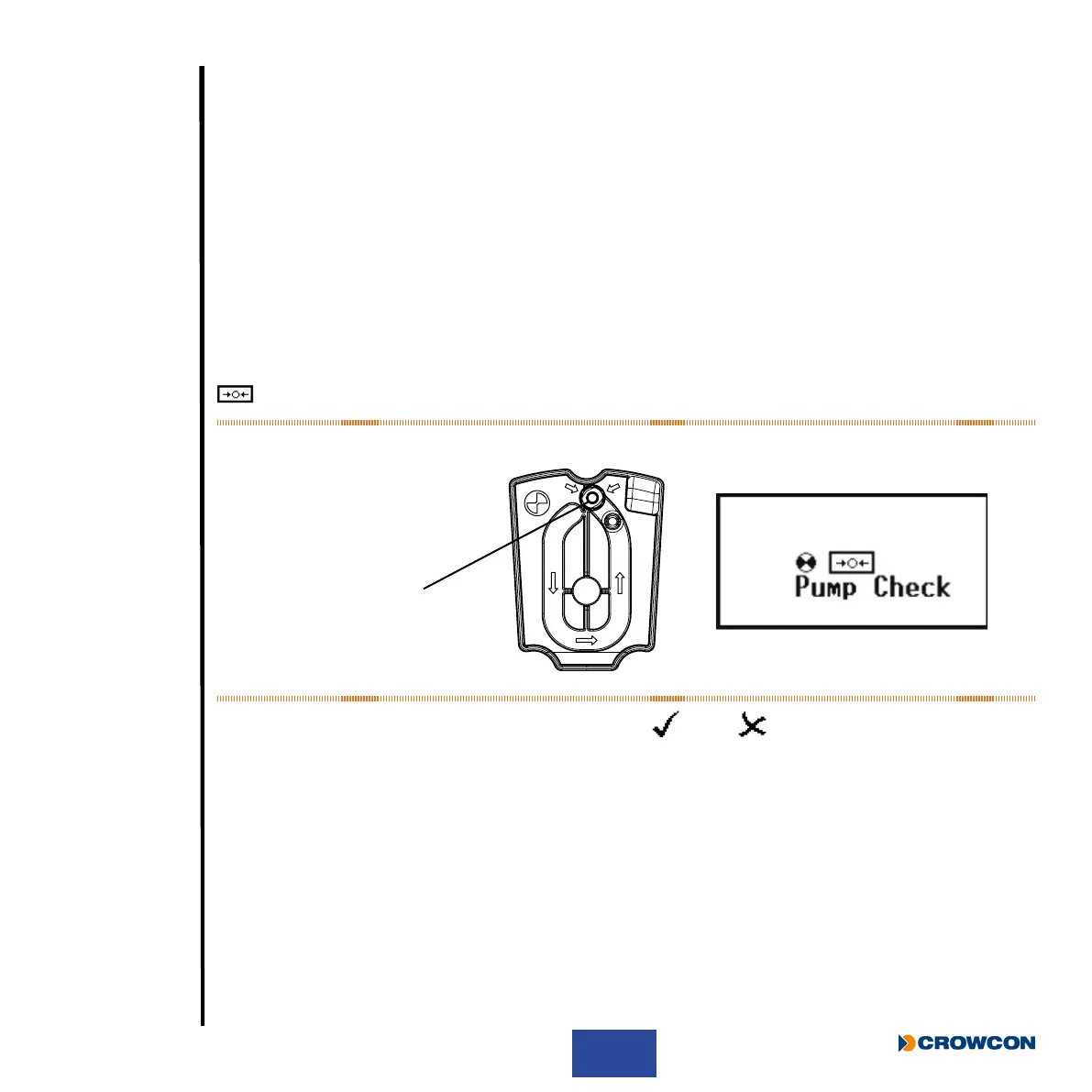
The user will need to cover the pump inlet
À (see Figure 13 below) when prompted to do so by the
symbol on the screen.
Figure 13: Pump inlet
When the test has nished, the pump will either pass
or fail .
If the pump test takes place during start-up and the Gas-Pro passes, the pump will remain on and
the start-up process will continue as normal. If the test is passed during normal use, the Gas-Pro will
remain in the pumped mode until the ow plate is removed.
On failing the pump test the fail screen will persist with an audible alert until the button is pressed
and the test repeats OR the ow plate is removed and the Gas-Pro returns to unpumped operation.
For further detail on failing a pump test see Pump test failure on page 48.
À



 To Next Page