15
1.5 Quick view
Even when the detector is off, users can display details about the conguration of the Gas-Pro by
momentarily pressing the operator button for one audible blip. The LED to the left of the display will
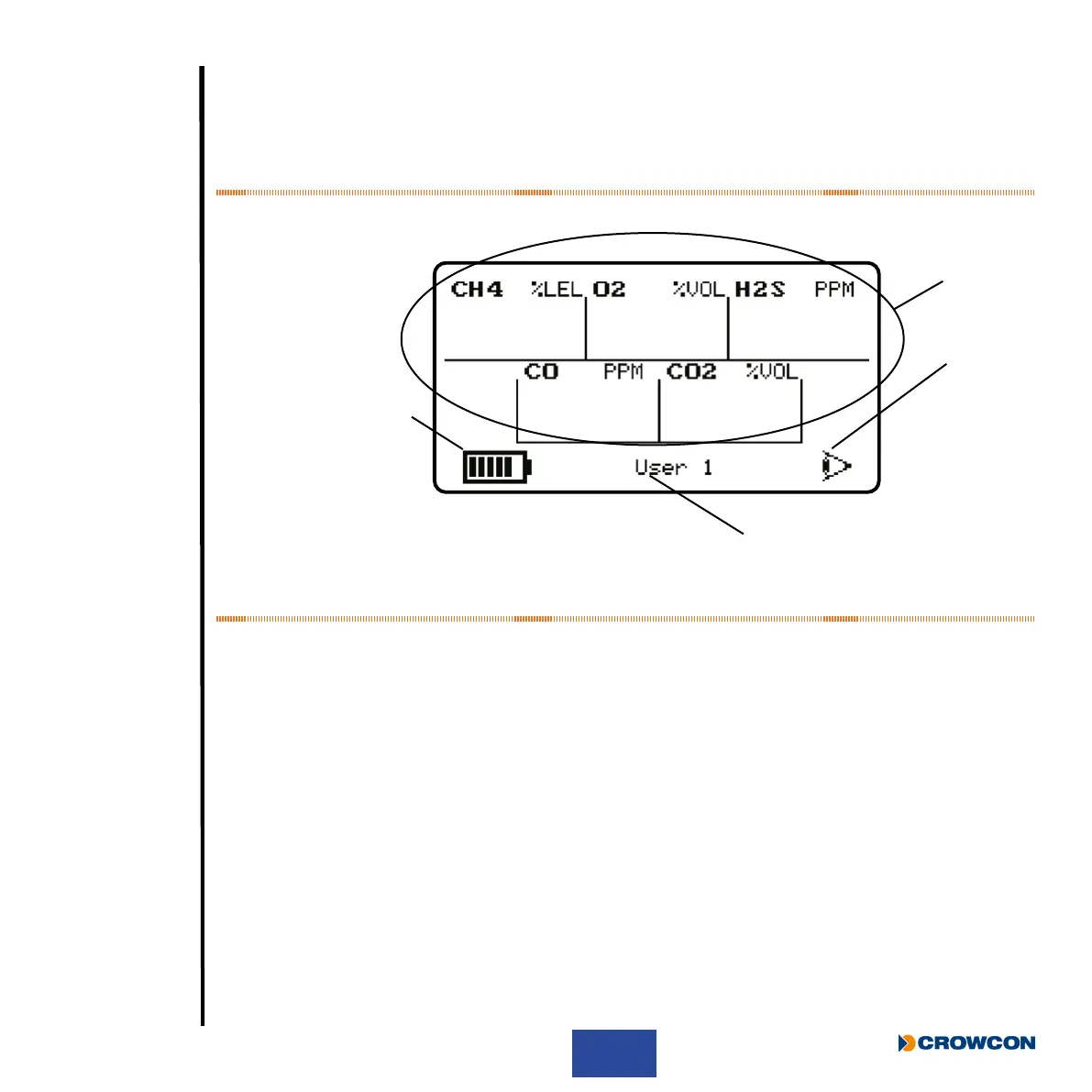
ash red once and the Quick view screen shown in Figure 6 below will be displayed for 10 seconds.
Figure 6: Quick view display
À Gas type and unit detected
Á Battery status
 Quickview icon
à ID or serial number
i
The +ve Safety™ LED status is also shown (see Figure 1).
Ã
Á
À
Â



 To Next Page