Operating modes
Note
●
Breakdown service and information calls
can incur an additional cost on your
telephone bill.
●
The Roadside Assistance and Information
services might not work properly, for ex-
ample, if the vehicle and the operator of
the connected mobile telephone are in dif-
ferent countries. If you are not able to use
these services contact an authorised CU-
PRA workshop.
Phonebook Menu (contacts)
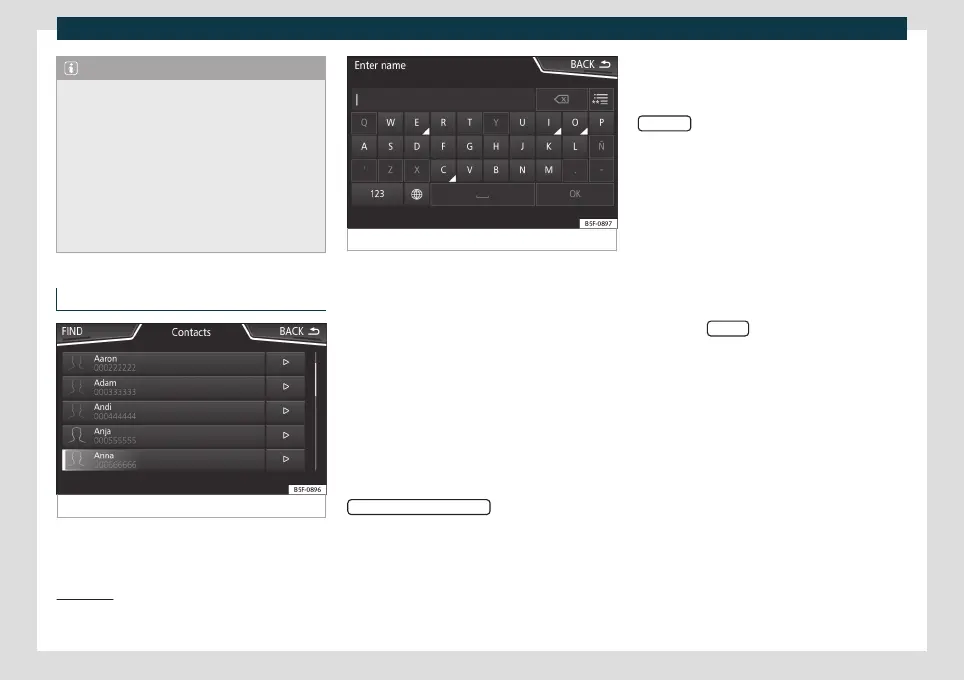
Fig. 189
Contacts Menu.
Fig. 190 Search window.
Once the first pairing is made, it may take
some time until the phonebook dat
a
1)
of the
pair
ed mobile are available in the infotain-
ment system. Depending on the volume of
data that has to be transferred, the process
may take several minutes. It may be necessa-
ry to confirm the data transmission on the
mobile phone.
The phonebook can also be viewed during a
telephone conversation.
If the name saved in the phonebook has an
assigned photo, it can be displayed on the
list next to the name. To do this, the option
Show pictures for contacts
in the Phone set-
tings cont
e
xt must be enabled and your mo-
bile phone must support this functionality
(check the compatibility list)
›››
page 222,
Phone settings.
In the Telephone main menu, press the
Contacts
function button to access the con-
t
acts list.
Select a cont
act from the list
●
Search the list and press on the desired
contact to make the call.
●
OR: If the contact has several numbers,
first press on the contact and then press on
the desired number for making the call.
Search for a contact in the search window
●
Press the Search
function button
›
›
›
Fig. 189 to open the search window.
●
Enter the name of the contact you are
looking for in the window
›››
Fig. 190. While
the characters are being entered, a contact
is displayed in the input field.
●
The number of matching results is dis-
played to the right of the input field. Press
the function button to go to the list.
●
Search the list and press on the desired
contact to make the call.
»
1)
Depending on the device, only contacts in the
phone's memory are loaded.
219



 To Next Page