Operating modes
Function button: function
Options Open the Options menu.
Reply with tem-
plate
To select a text template from a
list.
Delete current
text message
The SMS is deleted from the In-
box folder.
Telephone
number
The sender's telephone number
is displayed.
FORWARD To forward an SMS.
REPLY To reply to an incoming SMS.
Enter number
To enter a telephone number or
to select a recipient from the
contact list.
Press the Recipients
function
button to select multiple recipi-
ents.
Recipients
To select multiple recipients
from the contact list.
Delete To delete an SMS.
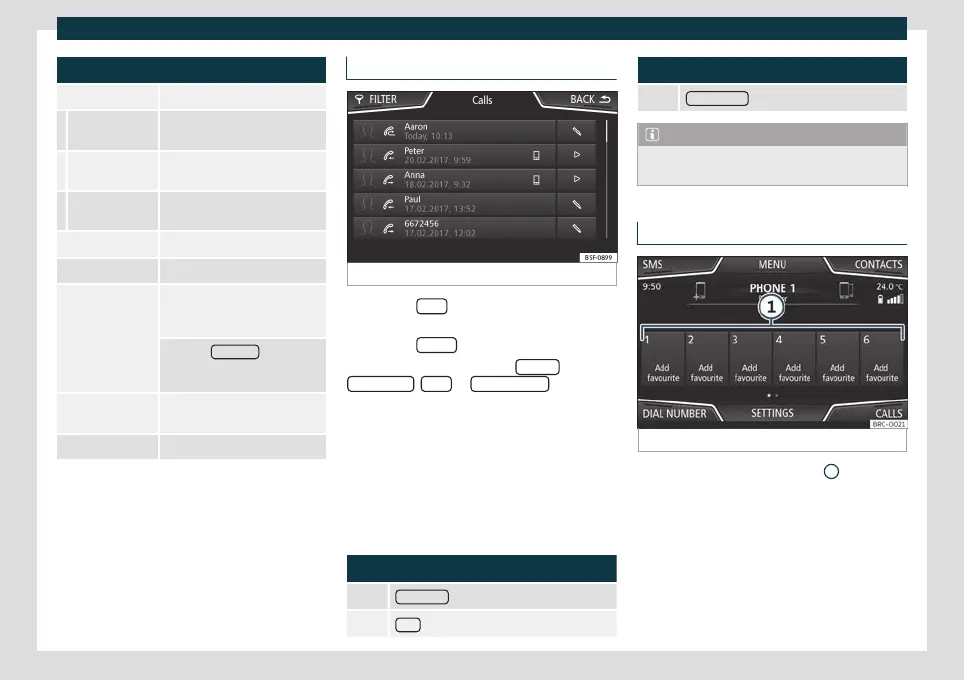
Calls Menu (call lists)
Fig. 192
Call lists menu.
●
Press the Calls function button from the
T
elephone
main menu.
●
Press the FILTER
function button.
●
Select the desired call list: All calls ,
Missed calls , Calls or R
eceived calls
.
If a t
elephone number is st
ored in the phone
book, the saved name is displayed on the call
list instead of the number.
If a photo is assigned to the name stored in
the phonebook, it can be displayed on the
call list next to the name
›››
page 222.
Possible displays in the Calls menu
Display: Meaning
Missed calls : Missed and unanswered calls.
Calls : Dialled numbers.
Display: Meaning
Received calls : Received calls.
Note
The availability of the call lists will depend
on the mobile phone used.
Quick dial keys
Fig. 193
Quick access to the phone book.
The speed dial keys
›
›
›
Fig. 193
1
can be as-
signed a t
elephone number fr
om the phone
book.
If a photo is assigned to the name stored in
the phone book, it can be displayed on the
speed dial button
›››
page 222.
All speed dial keys have to be manually edi-
ted and will be assigned to a user profile. Up
»
221



 To Next Page