27D-Link DAP-1520 User Manual
Section 3 - Conguration
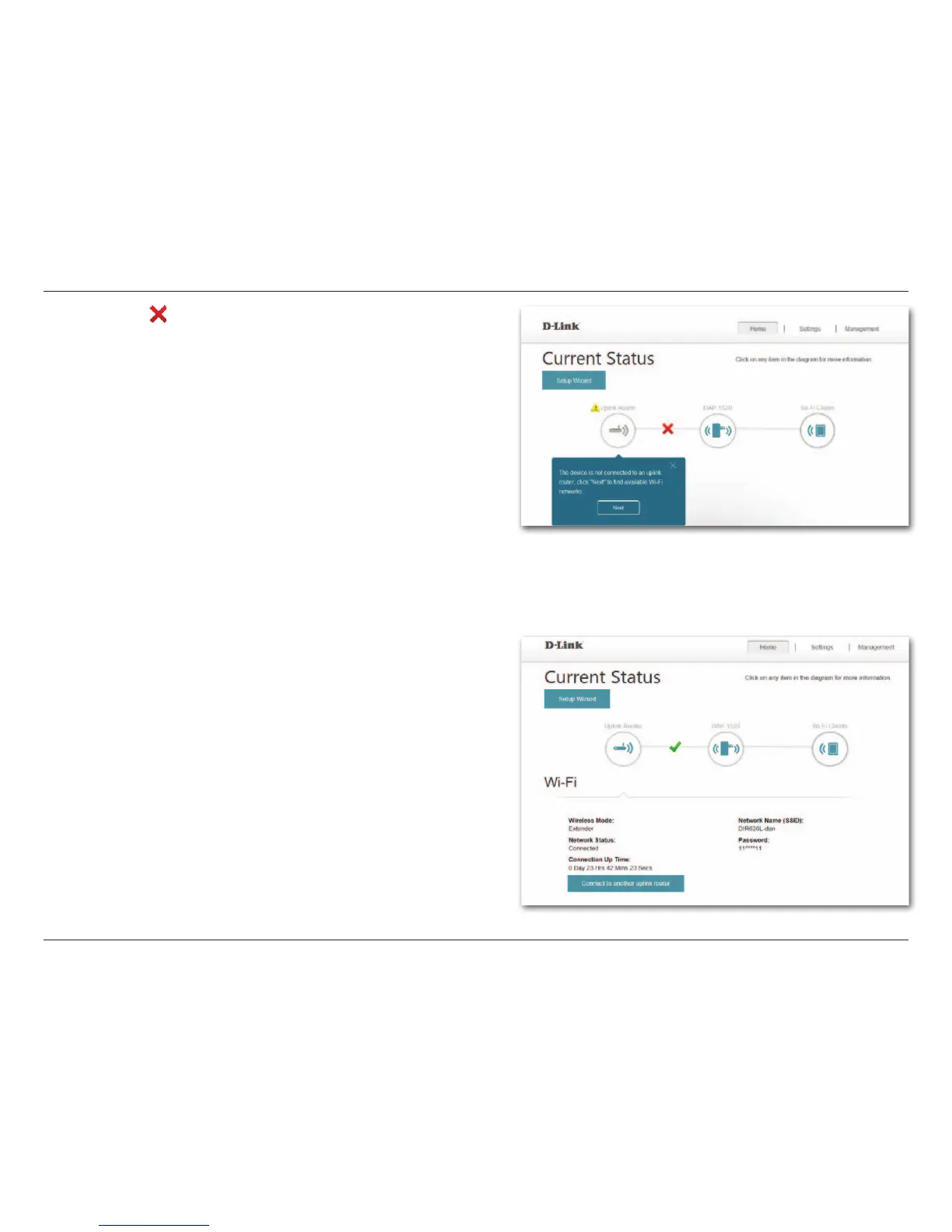
When the red ( ) indicates that the DAP-1520 is not connected
to your router, click on the Uplink Router icon to search for an
available Wi-Fi network.
At any time, you can click on a device icon on the Home screen
to view the device details.





 To Next Page