37D-Link DSL-2745 Wireless N300 ADSL2+ Modem Router User Manual
Section 4 - Conguration
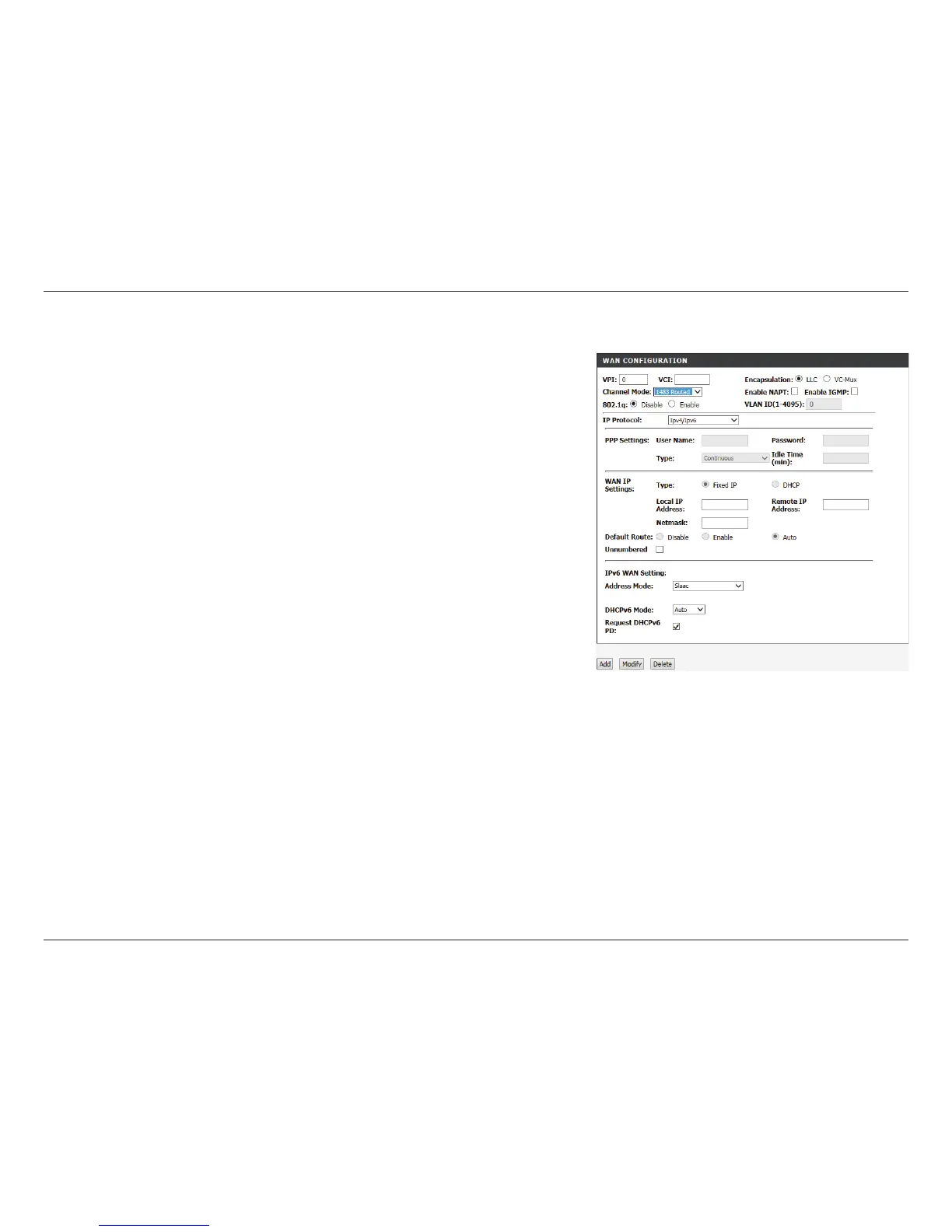
Click Add to create your connection.
Local IP Address: Enter your local IP address.
Remote IP
Address:
Enter your default gateway.
Netmask: Enter your subnet mask.
Default Route: This defaults to Auto.
Unnumbered: This option is unavailable.
IPv6 WAN
Settings:
Configure the IPv6 WAN settings. If the IP Protocol is set to IPv4,
these settings are unavailable.
Address Mode: Select either Slaac or Static.
IPv6 Address: Enter your IPv6 Static Address. Only available in Static mode.
IPv6 Gateway: Enter your IPv6 Gateway. Only available in Static mode.
DHCPv6 Mode: Select either Auto, Enable, or Disable.
Request DHCPv6
Address:
Check this box to enable. Only available if DHCPv6 Mode is set to
Enable or Auto:
Request DHCPv6
PD:
Check this box to enable. Only available if DHCPv6 Mode is set to
Enable.
1483 Routed Mode Continued



 To Next Page