DVG-2102S User’s Manual SETUP
D-Link Systems, Inc. 12
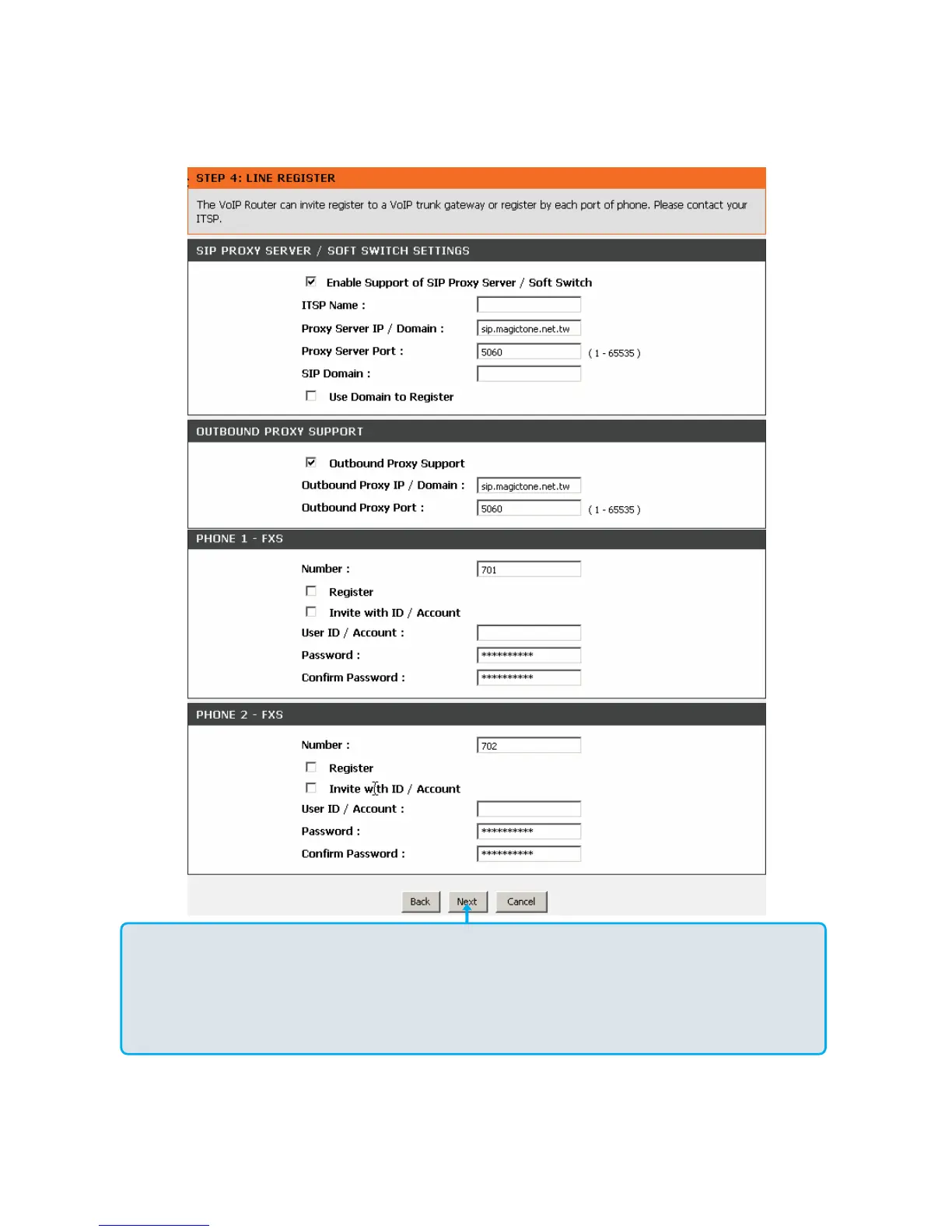
Register to the SIP Proxy Server by clicking Enable support of SIP Proxy Server. Enter Proxy Server IP/Domain
and Port.
Outbound Proxy Support is optional. To register, please click on the Outbound Proxy Support box and enter
Outbound Proxy IP/Domain and Port in it.
Registration by phone line: Enter Number, User ID/Account and Password supplied by your ITSP. Check on the
Register box to register to Proxy Server.
Click Next.



 To Next Page