DVG-2102S User’s Manual ADVANCED
D-Link Systems, Inc. 33
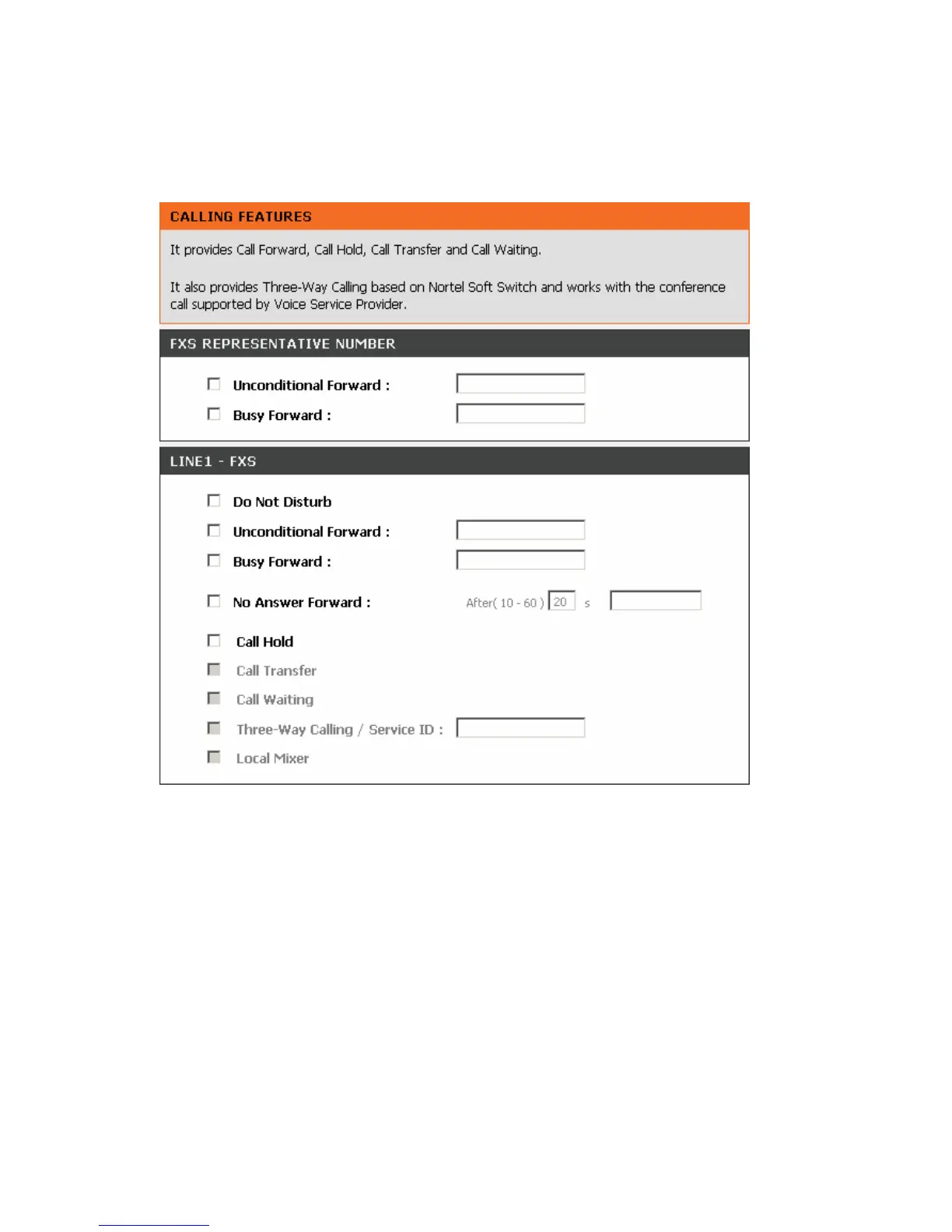
3-2-1-3 Calling Features
ADVANCED → VoIP → Calling Features
Do Not Disturb: Check the box to reject (busy tone played) incoming calls.
Unconditional Forward: Check the box to forward incoming calls to the assigned “Forwarding Number”
automatically. If configured forwarding to FXO it only makes FXO hook off, but not making FXO dial out.
Busy Forward: Check the box to forward incoming calls to the “Forward incoming Number” when the line is
busy.
No Answer Forward: Check the box to forward incoming calls to the “Forward incoming Number” after
ringing timeout (configurable from 10 to 60 seconds) expires.
Call Hold: Check the box to hold the call on the specific FXS port.
Note: Call Transfer, Call Waiting, Three-Way Calling / Service ID and Local Mixer can only be activated
when Call Hold is checked.
Call Transfer: Check the box to transfer the call to another destination.
Call Waiting: Check the box to accept incoming call while talking.
Three-Way Calling /Service ID: It is for conference all based on Nortel Soft Switch and must work with



 To Next Page