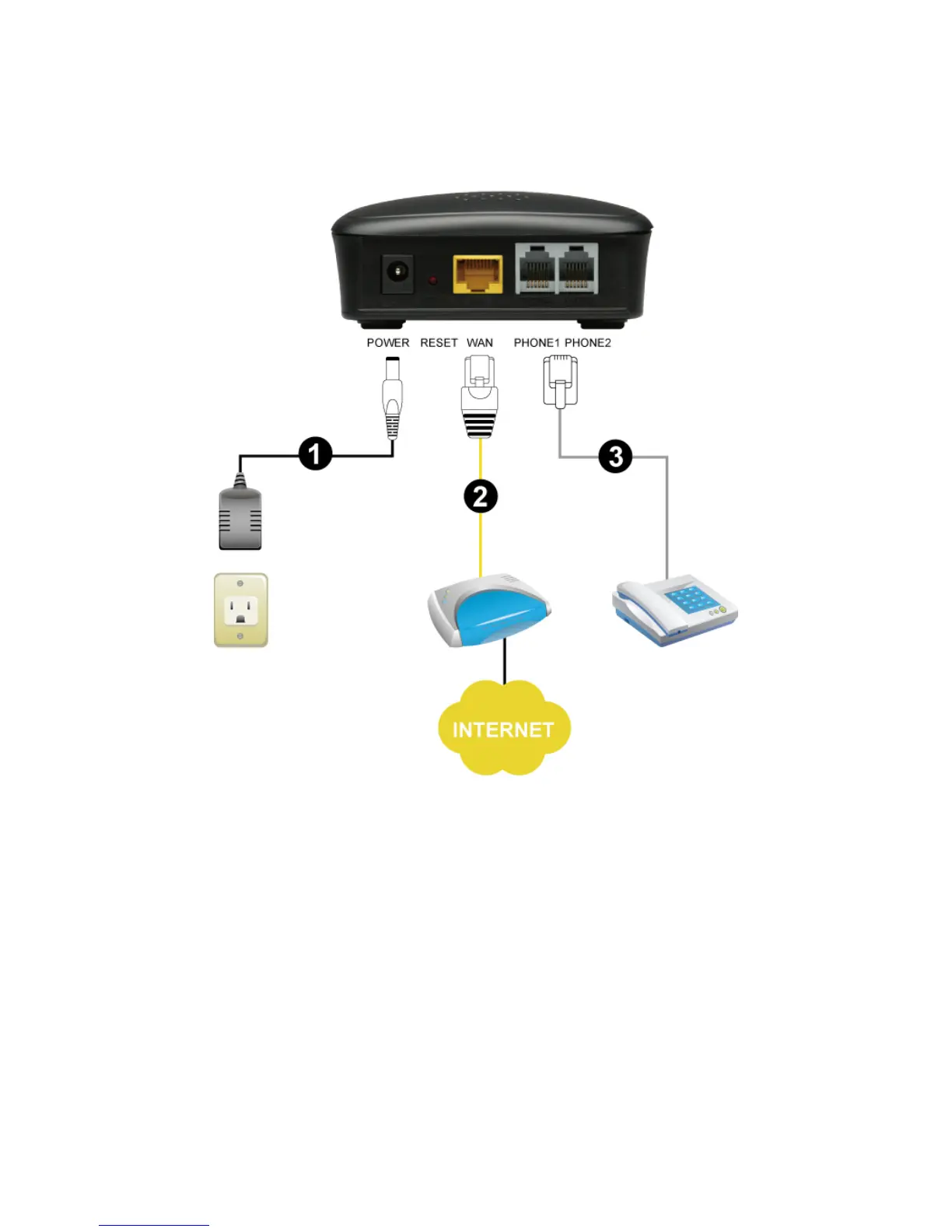
DVG-2102S User’s Manual Telephone Interface Description
D-Link Systems, Inc. 6
Rear Panel
1. Power Receptor: Receptor for the provided power adapter.
2. WAN: Connect to your broadband modem using an Ethernet cable or connect to your Ethernet
enabled computers using Ethernet cabling.
3. Phone Port (1-2): Connect to your phones using standard phone cabling (RJ-11).
WARNING: DO NOT connect the phone ports to each other (FXS to FXS). Doing so may damage
your VoIP Telephone Adapter.
Use Reset Button to restore factory default settings:
1. Power on.
2. Press and hold the reset button for 5 seconds.
3. Release the reset button. Factory settings will be restored.



 To Next Page