DVG-2102S User’s Manual MAINTENANCE
D-Link Systems, Inc. 65
3-3 MAINTENANCE
3-3-1 Device Management
MAINTENANCE → Device Management
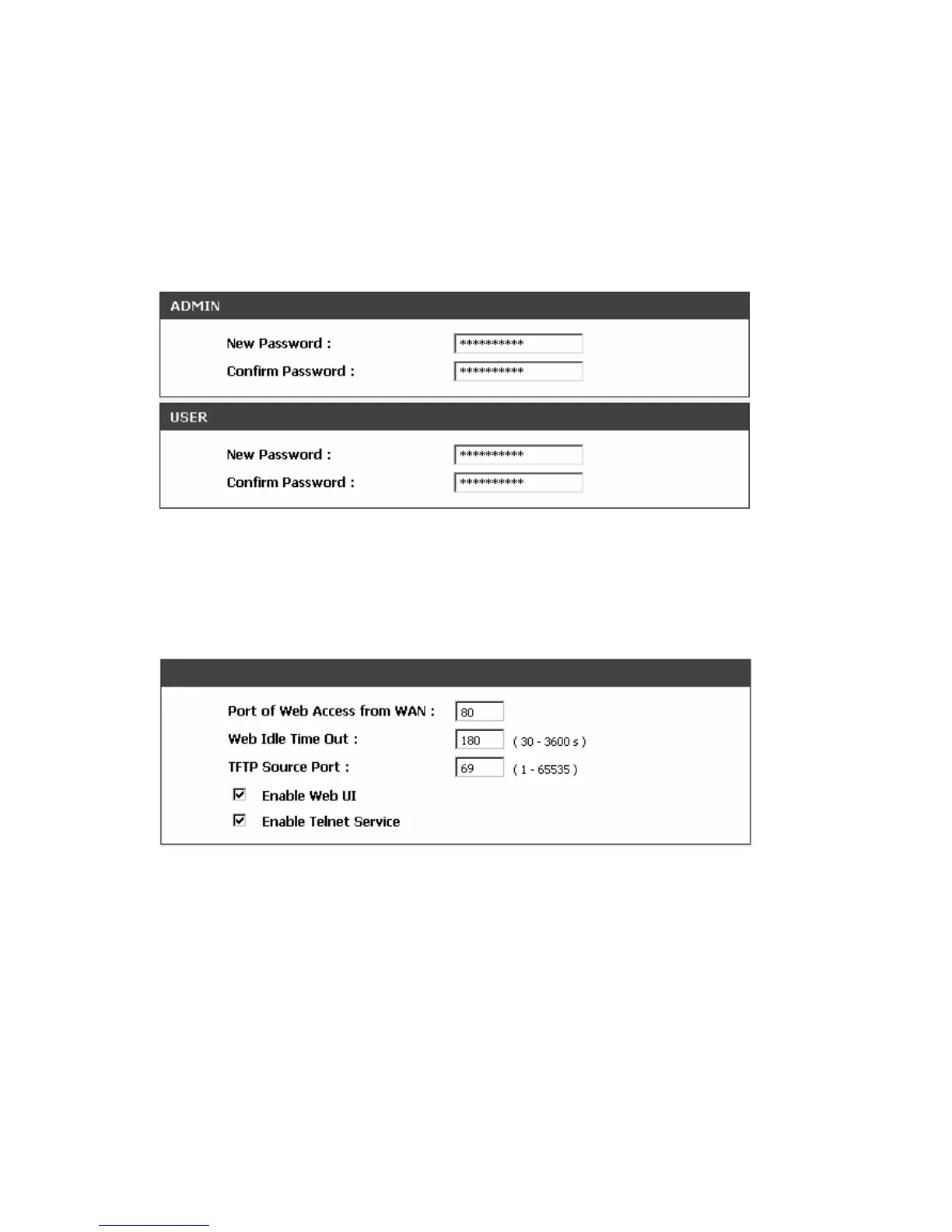
Note: There are two operating levels when entering the Web UI. Logging-in as the ADMIN allows you to
change all settings. A Web UI USER only has access to some settings.
Password: By default there is no password configured. It is highly recommended that you create a
password to keep your VoIP Telephone Adapter secure.
MAINTENANCE → Device Management
Port of Web Access from WAN: Enter the port number when accessing the web-based configuration
utility from the WAN port.
Web Idle Time Out: Enter the range of effective time when log-in the web interface. The user will be
disconnected from the web page to allow others to log-in.
TFTP Source Port: Enter the port number for sending out sends TFTP sessions.
Enable Web UI: Check the box to enable WEB access from WAN or LAN.
Enable Telnet Service: Check the box to enable Telnet access from WAN or LAN.



 To Next Page