DVG-2102S User’s Manual MAINTENANCE
D-Link Systems, Inc. 72
3-3-7 Provision
Provisioning is a function that automatically updates your VoIP Telephone Adapter’s configuration by using
a TFTP, FTP, or HTTP server located on the Internet. If you have access to such service, you will need to
know the URL or IP address of the Provisioning Server.
Note: Fill in the parameters needed by your VoIP Service Provider. Please check with your VoIP Service
Provider about the availability of these services.
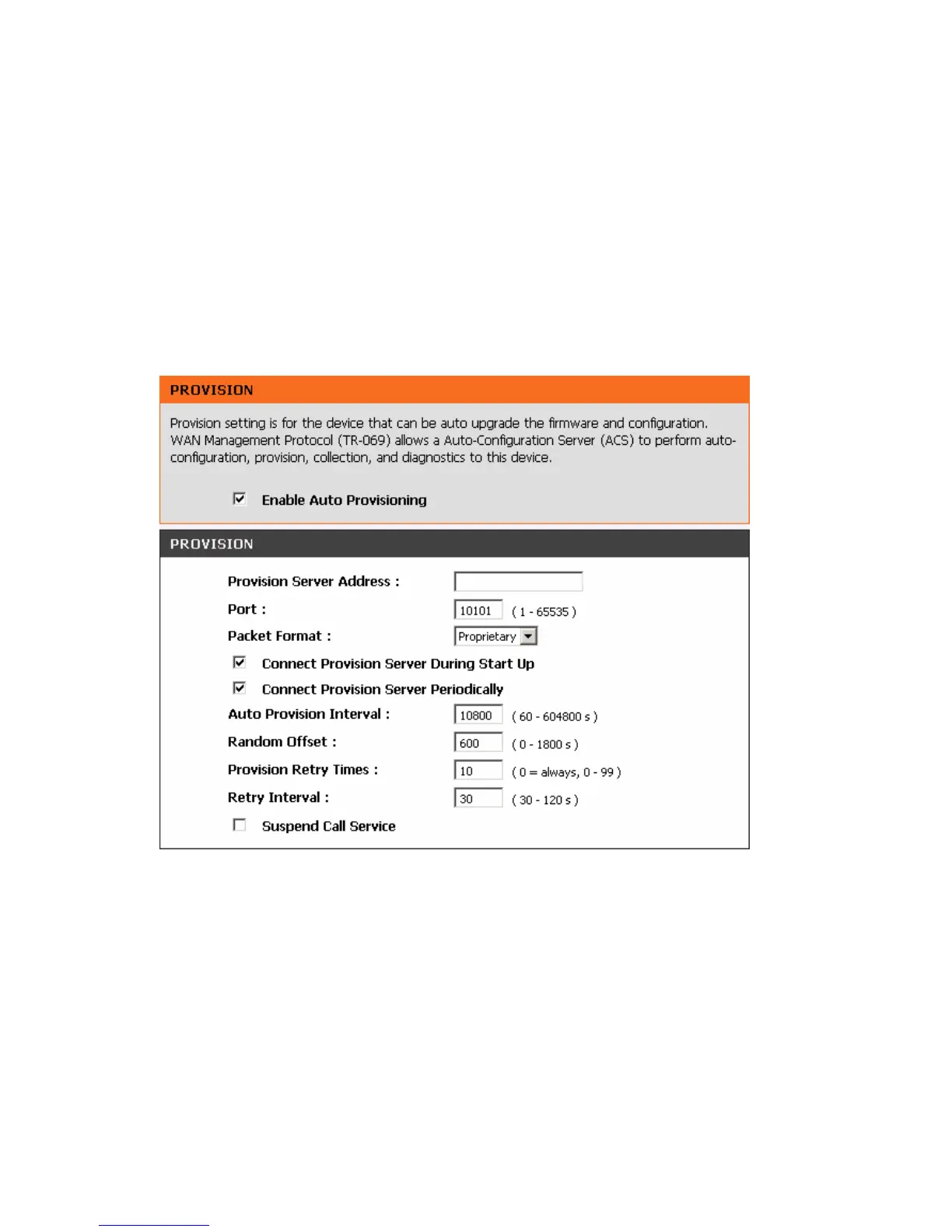
MAINTENANCE → Provision
Enable Auto Provisioning: Check the box to start provisioning.
Provision Server Address: Enter the Provisioning Server’s IP address or URL required by your VoIP
Service Provider.
Port: Enter the Provisioning Server’s listening port.
Packet Format: Use the drop-down menu to choose the packet transmitting format required by your VoIP
Service Provider.
Verify Servers Certificate: It is used for Provision Server certification while HTTPS packet format is in use.
Connect Provision Server During Start Up: Check the box to connect to Provisioning Server when the
VoIP Telephone Adapter is powered on or rebooted.



 To Next Page