DVG-2102S User’s Manual SETUP
D-Link Systems, Inc. 30
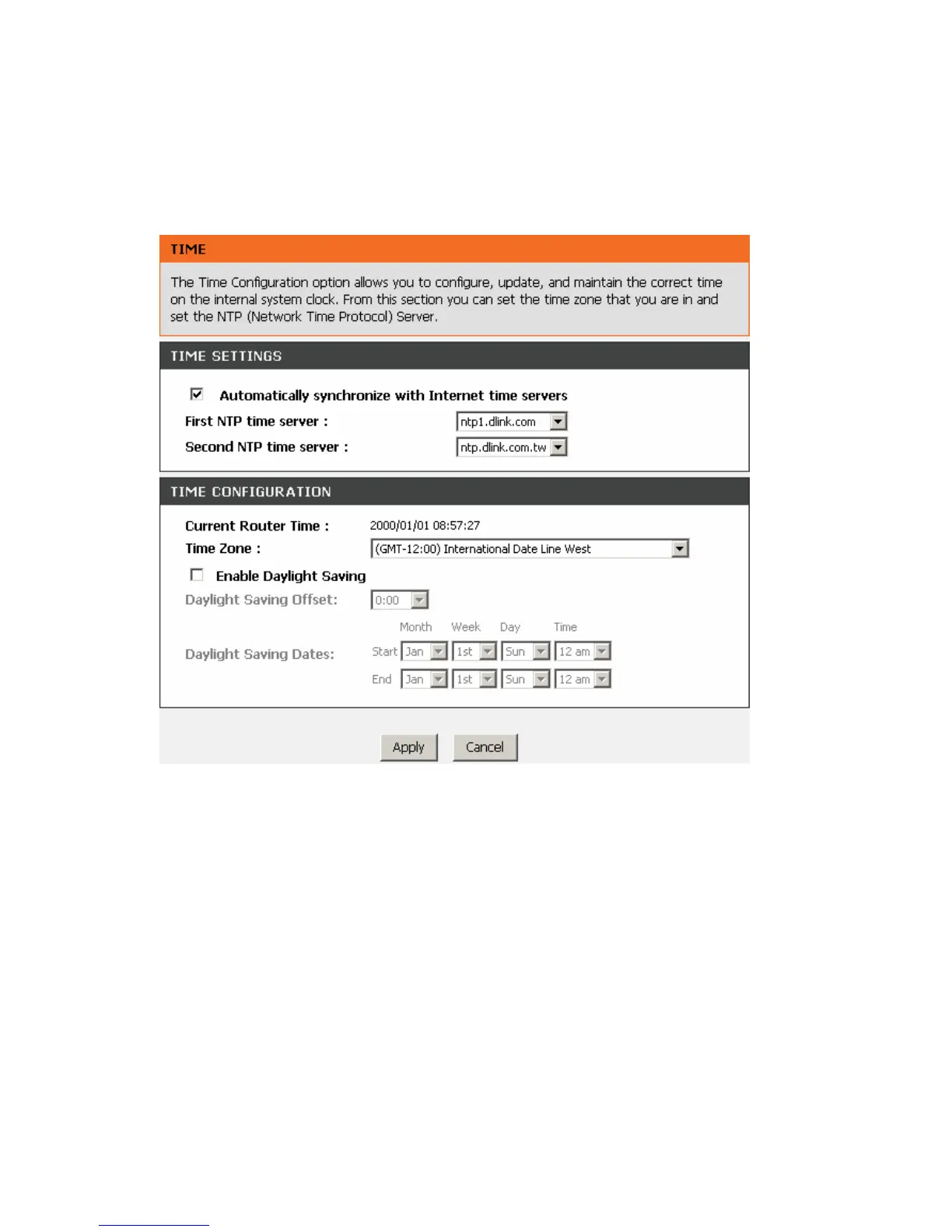
3-1-3 Time and Date
SETUP → Time and Date
Automatically synchronize with Internet time servers: The VoIP Telephone Adapter should
automatically sync up with time servers.
First NTP time server: Select the desired domain name of a NTP server as first priority.
Second NTP time server: Select the domain name of a NTP server as second priority.
Current Router Time: It shows the current time of the VoIP Telephone Adapter.
Time Zone: Select your time zone from the drop-down menu.
Enable Daylight Saving: To enable/disable daylight saving time.
Daylight Saving Offset: Set the current time zone offset for your location.
Daylight Saving Dates: Set the start and end dates for daylight saving time.



 To Next Page