DVG-2102S User’s Manual SETUP
D-Link Systems, Inc. 16
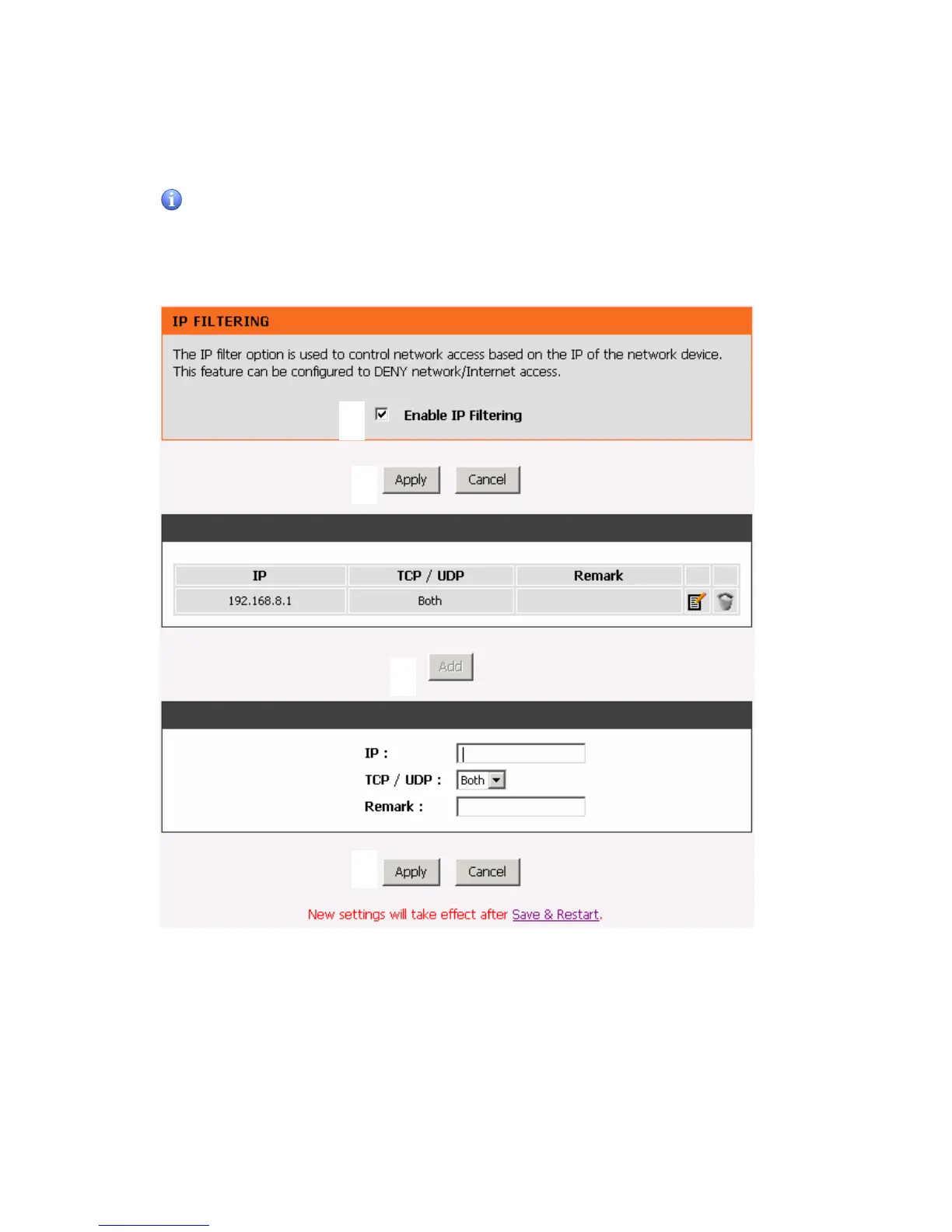
Situation 3: (example: Enable IP Filtering)
Setup Hint:
1. Click “Enable IP Filtering” check box to open the main screen.
2. Click “Add” to enter an entry.
3. After Adding an entry, you have to click “Apply”.
4. Don’t forget to click “Apply” which in the filed of “Enable IP Filtering”.
5. After settings, save and reboot.
1
2
3
4



 To Next Page