42D-Link DWM-312 User Manual
Section 4 - Conguration
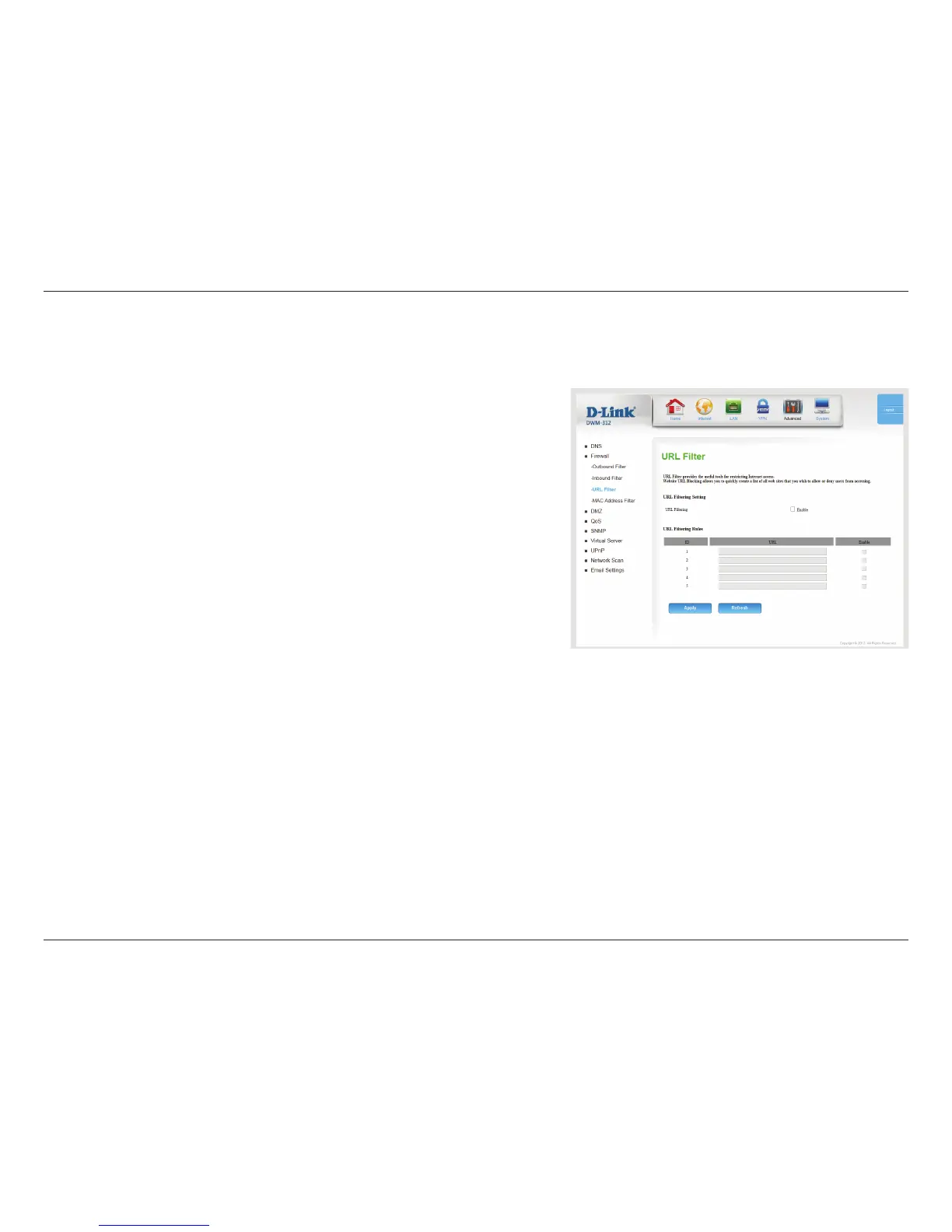
Check the box to enable URL Filtering.
URL FILTERING RULES
This identies the rule.
Enter a URL that you would like to block. All URLs that begin with
this string will be blocked.
Check the box to enable the specied rule.
Click Apply to save your settings, or Refresh to revert to your
previous settings.
URL Filter allows you to set up a list of websites that will be blocked from users on your network.
URL Filtering:
ID:
URL:
Enable:
URL Filter


 To Next Page
 Loading...