53D-Link DWM-312 User Manual
Section 4 - Conguration
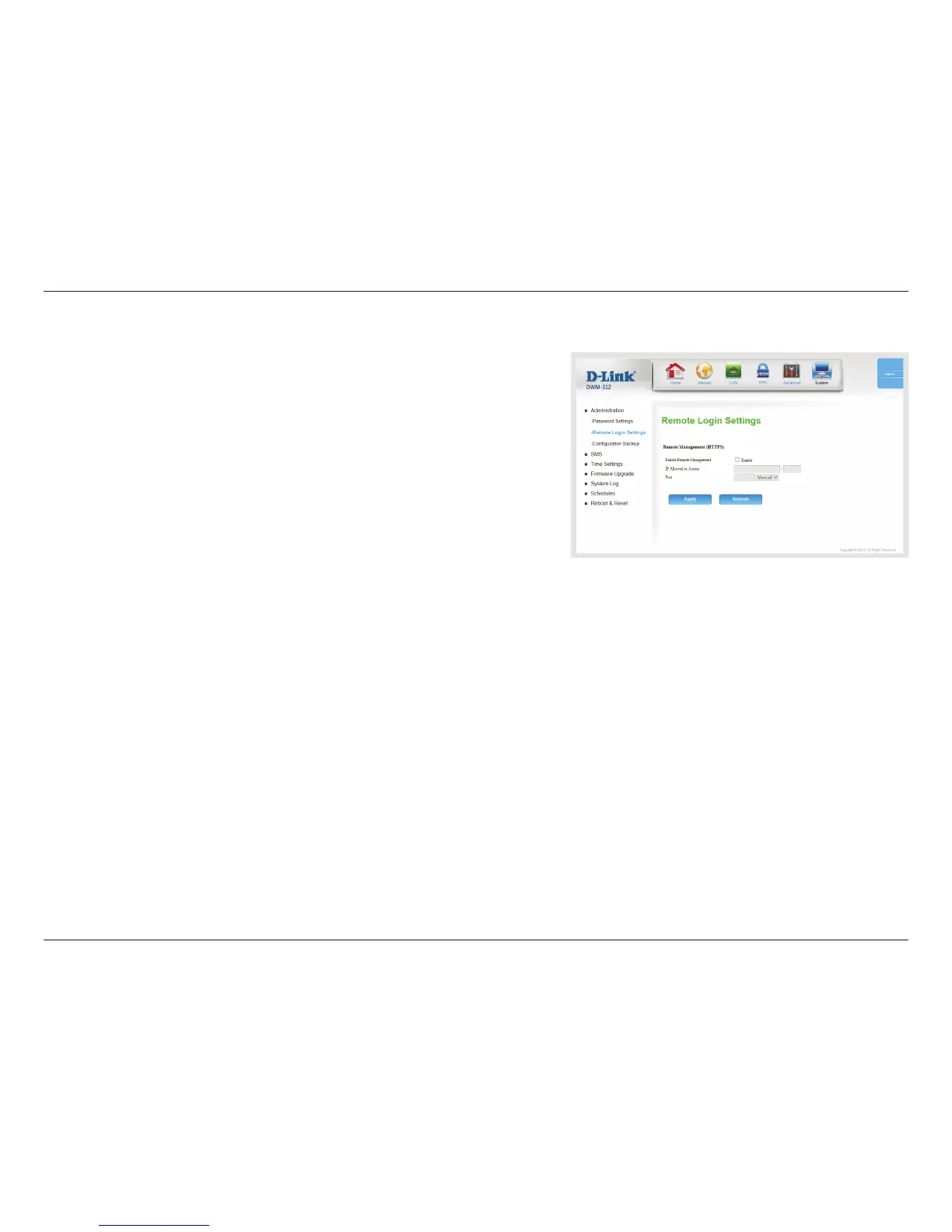
Tick this check box to enable remote management. Remote
management allows the DWM-312 to be congured over the
Internet through a web browser. A username and password will
still be required to access the web-management interface.
Enter the Internet IP address of the PC that has access to the
broadband router. If you enter an asterisk (*) in this eld, then
anyone will be able to access the router. Adding an asterisk (*) into
this eld could present a security risk and is not recommended.
This is the port number used to access the router. 443 is the port
usually used for the HTTPS web-management interface. Select
443, 88, 1080, or Manual to enter one manually.
Click Apply to save your settings, or Refresh to revert to your
previous settings.
Enable Remote
Management:
IP Allowed to
Access:
Port:
Remote Login Settings


 To Next Page
 Loading...