ENGLISH
65
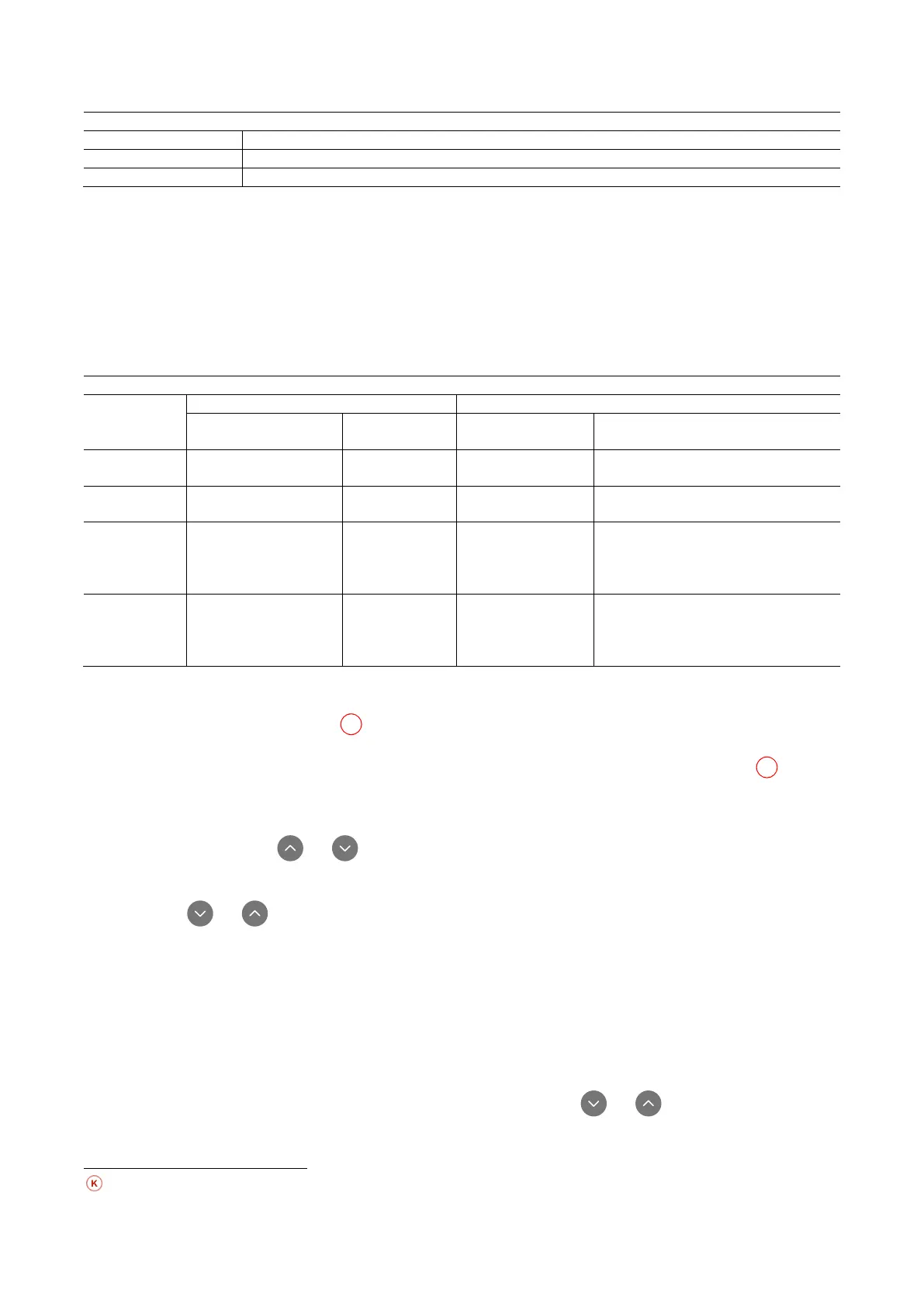
Factory configurations of the outputs
2 (Pump running NO closes)
Table 18: Factory configurations of the outputs
O1: Setting output 1 function
Output 1 communicates an active alarm (it indicates that a system block has occurred). The output allows the use of a normally open
clean contact. The values and functions indicated in Table 19 are associated with the parameter O1.
O2: Setting output 2 function
Output 2 communicates the motor running status. The output allows the use of a normally open clean contact. The values and functions
indicated in Table 19 are associated with the parameter O2.
Configuration of the functions associated with the outputs
Output
configuration
Activation condition
Activation condition Output contact status
0 No associated function
Contact always open
1 No associated function
Contact always closed
2
Presence of blocking
errors
In the case of
blocking errors
the contact
closes
Output activation in
case of blocking
errors
When the motor is running the contact
closes
3
Presence of blocking
errors
blocking errors
the contact
Output activation in
case of blocking
errors
When the motor is running the contact
opens
Table 19: Factory configurations of the outputs
Setting low pressure detection on suction
(typically used in boosting systemsconnected to the water mains)
The low pressure detecting function generates the blocking of the system after the time T1 (see T1: Low pressure delay :).
When this function is active the symbol F4 is shown on the main page.
Tripping of this function causes the pump to cut out; it may be reset automatically or manually. The automatic reset requires that, to
leave the error condition F4, the pressure must return to a value 0.3 bar higher than PK for at least 2 sec. To reset the cut-out in manual
mode, press and then release the and keys simultaneously.
RF: Fault and warning reset
Holding down the and keys together for at least 2 seconds deletes the history of faults and warnings. The number of faults
present in the log is indicated under the symbol RF (max 8). The log can be viewed from the MONITOR menu on page FF.
PW: Change password
The device has a password-enabled protection system. If a password is set, the parameters of the device will be accessible and visible
but it will not be possible to change them.
When the password (PW) is “0” all the parameters are unlocked and can be edited. When a password is used (value of PW different
from 0) all modifications are blocked and “XXXX” is displayed on the page PW.
If the password is set it allows to navigate through all the pages, but at any attempt to edit a parameter a pop-up appears, asking you
to type in the password. When the correct password is typed in the parameters are unlocked and can be edited for 10’ after the last key
is pressed. If you want to cancel the password timer, just go to page PW and hold down and per 2 sec.
together for 2”. When the correct password is typed in a padlock is shown opening, while if the wrong password is given a flashing
padlock appears. After resetting the factory values the password is set back at “0”. Each change of the password takes effect when
Parameters available in version KIWA



 To Next Page