4
DESCRIPTION OF OPERATING SYSTEM
4
-
13
HX1O413U
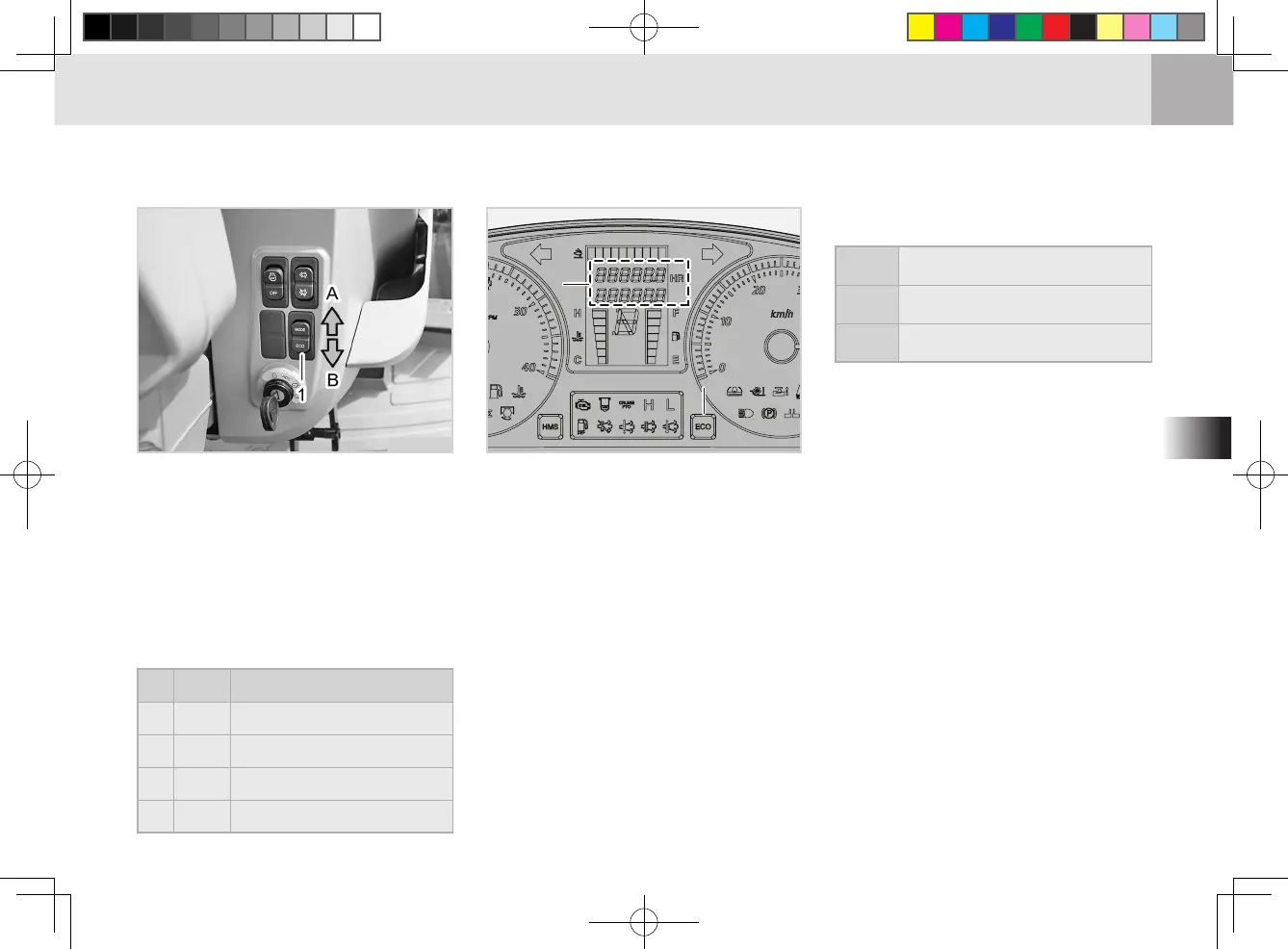
ECO/MODE SELECTION SWITCH
(1) ECO/MODE selection switch
(A) MODE button (B) ECO button
(1) Fuel consumption indicator
(2) ECO Lamp
White
Fuel eciency - below 0 ~ 8ℓ/h or
Engine RPM - below 1,000
Green
Fuel eciency - 8 ~ below 15.5ℓ/h
Red
Fuel eciency - 15.5ℓ/h or more
・ECO range comparison
・
ECO button (B)
Each pressing of the ECO button
toggles the ECO indicator on/o.
This indicator shows the level of
fuel consumption: white for low
consumption, green for middle
level consumption and red for
high fuel consumption.
No. ITEM DESCRIPTION
1 -
Odometer
2 LH
Instant fuel consumption
3 ALH
Average fuel consumption
4 L
Total fuel consumption
・MODE button (A)
Each pressing of the MODE switch
changes the indication on the
instrument cluster LED in the fol-
lowing order:
TG300(HX9010,1001,1151,1301,1401)-수출(통합)-OM-04.indd 13TG300(HX9010,1001,1151,1301,1401)-수출(통합)-OM-04.indd 13 2022-08-16 오전 11:08:112022-08-16 오전 11:08:11




 To Next Page