12
Note: The PC should be powered directly from the 4000HS. As with the 4000 it is
essential that the correct voltage Setting be selected. The PC may also be able to
supply power to the monitor. For instructions on how to connect the mouse,
keyboard and monitor to the PC please consult the instructions supplied with those
items.
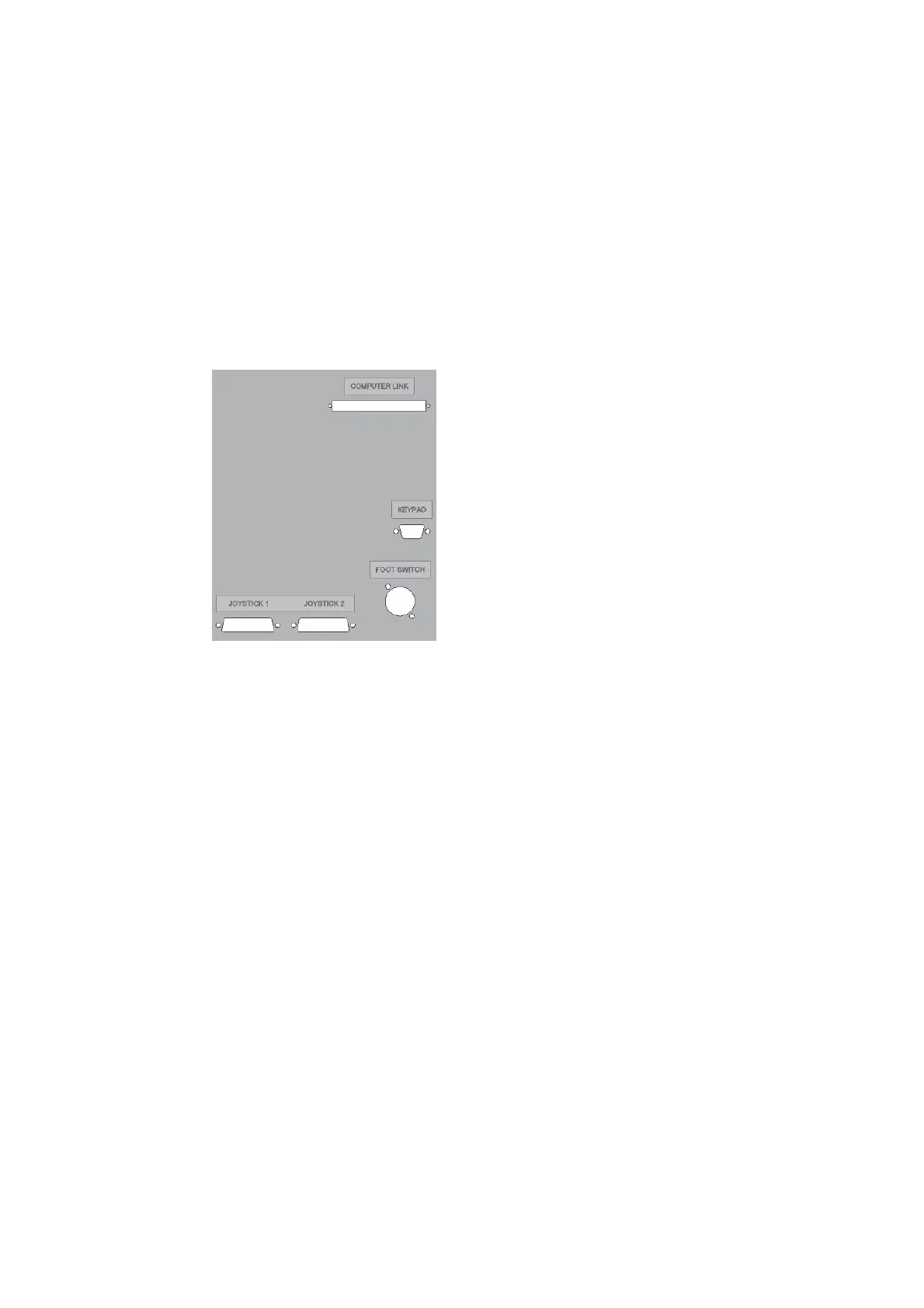
These connections are on the rear of the machine.
Computer Link – The supplied data lead, which plugs
into the PC plugs in here.
Keypad – The keypad which is part of the joystick
assembly’s plugs in here.
Foot Switch – This is where the foot switch plugs in.
Joystick 1 & 2 – The joystick assembly’s plug in here.
Joystick 1 is normally the right-hand joystick and
oystick 2 is normally the left-hand joystick.
There are also two circuit breakers on the rear of the
machine. Ensure that they are depressed before
owering up the machine.



 To Next Page