65
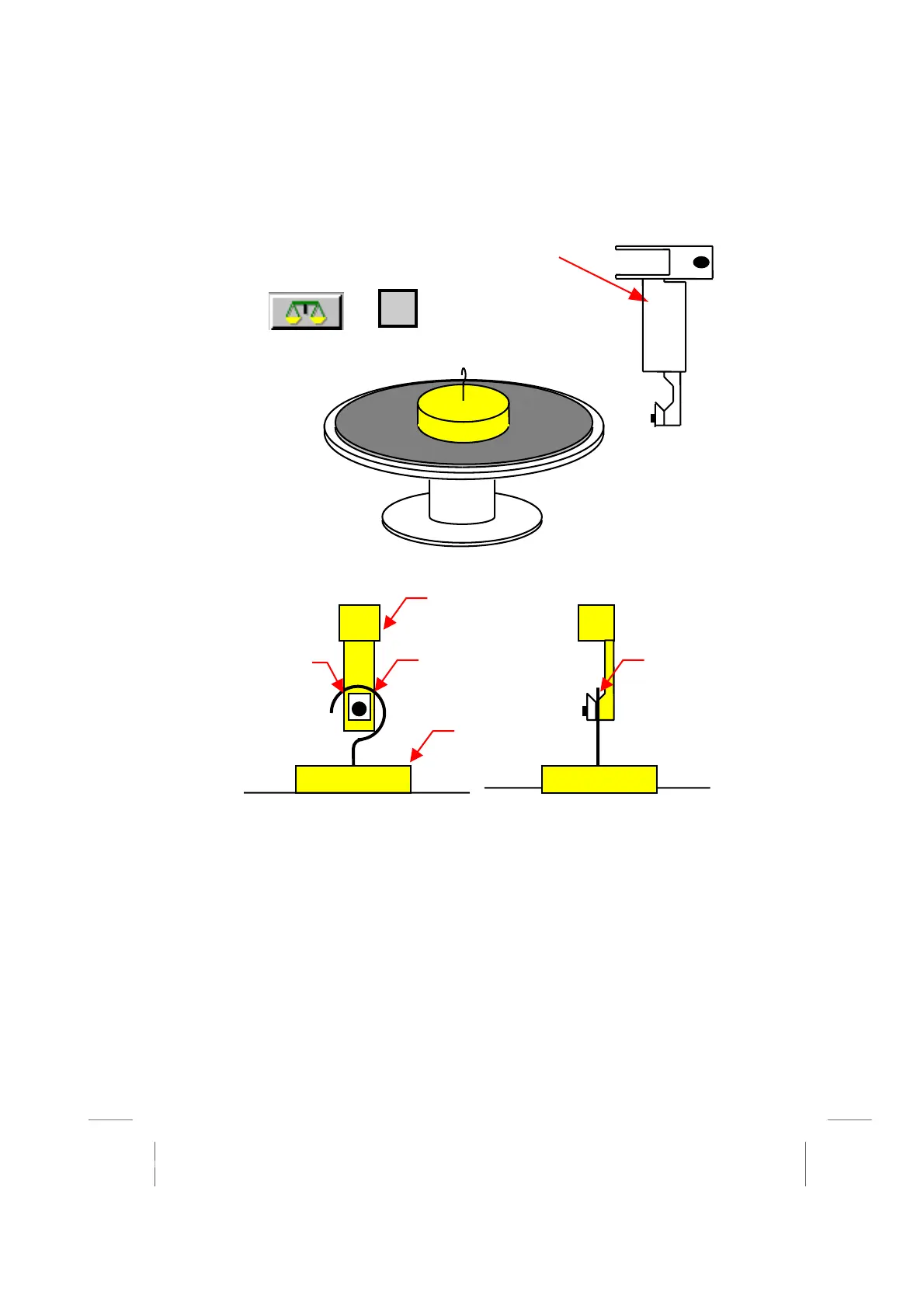
Remove any jaws that may be fitted to the cartridge, and fit
the special calibration hook in the orientation shown.
As the hook is heavier than normal, press the null button.
Or
Place the special work surface onto the XY stage.
Bring the calibration hook down, and align with the weight as shown: -
Note: - There must be a gap where indicated
Press <OK> and the machine will automatically lift the weight at least two times
(the first time is to centralise the weight)
At the end of the calibration, check there is still a gap as shown above.
If the wire on the weight is bent, then it will not be lifted true, and the calibration may be
incorrect.
Note: - The machine automatically detects many of the problems caused by poor weight
alignment and quality.
Excessive bench vibration will cause the calibration to fail.
*
*
*
calibration hook
weight



 To Next Page