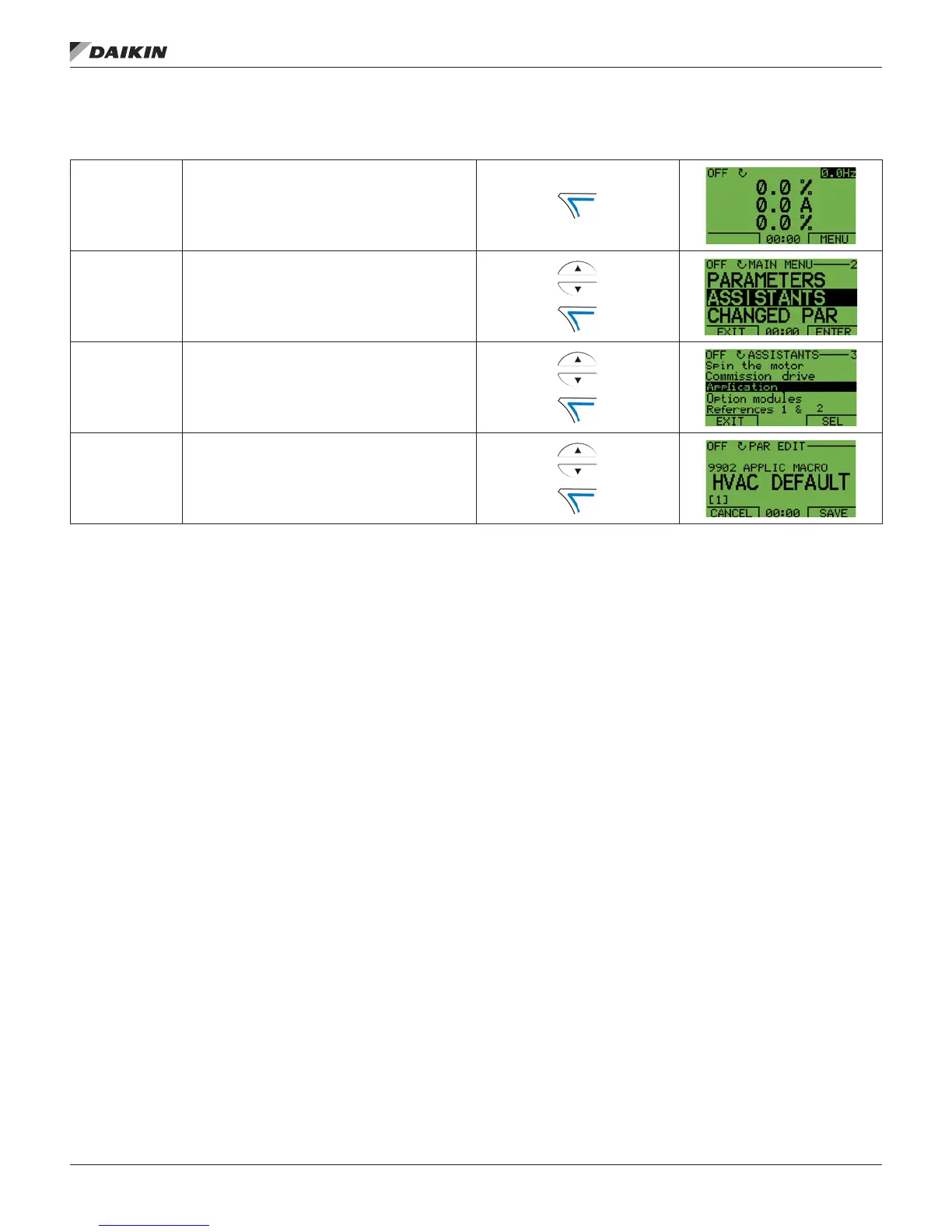
Figure 4: Selecting an application macro
To select a macro, follow these steps:
1 Select MENU to enter the main menu.
2
Select ASSISTANTS with the UP/DOWN buttons and
select ENTER.
3 Scroll to APPLICATION and select ENTER.
4
Select a macro with the UP/DOWN buttons and select
SAVE.
Restoring defaults
To restore the factory default settings, select the application
macro HVAC Default.
Control wiring
Each macro has specic requirements for control wiring. For
general details about the MD5 control wiring terminals, see
Control Terminal Descriptions on page 85. Specic wiring
requirements are included with each macro description.
OM 1191 • MD5 VFD 10 www.DaikinApplied.com
aPPliCaTion MaCros













 To Next Page