ConTrol Panel
Status Information
Table 1: Status Information
Top. The top line of the LCD display shows the basic status
information of the drive.
• HAND – Indicates that the drive control is local, that is,
from the control panel.
• AUTO – Indicates that the drive control is remote, such
as the basic I/O (X1) or eldbus.
• – Indicates the drive and motor rotation status as
follows:
Upper right – shows the active reference.
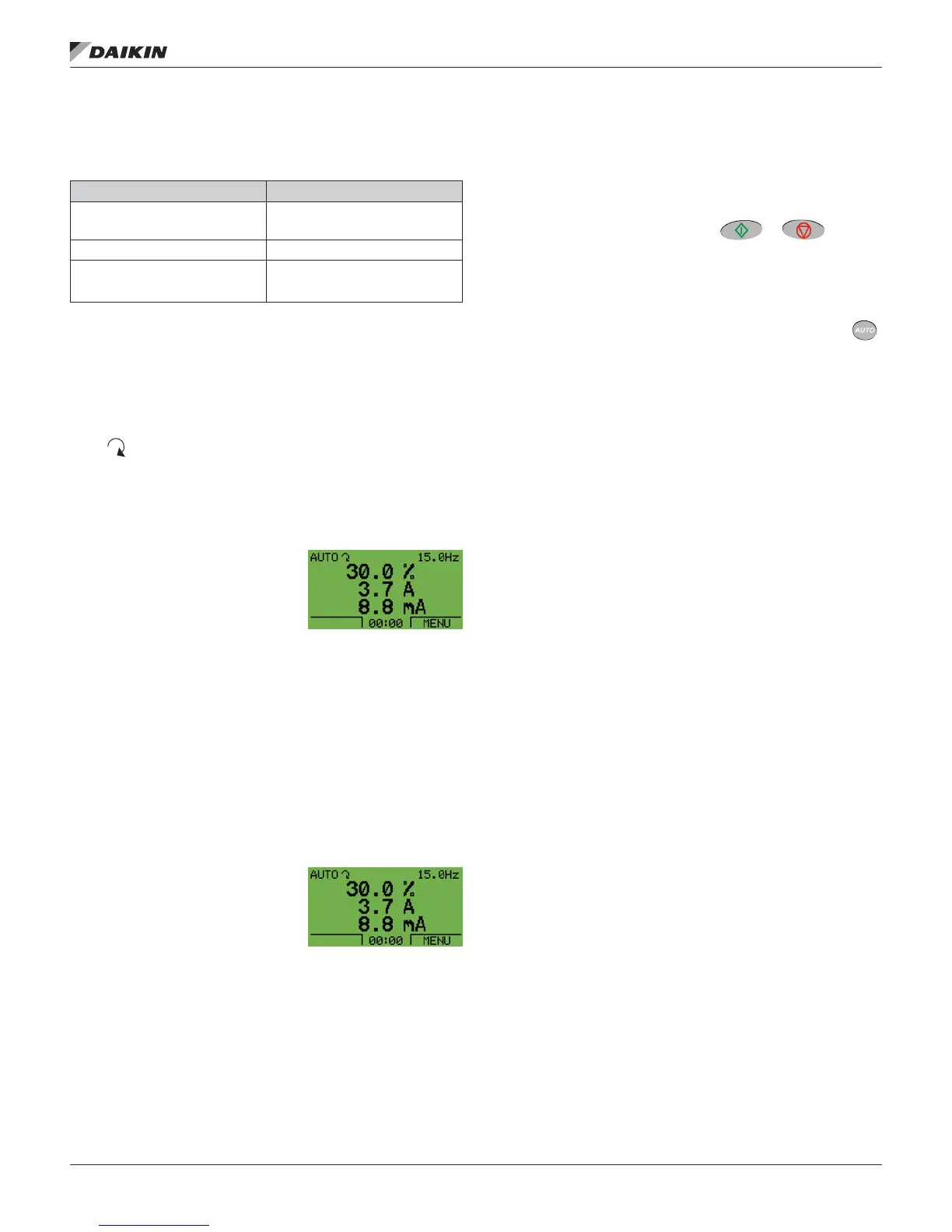
Middle. Using Group 34: Panel Display, the middle of the LCD
display can be congured to display:
• One to three parameter values
– The default display shows
parameters 0103 (OUTPUT
FREQ) in percentages, 0104
(CURRENT) in amperes and
0120 (AI1) in milliamperes.
— Use parameters 3401, 3408, and 3415, see page
34, to select the parameters (from Group 01) to
display. Entering “parameter” 0100 results in no
parameter displayed. For example, if 3401 = 0100
and 3415 = 0100, then only the parameter specied
by 3408 appears in the Control Panel display.
— You can also scale each parameter in the display, for
example, to convert the motor speed to a display of
conveyor speed. Parameters 3402…3405 scale the
parameter specied by 3401, parameters 3409…3412
scale the parameter specied by 3408, etc.
• A bar meter rather than one of the parameter values.
— Enable bar graph displays
using parameters 3404,
3411 and 3418.
Bottom. The bottom of the LCD
display shows:
• Lower corners – show the functions currently assigned
to the two soft keys.
• Lower middle – displays the current time (if congured to
show the time).
Operating the Drive
Auto/Hand – The very rst time the drive is powered up, it is
in the auto control (AUTO) mode, and is controlled from the
Control terminal block X1.
To switch to hand control (HAND) and control the drive using
the control panel, press and hold the or button.
• Pressing the HAND button switches the drive to hand
control while keeping the drive running.
• Pressing the OFF button switches to hand control and
stops the drive.
To switch back to auto control (AUTO), press and hold the
button.
Hand/Auto/Off – To start the drive press the HAND or AUTO
buttons, to stop the drive press the OFF button.
Reference – To modify the reference (only possible if the
display in the upper right corner is in reverse video) press the
UP or DOWN buttons (the reference changes immediately).
The reference can be modied in the local control mode
(HAND/OFF), and can be parameterized (using Group 11:
Reference Select) to also allow modication in the remote
control mode.
NOTE: The Start/Stop, Shaft direction and Reference
functions are only valid in local control (HAND/OFF)
mode.
Control Panel Display Signicance
Rotating arrow
(clockwise or counterclockwise)
• Drive is running and at setpoint
• Shaft direction is forward or reverse
Rotating dotted arrow blinking Drive is running but not at setpoint
Stationary dotted arrow
Start command is present, but motor
is not running. E.g. start enable is
missing.
OM 1191 • MD5 VFD 6 www.DaikinApplied.com
ConTrol Panel













 To Next Page