ConTrol Panel
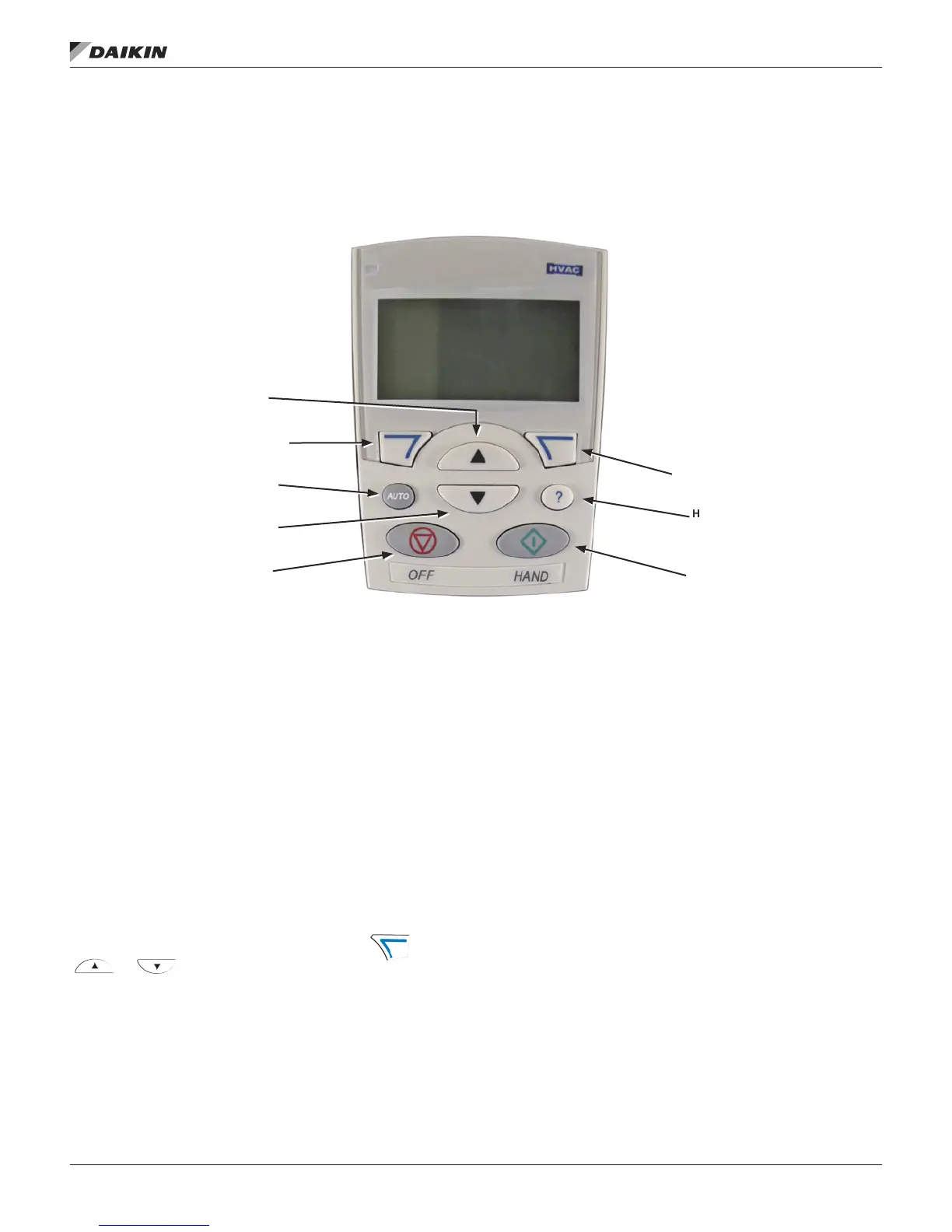
MD5 HVAC Control Panel Features
Figure 1: MD5 HVAC Control Panel Features
• Language selection for the display
• Drive connection that can be made or detached at any
time
• Start-up assistant to facilitate drive commissioning
• Copy function for moving parameters to other MD5 drives
• Backup function for saving parameter sets
• Context sensitive help
• Real-time clock
General Display Features
Soft Key Functions
The soft key functions are dened by text displayed just above
each key.
Display Contrast
To adjust display contrast, simultaneously press and
or , as appropriate.
HVAC Control Panel Modes
The HVAC control panel has several different modes for
conguring, operating and diagnosing the drive. The modes
are:
• Standard Display Mode – Shows drive status information
and operates the drive.
• Parameters Mode – Edits parameter values individually.
• Start-up Assistant Mode – Guides the start-up and
conguration.
• Changed Parameters Mode – Shows changed
parameters.
• Fault Logger Mode – Shows the drive fault history.
• Drive Parameter Backup Mode – Stores or uploads the
parameters.
• Clock Set Mode – Sets the time and date for the drive.
• I/O Settings Mode – Checks and edits the I/O settings.
• Alarm Mode – Reporting mode triggered by drive alarms.
Standard Display Mode
Use the Standard Display Mode to read information on the
drive’s status and to operate the drive. To reach the Standard
Display Mode, press EXIT until the LCD display shows status
information.
Status LED
(Green when normal,
if ashing or red,see
Diagnostics.)
UP
Soft Key 1
AUTO
DOWN
OFF
Soft Key 2
HELP
(always available)
HAND
ConTrol Panel
www.DaikinApplied.com 5 OM 1191 • MD5 VFD













 To Next Page