User Interface Basics
6
Main Menu
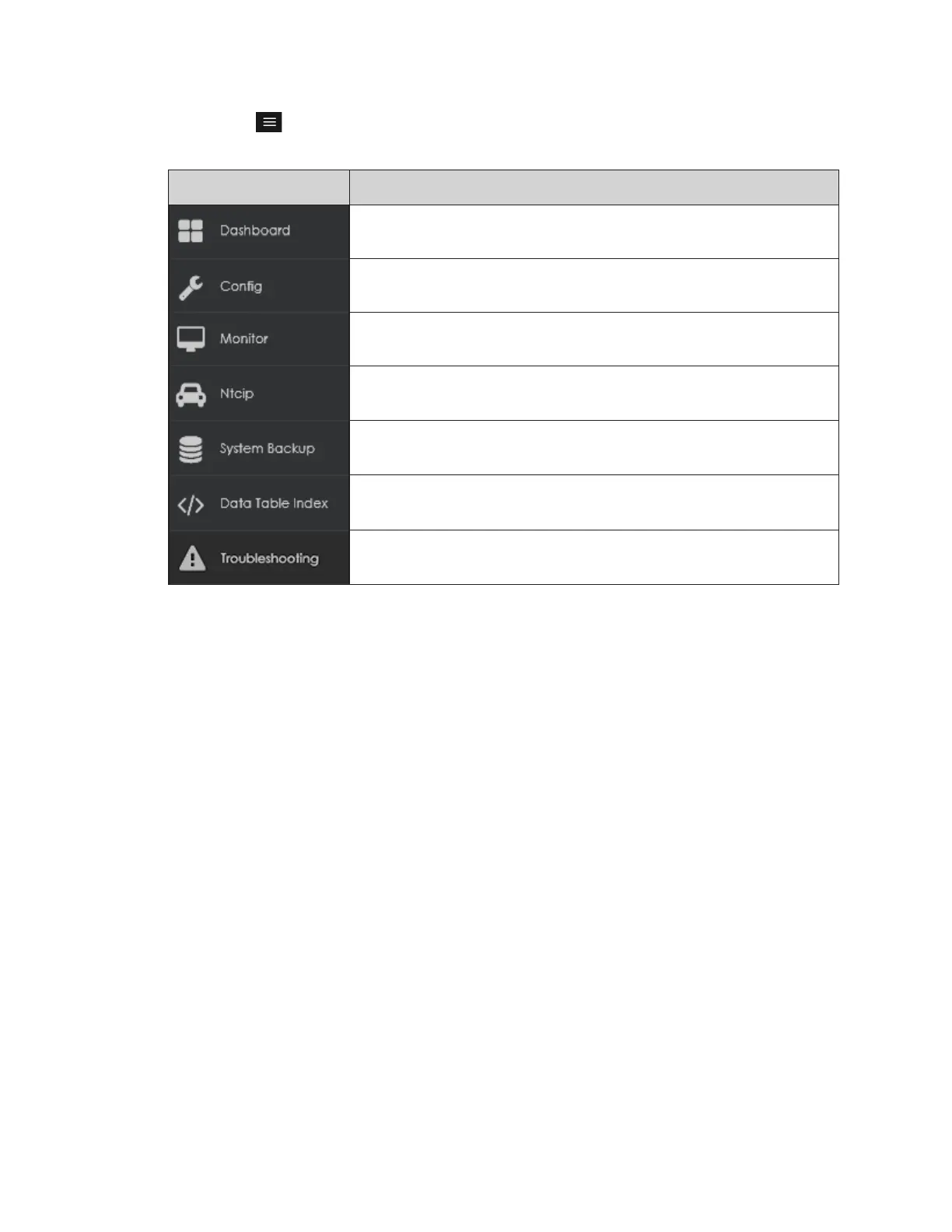
Click Menu in the upper-left corner of the screen to expand the main menu panel or
hover over the icon to see the command name. Refer to the table below.
Command Description
Shows status tiles for various aspects of the player; clicking any tile
opens a command or triggers an operational window
Lists all current conguration settings and tools including tools for
setting the output, local time, and security
Opens a window showing a live video stream of the current display
content and triggers test content including test patterns
Launches the Vanguard
®
Field Controller (VCF) interface*
Saves the current system backup le or restores the system by
uploading a saved backup le
Shows the currently stored player application information including
diagnostic information and any data feeds received by the player
Restarts the system, saves the system error logs to a ZIP le, and
performs network tests
*Only available when the controller is congured for transportation applications
For more detailed information on each main menu command, refer to Section 3:
Dashboard (p.7) – Section 9: Troubleshooting (p.31) in this manual.



 To Next Page
 Loading...